

AndrewTheGreat
Known Participant
October 18, 2023
Question

Premiere Pro 2024 won't open projects that have just been consolidated

  • October 18, 2023
  • 7 replies
  • 4646 views

I need to transfer an entire project to another PC. Normally I would go to Project manager, consolidate the files without transcoding and zip the resulting folder for good. In Pr 2024 when I try opening the resulting project that I've just consolidated, the software says the following:
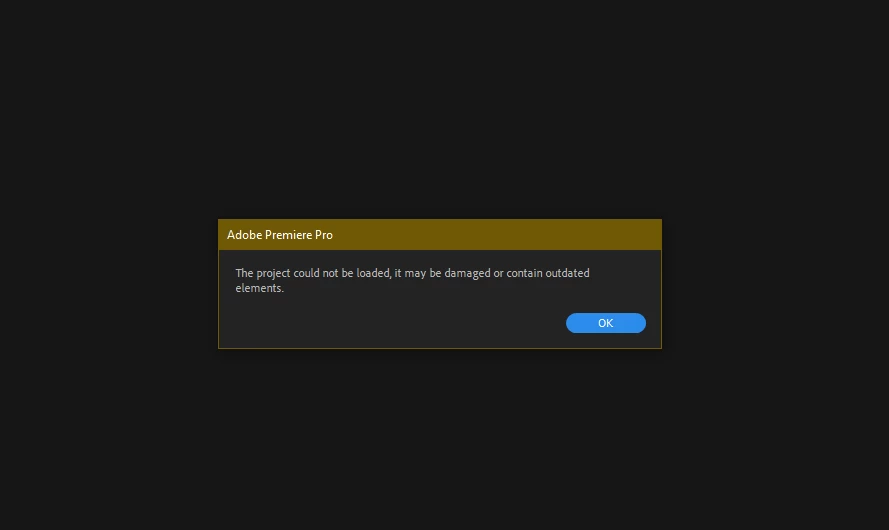
 

Transcoding is not suitable for me because I need to retain the original file formats. At the same time the project exports and runs fine.


Oh, yeah, almost forgot. I also tried opening consolidated projects created in Premiere 2023 - no such error there. So the "damaged or outdated elements" error so present only for projects consolidated within version 2024.

7 replies

Kevin-Monahan
Community Manager
Community Manager
June 17, 2024

Hello @AndrewTheGreat@defaultxn1chm0zlqnz@haidyo41896889, and @katiav90713862,

Thanks for the message. It’s been a long time since you filed this bug. Are you still having this issue? If so, can you provide the files the product team member requested?


I'll move your post to the Discussions board while we await your files.


Thanks,


Kevin

Kevin Monahan - Sr. Community and Engagement Strategist – Adobe Pro Video and Audio
DaciaSaenz
Inspiring
October 27, 2023

Hi @katiav90713862


Can you please share a copy of the zipped folder collected by Project Manager? 
Feel free to send it to me via DM if you don't wish to share it publicly. 

Thank you and apologies. Corrupted projects are SO stressful! 

- Dacia Saenz, AE & PR Engineering Teams
DaciaSaenz
Inspiring
October 27, 2023

Hi @AndrewTheGreat 


Can you please send me the zipped Project so I can try on my end? 

Using the original files should not be an issue. Definitely sounds like a bug of some sort. Is it possible the second PC is missing a custom importer for a specific file type? 

Can you tell me what kinds of files you're using in the project? 

Lastly, can you please share the specs for both computers? 


Thank you and apologies, 


- Dacia Saenz, AE & PR Engineering Teams
Participant
October 25, 2023

Pr 24.0 won't open the same project file from another computer on the same version... This is very very unusable!

Participant
October 25, 2023

The same happened to me. My project was saved in Premier Pro 2023. I saved the last editing in the project and restarted my Mac. Then, I tried to open the project again. I got a notification saying it must be changed to 2024; hit OK. When I opened the project, all the editing I did and SAVED was gone. 

AndrewTheGreat
Known Participant
October 23, 2023

Anyone? I need to consolidate my projects in order to move them to a storage, but I can not do that!

Stop trying to edit and EDIT!
Participating Frequently
October 19, 2023

I'm not experiencing this specific issue, but I'm using 2024 and I have had three projects just suddenly get corrupted and I can't open them anymore. TERRIFYING.  So now I'm paranoid and making multiple backups everywhere and set auto save to every 10 mins lol. But even some of my autosaves were corrupted as well. Like come on Adobe, when...WHEN will things just work smoothly lol?