


Premiere Pro 2025 Build 61 - Not Saving Voice Over
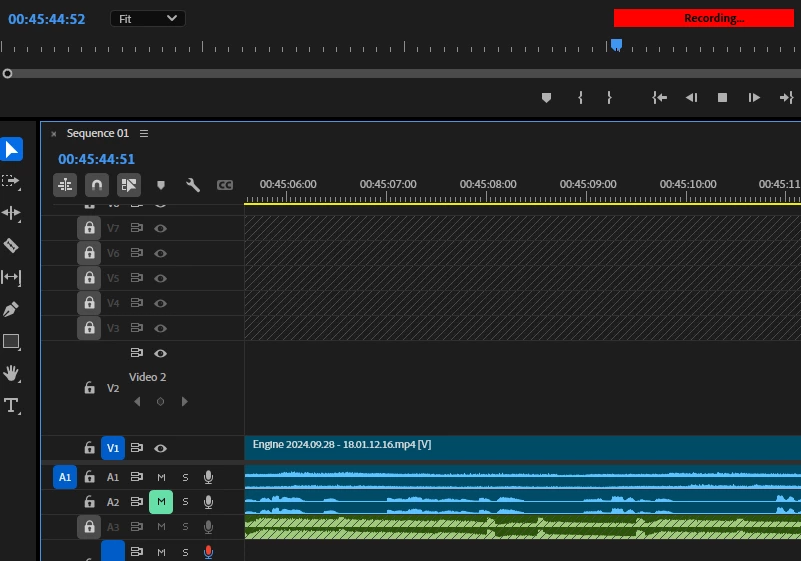
Problem: After pressing the record button, peforming voice over, and ending recording, the clip is not saved nor inserted into the timeline.
Context: Re-installed Windows 10 and all Adobe software. Opened up an existing project built and edited in Premiere 2024 but cannot save any VO to the project folder/timeline. Traditional solutions have failed. I have attempted to:
- Delete preferences / cache
- Re-install Premiere 2025 and installed two most recent 2024 versions
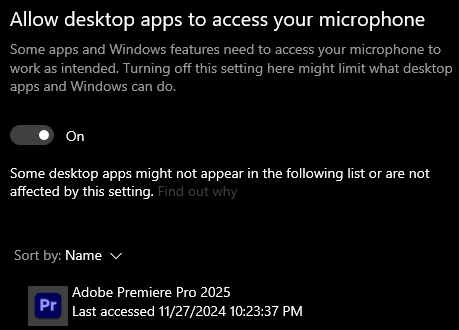
- Confirmed app has mic control and correct microphone is selected
- When allowing voice to playback during recording, I hear my own voice while recording
- Attempting making a new project and importing content from old project into the new one
- Fully re-installed all Adobe software
- Launched each version as administrator
- Closed all other apps using the microphone
- Tried opening/using other project files
- Tried doing VO in a new project using tutorial footage
Windows Version: 10 Pro (10.0.19045 Build 19045)
CPU: Ryzen 9 5900x
BIOS: 3401 3/19/2021
Memory: 32GB Corsair Dominator
Motheboard: ROG Crosshair VIII Hero (Wi-Fi)
GPU: PNY RTX 4070ti
Audio Interface: GOXLR Mini
Microphone: Rode Podmic
Audio Devices in Premiere Pro

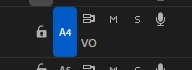
Non-gray Microphone Icon
Win10 Microphone Permissions for Premiere Pro 2025
Active Recording
Premiere Pro Version Verification


 AdChoices