


Participant
October 6, 2026
Question

Premiere Pro 2026 mask not working

Hello. My mask outline is not completely filled in with red, and the clip isn’t showing within the outline. Is there a reason for this? Screenshot is attached.

When I move the mask up, then I can see the clip. But for some reason, even when I move the clip down using Transform (and not Motion), I can’t see the clip fully within the outline. This has been driving me crazy. Would appreciate any help. Thanks!

Premiere version number: 26.5.2. I’m on a Mac, MacOS Tahoe Version 26.7.1. The display type is Built-in Liquid Retina XDR Display. LMK if you need any other info from me. 
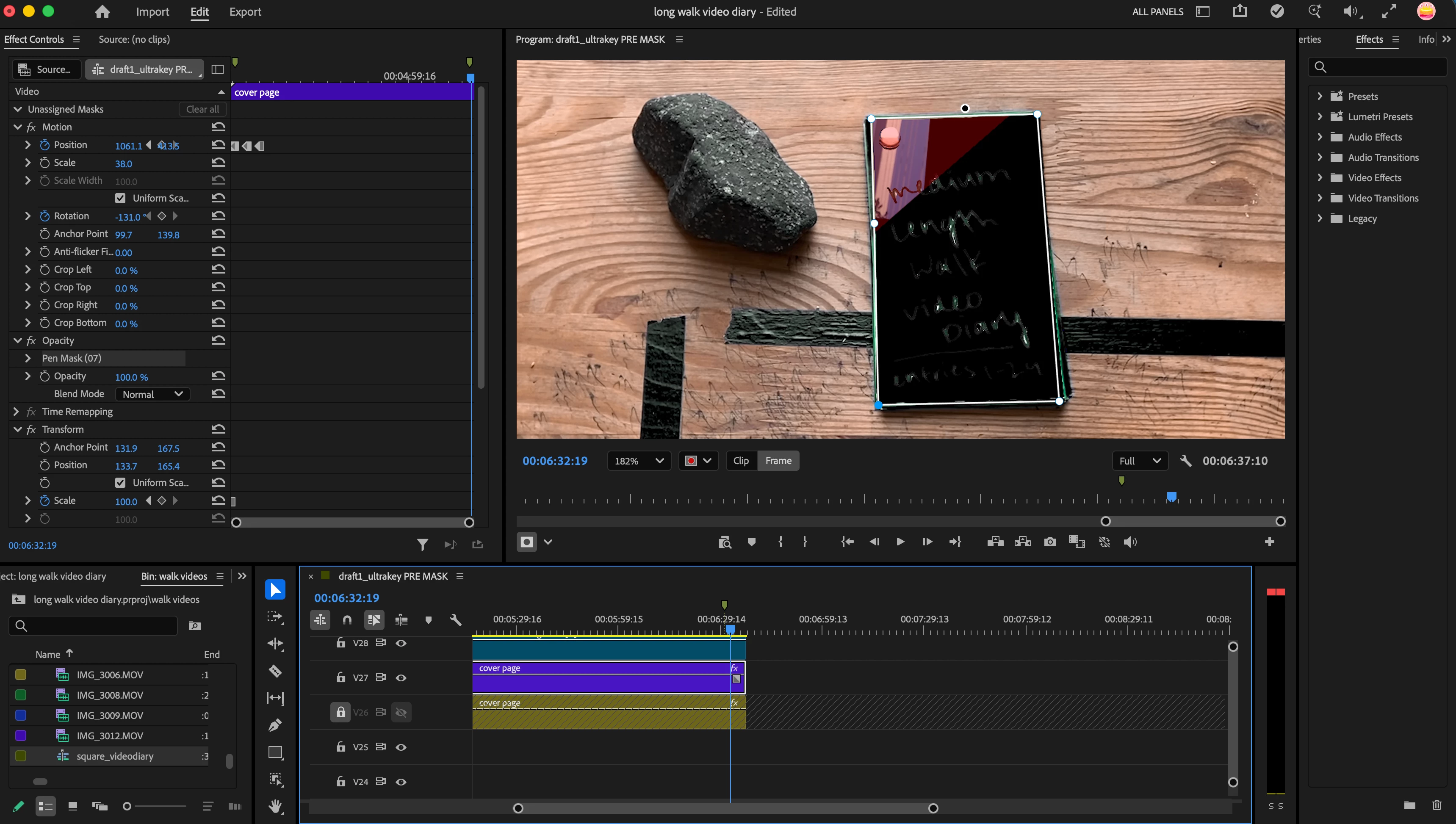
 

    3 replies

    Community Expert
    October 6, 2026

    This is caused by the order in which effects are rendered. The Transform effect is applied before the mask, so the clip and the mask outline end up offset from each other.

    Here are a couple of workarounds:

    • Add the mask to the original clip, nest the clip, then apply the Transform effect to the nested sequence.
    • Add the mask to the original clip, then apply the Transform effect to an adjustment layer above it.
    Translate
    soli90Author
    Participant
    October 6, 2026

    Thank you for your response. I am having this problem even without the Transform effect being applied. Could it have something to do with the anchor point of the mask? 

    Translate
    Community Expert
    October 6, 2026

    Two tests that will help determine the issue:

    1. Does it work if you delete those Position keyframes and reset all Motion effects? You may need to redraw the mask after this.
    2. Does is work if you drag the clip to a new sequence (based on the clip’s settings) and add a mask there?
    Translate