

Premiere Pro 23.6.0 clipping HDR multi-camera
I'm using Premiere Pro 23.6.0 (build 65) to create a multi-camera sequence in HDR. The clips are from two different cameras, one is the Sony A7R4 and the other the Sony FX3 (both with the latest firmware). I'm working on a sequence in Rec. 2100 PQ (with auto tone map media).
The footage from the A7R4 has the colospace (1-18-1), and for the FX3 I did the color space override from Rec. 709 to be Sony S-Log3/S-Gamut3.Cine
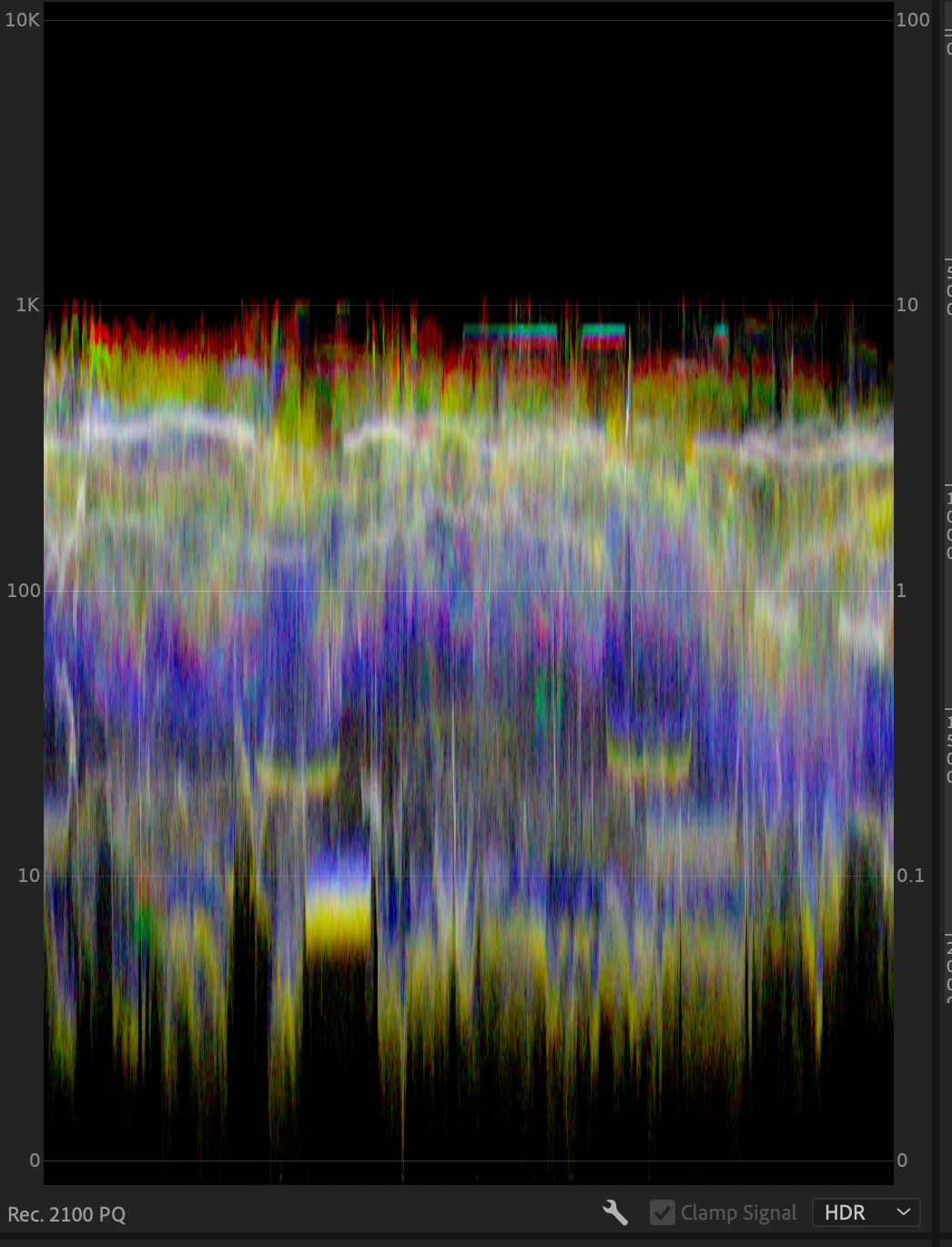
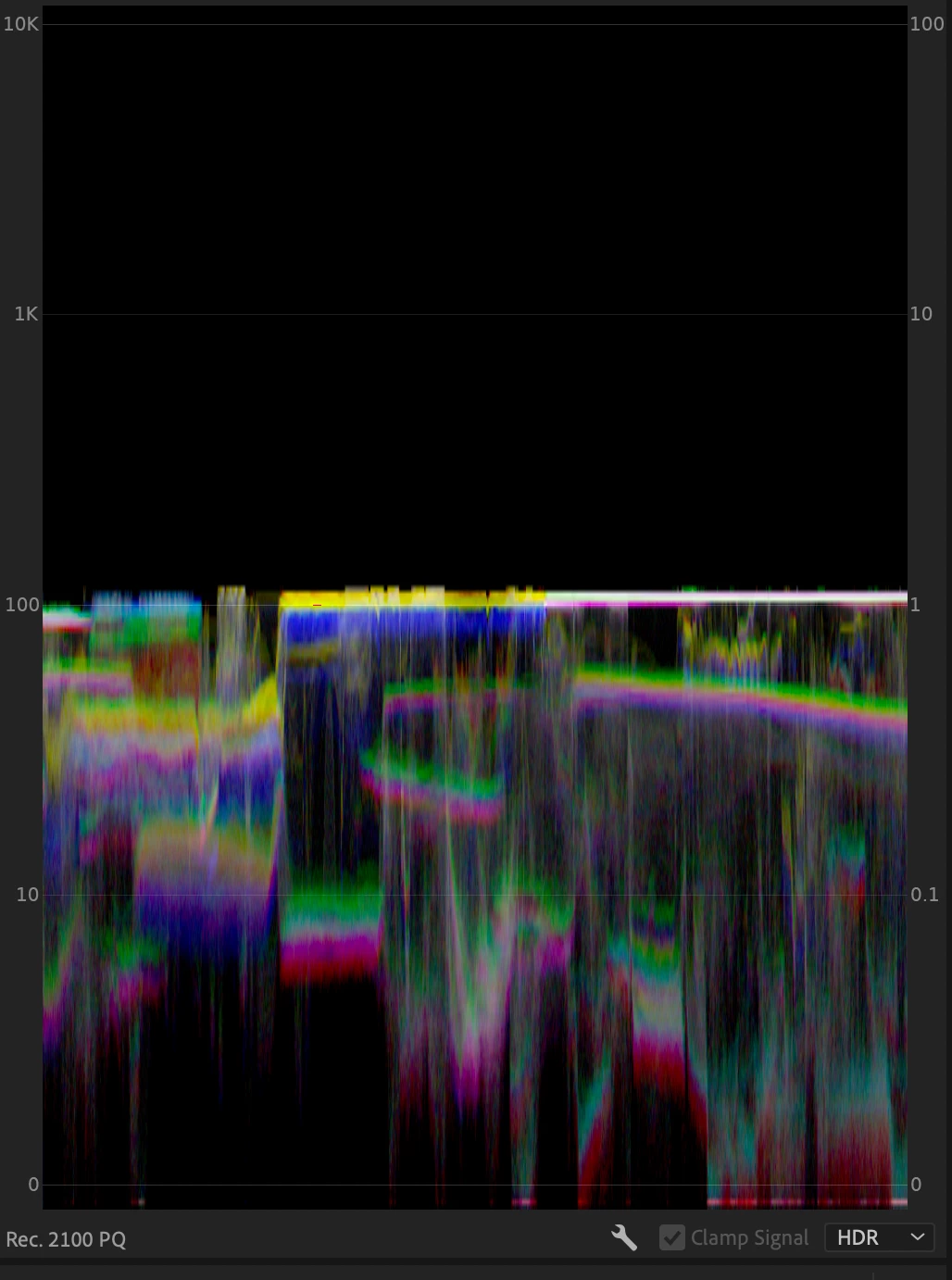
After I create the multi-camera sequence with both clips the camera for the A7R4 (1-18-1) peaks at around 1k nits and the FX3 peaks at around 100 nits, I can see that in the Lumetri Scopes, and it shows Rec. 2100 and HDR.
A7R4:
FX3:
And if I do open the footage from the FX3 as an idividual clip I can see it as HDR:
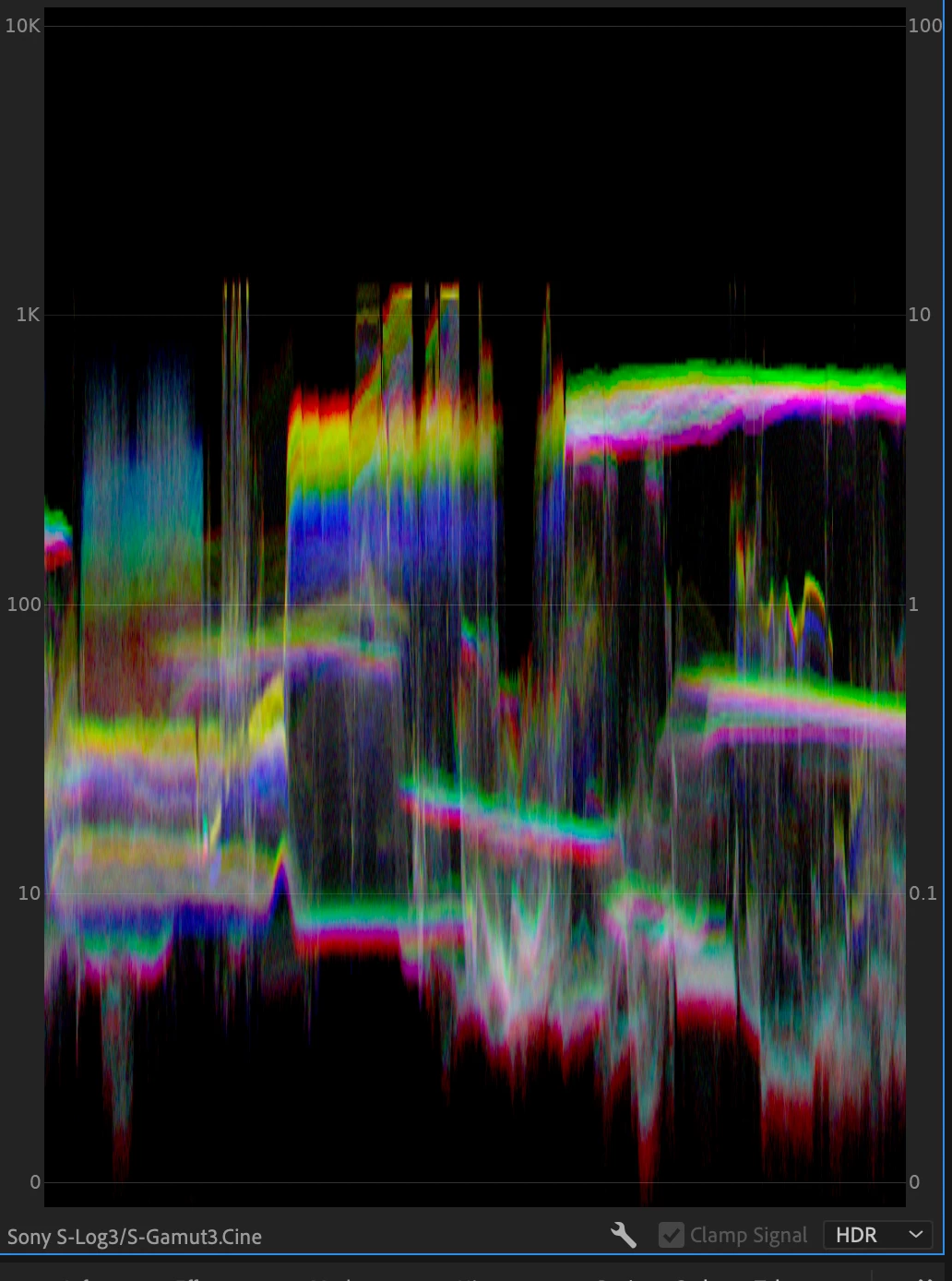
I think this is a bug that is taking the original color space (709) from the FX3 when doing the multi-camera and not the overriden color space. Also, every time I add new footage from the FX3 I have to go to Interpret Footage and do a color space override to S-Log3 as it comes as 709, that could also be a bug as I'm shooting in S-Log3.
Please let me know if you need more details.
 AdChoices