


Answered
defaultja4nf0o2ehy9Correct answer
Participant
September 14, 2026
Hi Katie,
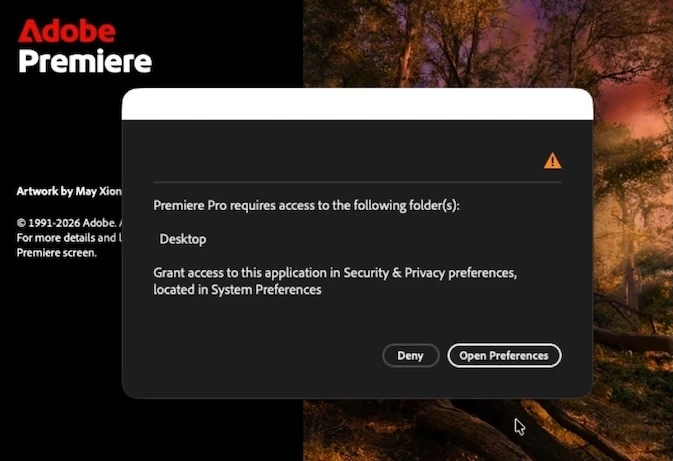
Thanks for your detailed reply. It really helped. I was running 26.5 when I hit the wall on startup - That screenshot was an hour into troubleshooting and after I had reverted to 26.3 - unsuccessfully.
The was the key:
“Also check Privacy & Security > Full Disk Access and make sure the current Premiere application is listed there.”
I enabled Premiere in this section of System Settings, and my latest re-install finally booted.
One note: the link on this error screen (below) opens System Settings > Privacy & Security > Files and Folders - but that’s not where the problem was.
The problem was in Privacy & Security > Full Disk Access. Which is not mentioned in Adobe troubleshooting documents. Thank goodness you were here to point this out. Maybe it should be added to the troubleshooting documentation.
 AdChoices