pisti
Participant
November 3, 2017
Question

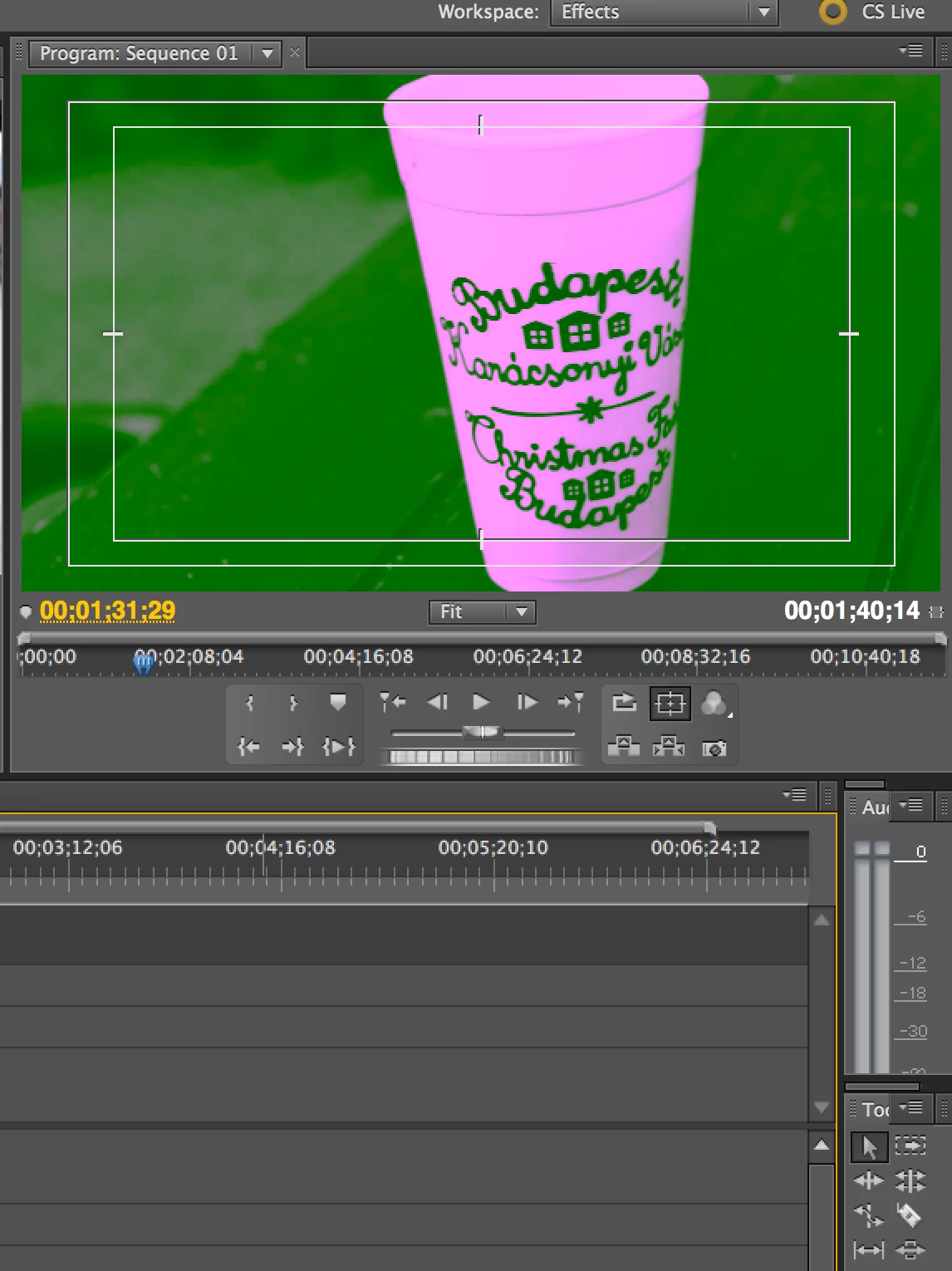
premiere pro 5.5 program monitor pink/green

  • November 3, 2017
  • 2 replies
  • 932 views

For some reason my program monitor shows all of my clips as pink and green. If I export the clips, they are normal. What is going on? Thanks for the help.
This topic has been closed for replies.

2 replies

Ann Bens
Community Expert
Community Expert
November 4, 2017

This usually means a graphiccard driver issue.

Update is probably the way to go.

pisti
pistiAuthor
Participant
November 7, 2017

Would a graphic card issue be the cause when I am using a year old MacBook Pro? The issues comes and goes without me even restarting the program or computer. I have never had any issues in Final Cut Pro and only have had issues since working with Premier Pro. Thanks for the input.

John T Smith
Community Expert
Community Expert
November 7, 2017

I have seen it mentioned that an OLD version of Java must be installed to get an old program (CS6 and earlier) working properly with your new operating system https://support.apple.com/kb/dl1572?locale=en_US

Owners of old programs simply have problems with Mac El Capitan/Sierra... none of which is Adobe's fault... Adobe did not change your old program to make it stop working... Apple changed their operating system and THAT is why your old programs won't work, not because of anything Adobe did... Also... every time Apple issues an update, there is the risk that an old program that HAS been working will STOP working... bottom line, old programs require a matching old operating system

John T Smith
Community Expert
Community Expert
November 3, 2017

More information needed for someone to help... please click below and provide the requested information

-Troubleshooting https://forums.adobe.com/thread/2261475

-Premiere Pro Video Editing Information FAQ http://forums.adobe.com/message/4200840

-WITH Exactly which version of Premiere Pro

-WITH the brand/model graphics adapter (ATI or nVidia or ???) and exact driver version

-Do not count on Windows to be fully up to date when it comes to device drivers

-Go to the vendor site to be sure you have an updated driver for your graphic adapter

•nVidia Driver Downloads http://www.nvidia.com/Download/index.aspx?lang=en-us

•ATI Driver Autodetect http://support.amd.com/en-us/download/auto-detect-tool

Have you tried an earlier version of the ati or NVidia driver?