paulyloz
Participant
January 14, 2018
Question

Premiere Pro & After Effects Dynamic Link Issue

  • January 14, 2018
  • 2 replies
  • 310 views

Hey all,

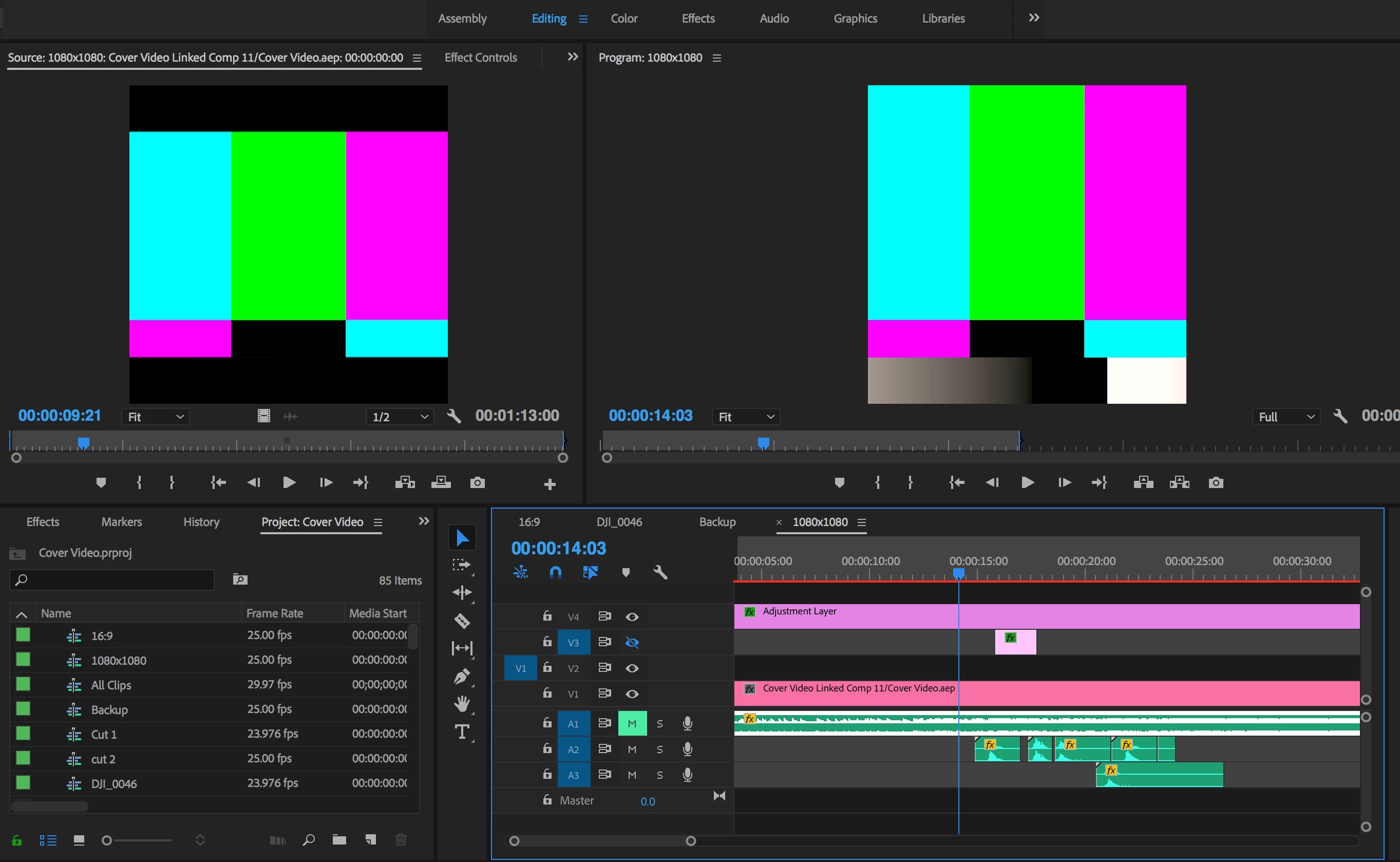
I have replaced a Premiere Pro sequence with an After Effects composition. However one of the clips won't play in Premiere Pro, but is replaced with blue, green and pink lines (see image below). The clip works fine in After Effects.

I'm running PP and AE CC on a 2017 Macbook Pro, let me know if any more information is needed.

I'm hoping there is a simple fix to this, any help would be greatly appreciated!
    This topic has been closed for replies.

    2 replies

    Vidya Sagar
    Participating Frequently
    January 15, 2018

    Hi paulyloz,

    As mentioned by Peru Bob, Dynamic Link is dependent on versions. It require both the applications updated to the same version.

    Please check the versions: FAQ: How to find the exact version of Premiere Pro you're using?

    Using Dynamic Link between various versions of Premiere Pro and After Effects

    Thanks,

    Vidya.

    Peru Bob
    Community Expert
    Community Expert
    January 14, 2018

    What version numbers of Premiere Pro and AE?