
Participant
January 5, 2020
質問

Premiere Pro Auswahlrahmen und Textmarkierung plötzlich verschwunden

  • January 5, 2020
  • 返信数 2.
  • 1990 ビュー

HI

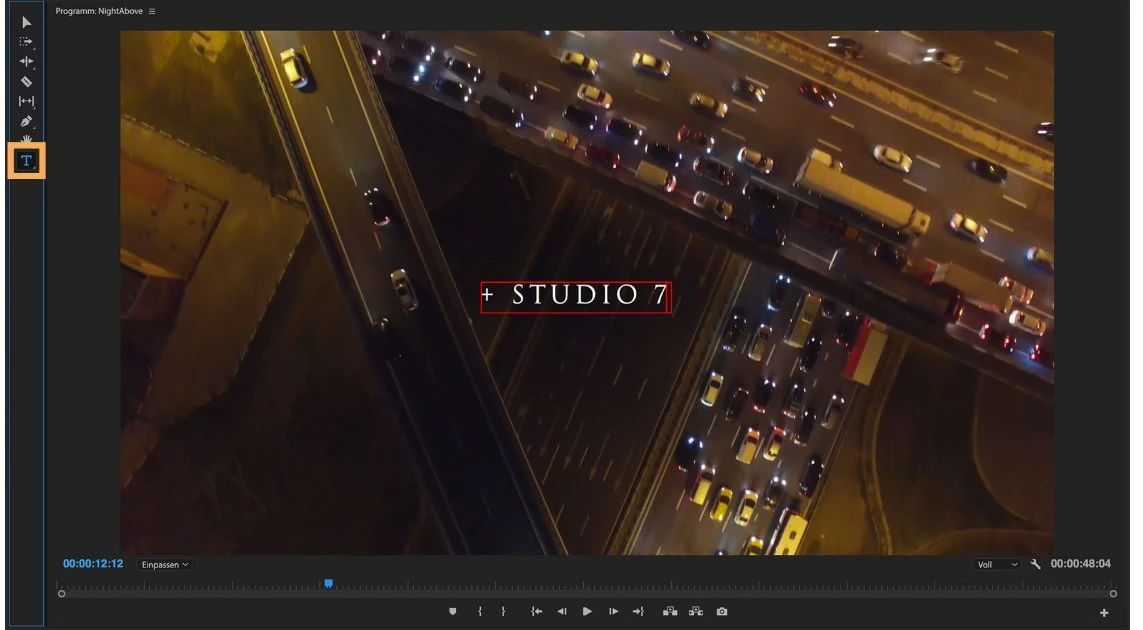
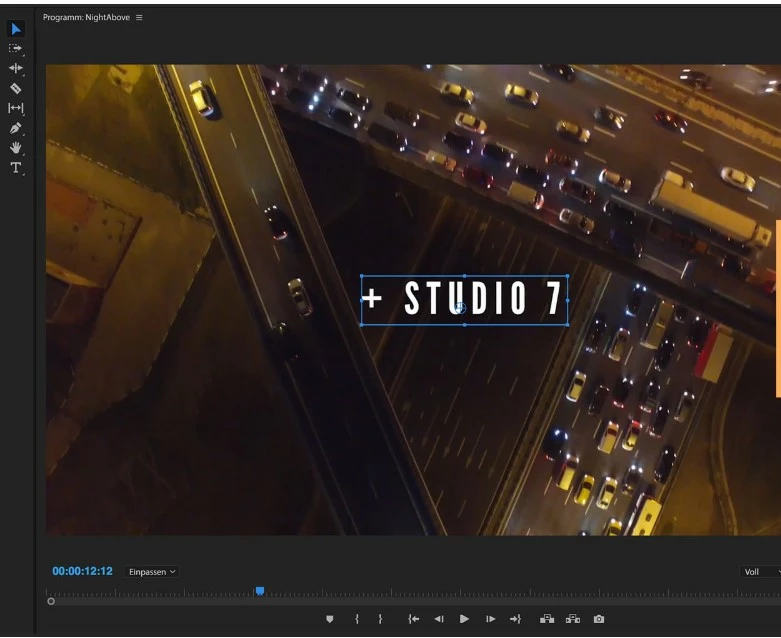
als ich heute mein Adobe Premiere (neuste Version) startete, war dieser rote und blaue Auswahlrahmen (siehe Bilder) bei den Textfeldern plötzlich verschwunden bzw. wurde nicht angezeigt. Ich hab ihn dannn  bei Arbeitsfläche Learnings gefunden. Aber da passt er ja überhaupt nicht hin.

Wie krieg ich den zu Effekten hinzugefügt bzw. angezeigt?


Danke schon mal.
返信数 2

Participant
April 29, 2025

Hi @gottesh58866603.,

hast du das Problem gelöst? Bei mir ist es aktuell das selbe Problem. Auch wenn ich ein neues Projekt mache, ist der Textrahmen nicht sichtbar.

VG

Kevin J. Monahan Jr.
Community Manager
Community Manager
April 30, 2025

HI Mustafa,

Try selectying the text layer in the Properties panel. Have you tried that yet? Let me know.


Thanks,

Kevin


Kevin Monahan - Sr. Community and Engagement Strategist – Adobe Pro Video and Audio
Kartika Rawat
Community Manager
Community Manager
January 7, 2020

Hi Martin Baron!

Welcome to the community. 

I read the issue description. I assume you are unable to choose effects for the text file. Am I correct?

I would recommend you to tap on the text file in the timeline and then check if you can select the effects.


Let us know if it helps.

Thanks,

Kartika