


December 9, 2025
Question

Premiere Pro can no longer be launched.

  • December 9, 2025
  • 1 reply
  • 683 views

Premiere Pro can no longer be launched. After starting it, I get the message “Error Report – Sorry, an error has occurred.” The message asks whether I want to send an error log. Regardless of whether I click No or Yes, the message disappears and Premiere does not open. According to the message, the file PremierePro.exe caused the issue. I have uninstalled and reinstalled Premiere Pro, but the problem still persists.


I am using the current Windows version and Adobe CC.868487iE5D3C5A5405CD42C.png
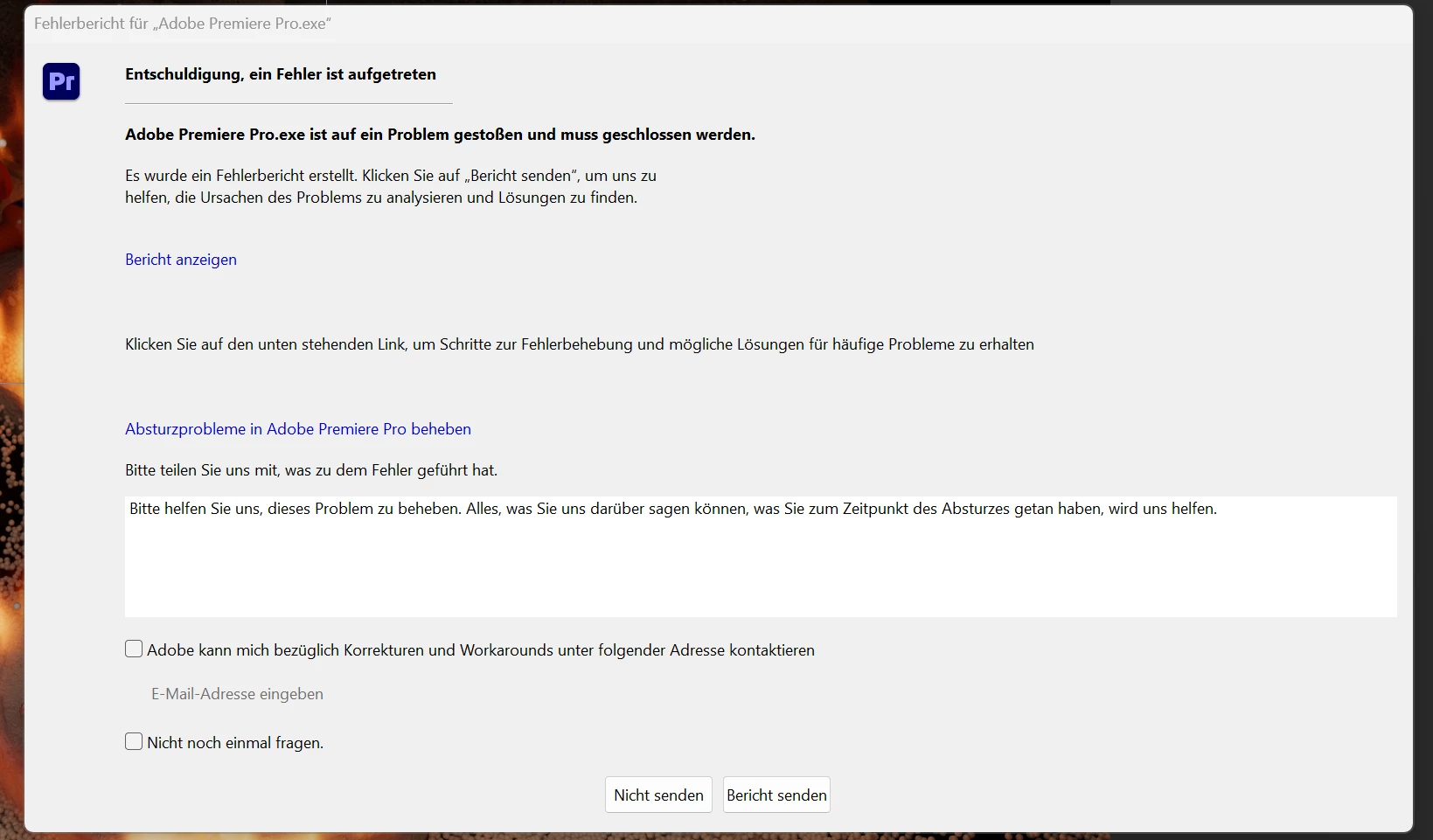
 

What can I do — does anyone have an idea?

1 reply

Community Expert
December 31, 2025

To resolve launch issues in Premiere Pro, try resetting preferences at startup:

1. Hold down the Alt key (Windows) or Option key (macOS) immediately after launching Premiere Pro.

2. The Reset Options dialog will appear with the following choices:

  • Reset app preferences
  • Clear media cache files
  • Reset plugin loading cache
  • Disable third-party plugins (one-time only)
  • Use Software Rendering only (one-time only)

3. Select all options, then click Continue to apply the changes and proceed with launching the application.