

Premiere Pro CC 2015 Launch Crash with 2 Dialogue Box
I have no more ideas on how to fix this problem. I have searched all over the inter net and still unable to find the answer.
My PC spec:
Windows 7
Intel Core i3-4150 CPU @ 3.50GHz
8GB RAM
64-bit
NVIDIA GeForce 9800 GT
Everytime I want to launch PPro, it always shows me this
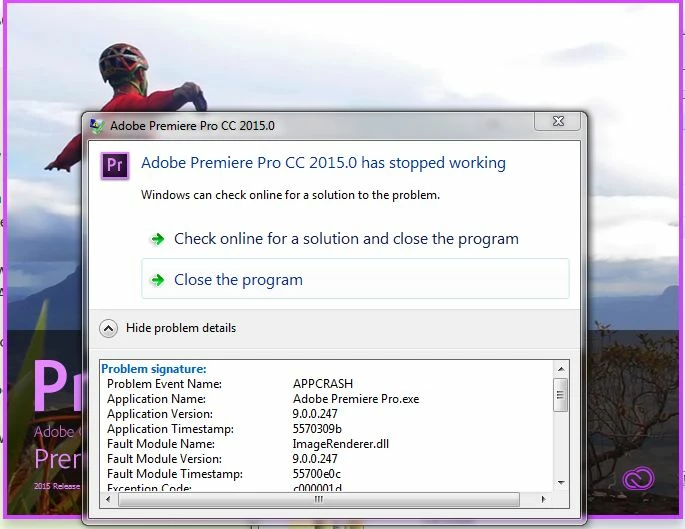
it says:
Problem Event Name: APPCRASH
Application Name: Adobe Premiere Pro.exe
Application Version: 9.0.0.247
Application Timestamp: 5570309b
Fault Module Name: ImageRenderer.dll
Fault Module Version: 9.0.0.247
Fault Module Timestamp: 55700e0c
Exception Code: c000001d
Exception Offset: 00000000001c96c2
OS Version: 6.1.7600.2.0.0.256.1
Locale ID: 1057
Additional Information 1: 0b2d
Additional Information 2: 0b2df4702c3fc6489bf922fb8e966350
Additional Information 3: adbd
Additional Information 4: adbdd4f90b074f2b77defbee82bf368a
And after this dialogue box is closed, it shows another one
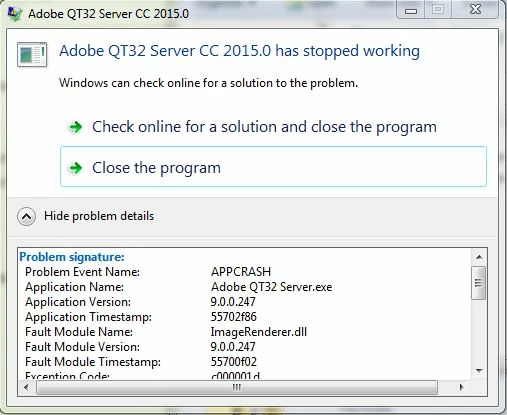
it says:
Problem Event Name: APPCRASH
Application Name: Adobe QT32 Server.exe
Application Version: 9.0.0.247
Application Timestamp: 55702f86
Fault Module Name: ImageRenderer.dll
Fault Module Version: 9.0.0.247
Fault Module Timestamp: 55700f02
Exception Code: c000001d
Exception Offset: 001bca23
OS Version: 6.1.7600.2.0.0.256.1
Locale ID: 1057
Additional Information 1: 0a9e
Additional Information 2: 0a9e372d3b4ad19135b953a78882e789
Additional Information 3: 0a9e
Additional Information 4: 0a9e372d3b4ad19135b953a78882e789
I have installed latest QuickTime 7, downloaded all Microsoft Visual cc. And still doesnt work.
I hope someone has an idea on how to fix my problem. Thank you very much
 AdChoices