Participant
April 30, 2017
Answered

Premiere Pro CC 2017, distorted graphic text in preview

  • April 30, 2017
  • 5 replies
  • 10513 views

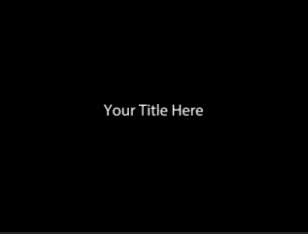
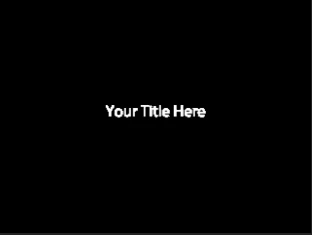
In Premiere Pro CC 2017, when I add a title graphic to my video (or any other text graphic, it seems), the text in the graphic appears distorted when I playback the video preview. The still-frame of the graphic looks clear as intended, it's only when the video plays that the distortion occurs.

When I first installed the application, I got a warning that my computer resolution was lower than the requirement of 1024x768. However, the display resolution on my laptop is 1366x768 (the recommended setting for my machine).

Any solutions or insight into what is causing this?

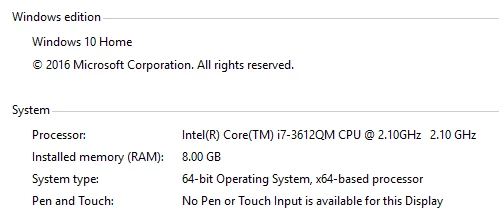
My graphics card is: Intel(R) HD Graphics 4000
Graphic still-frame:
Graphic during preview playback:
    This topic has been closed for replies.
    Correct answer Roei Tzoref

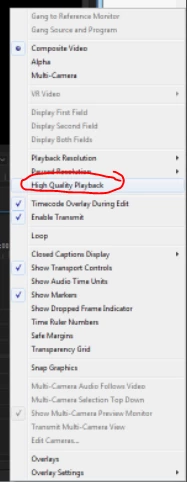
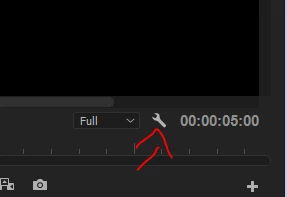
    anti-aliasing is off during playback, unless you set "high quality playback" option to ON in the program monitor settings:

    5 replies

    Participant
    September 28, 2017

    I am having the same problem now.  And all my settings are set to high quality.  Is there really no work around this other than just start over?  I am using the new title sequence that is provided by adobe.  

    Inspiring
    June 8, 2017

    Some Adobe staff can do a test and tell us what can be done to have a title created with the new graphics that has a render good like the old legacy test?

    Thanks

    paulh61891392
    Participant
    June 7, 2017

    I am experiencing the same problem, see image. It is not happening on all titles in the sequence, but when it appears it remains stuck even when rendered and exported. Is there a solution to this??

    paulh61891392
    Participant
    June 9, 2017

    The only solution I have found when the issue occurs is to delete the graphic element and create a new one, which is obviously time consuming and not a real solution. Surely there is a way to dump render files or have Premiere re-process it so it's clean?!

    Participant
    May 2, 2017

    I have this problem even when I enable High Quality Playback. There is almost no difference between the text rendering with it on or off. Is this a bug or am I missing something important?

    Legend
    May 2, 2017

    Are Paused and Playback resolution set the same?

    Participant
    May 3, 2017

    Yes they are. Everything is set to the highest value. I tried to empty the media cache as well and changed the preview files to a higher bitrate codec. Still blurry and gross.

    Roei Tzoref
    Roei TzorefCorrect answer
    Legend
    April 30, 2017

    anti-aliasing is off during playback, unless you set "high quality playback" option to ON in the program monitor settings:

    Participant
    April 30, 2017

    Thank you