
peterkellner1
Inspiring
April 2, 2017
Question

Premiere Pro CC 2017 Smudging my encoded output ... sometimes

  • April 2, 2017
  • 1 reply
  • 688 views

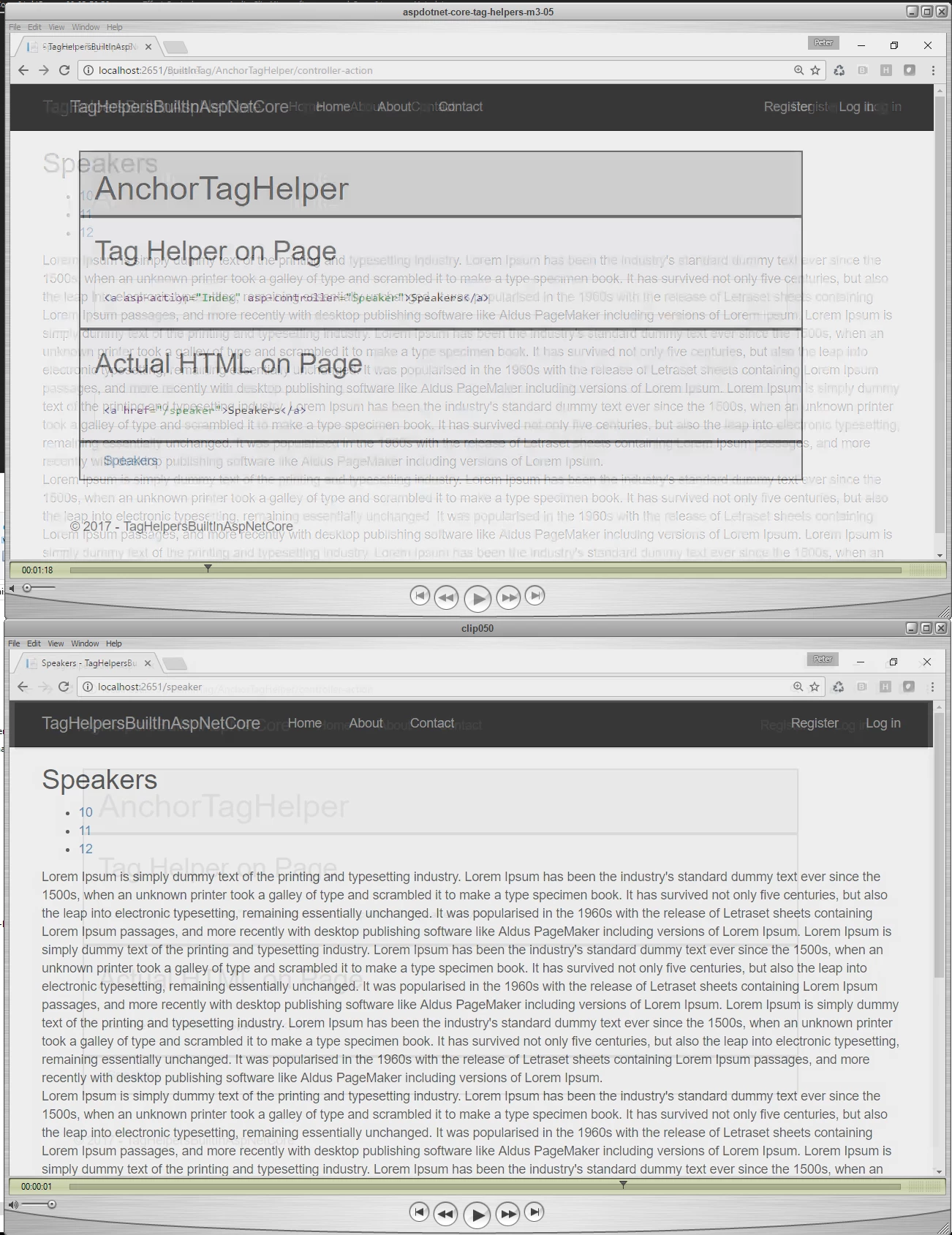
I generate videos for a large company that reviews my work before publishing. They have rejected several of my videos because of the transitins between clips (default transition).  On the attached slide, on the top you can seethat some of the paragraph is "smudged" in the first frame of the transition.  That is the screen shot they sent me back as a rejection and said "please encode at a higher frame rate".  I don't think it's a frame rate issue.

What can I do so that I don't get the "smudging" on my transition?
    This topic has been closed for replies.

    1 reply

    Inspiring
    April 2, 2017

    Post a screen shot of  your export settings Summary from the Export Settings Window, like this example below:

    It is likely you will need to export at a higher bitrate.

    MtD

    peterkellner1
    Inspiring
    April 2, 2017

    My Exports Summary that gives me the blurs as well as the other video. Not sure why different runs makes different data.  The in's and out's are different so not sure if that is related.

    Inspiring
    April 2, 2017

    Are you instructed to delver the video at such low bitrates?

    Try exporting it with the bitrate set to Target 8 Mbps and Max of 10 Mbps.

    When you are transitioning between the frames, the video becomes to complex to be represented accurately at the 3 Mbps target, so the video looks "smudged" as the compressor has too much data to pass at that target.

    Also, is there a reason you a converting your frame rate from your source sequence frame rate of 29.97 to 30 fps in your export?

    MtD