Participant
September 15, 2017
Answered

Premiere Pro CC 2017 - Video exports at different frame size than sequence

  • September 15, 2017
  • 3 replies
  • 5212 views

When creating a video that's set to a custom frame size, the exported file always comes out at a different size then what was entered in the sequence settings.

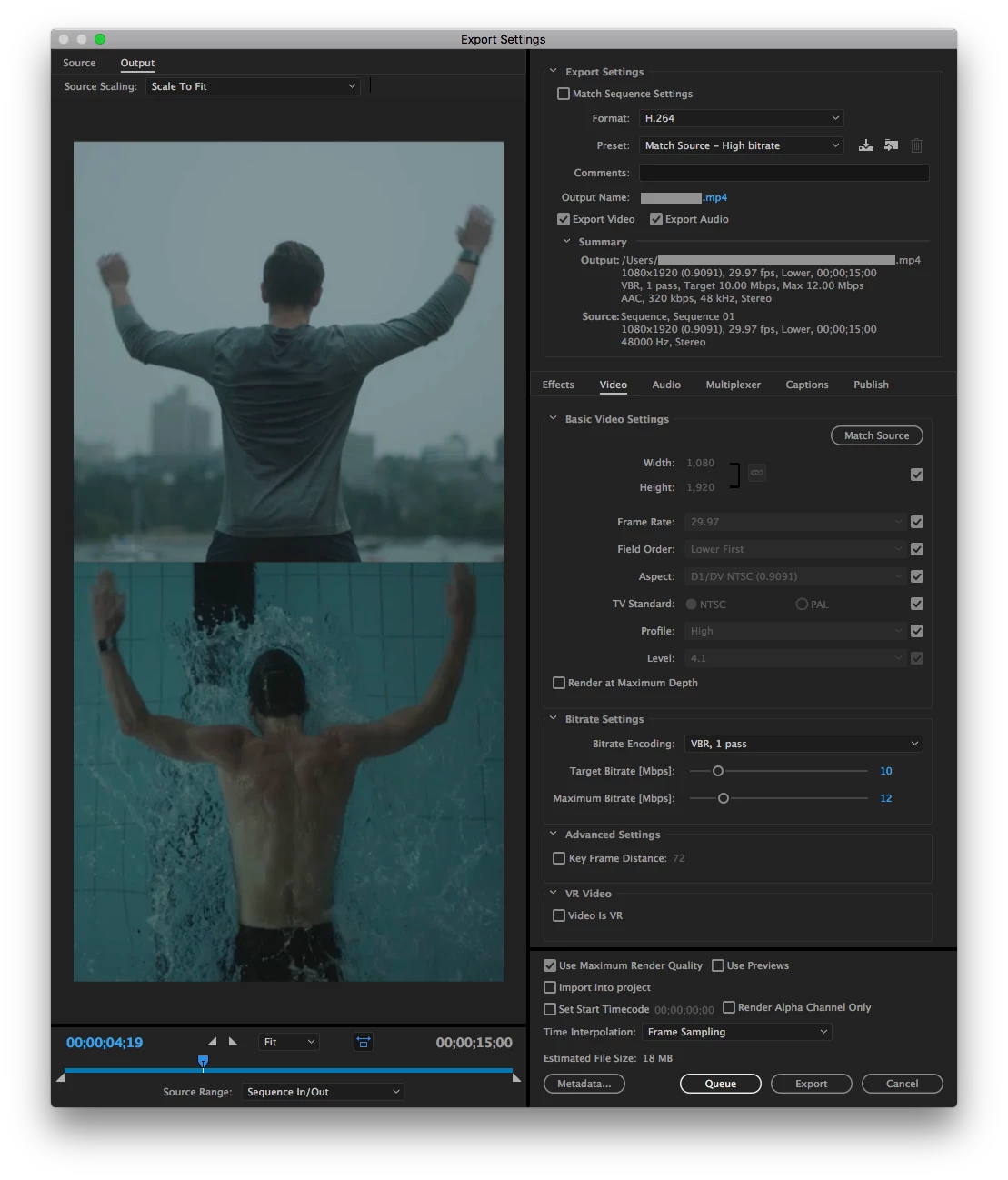
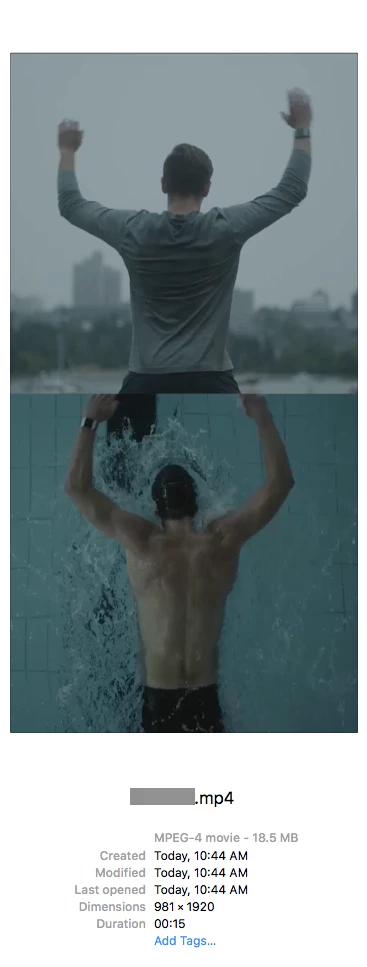
For example, I set a sequence to create some Instagram Stories at 1080px X 1920px, but when I export at H.264 with Match Source to file is automatically resized to 981px X 1920px. I've never had this issue before in earlier versions of Premiere and feel like I'm just missing something simple when setting up the sequence for export.

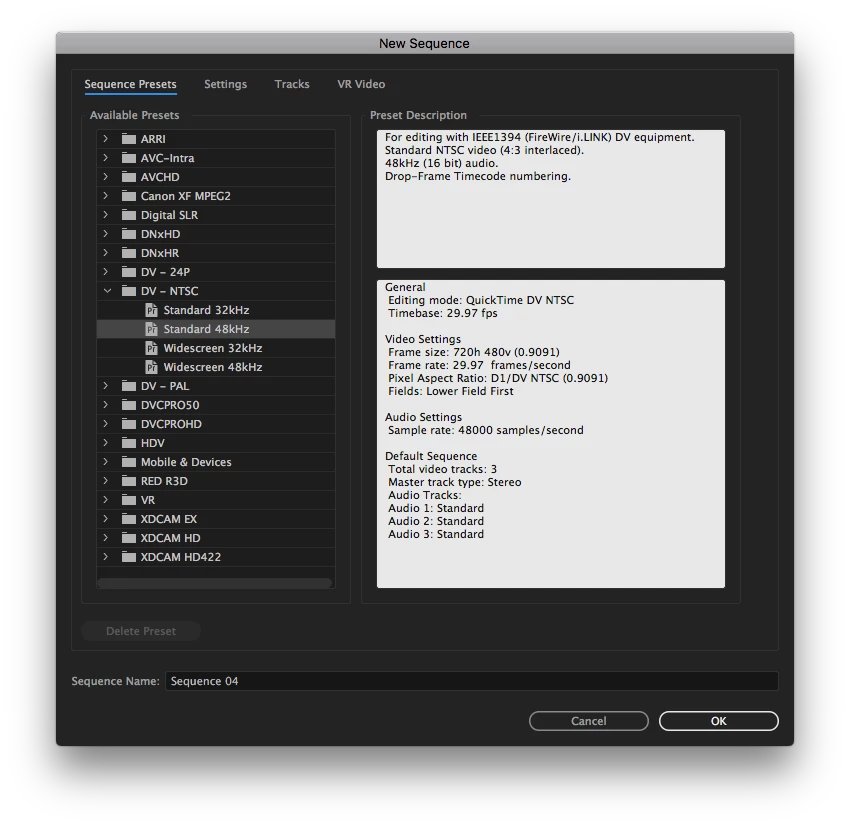
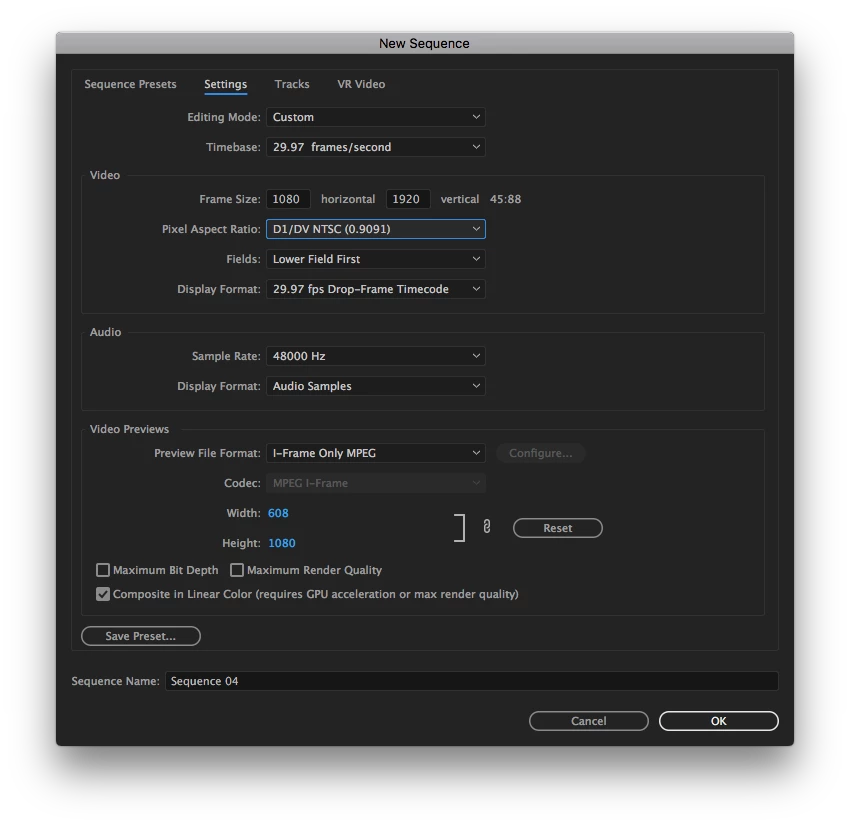
Here's a few screens of the workflow and if anyone has any thoughts or suggestions, it would be much appreciated. Thanks!
Correct answer Meg The Dog

If your destination for the video is the web, you should not be working with a DV aspect ratio of .9, it should be a square aspect ratio. (I believe this is what is causing the player to display it at the 981 x1920 size).

You should also not be working with interlaced video, the Fields should be set to none.

And it is your choice, but the DV codec is an absolute bottom feeder codec. If it were me, I would create the work with the Preview format in either ProRes or CineForm, and then export the H.264 high bitrate deliverable from that.

MtD

3 replies

Participant
September 27, 2019

I know this is an old post, but did you figure it out?  Mine is doing the exact same thing.

Participant
September 27, 2019
Ok so I changed the pixel aspect ratio to square pixel 1.0 and got it! Thanks!!!!
Legend
September 15, 2017

Your output exactly matches your sequence.  Whatever is reading the file as 981 is reporting it incorrectly.

Meg The DogCorrect answer
Inspiring
September 15, 2017

If your destination for the video is the web, you should not be working with a DV aspect ratio of .9, it should be a square aspect ratio. (I believe this is what is causing the player to display it at the 981 x1920 size).

You should also not be working with interlaced video, the Fields should be set to none.

And it is your choice, but the DV codec is an absolute bottom feeder codec. If it were me, I would create the work with the Preview format in either ProRes or CineForm, and then export the H.264 high bitrate deliverable from that.

MtD