Participant
January 28, 2018
Question

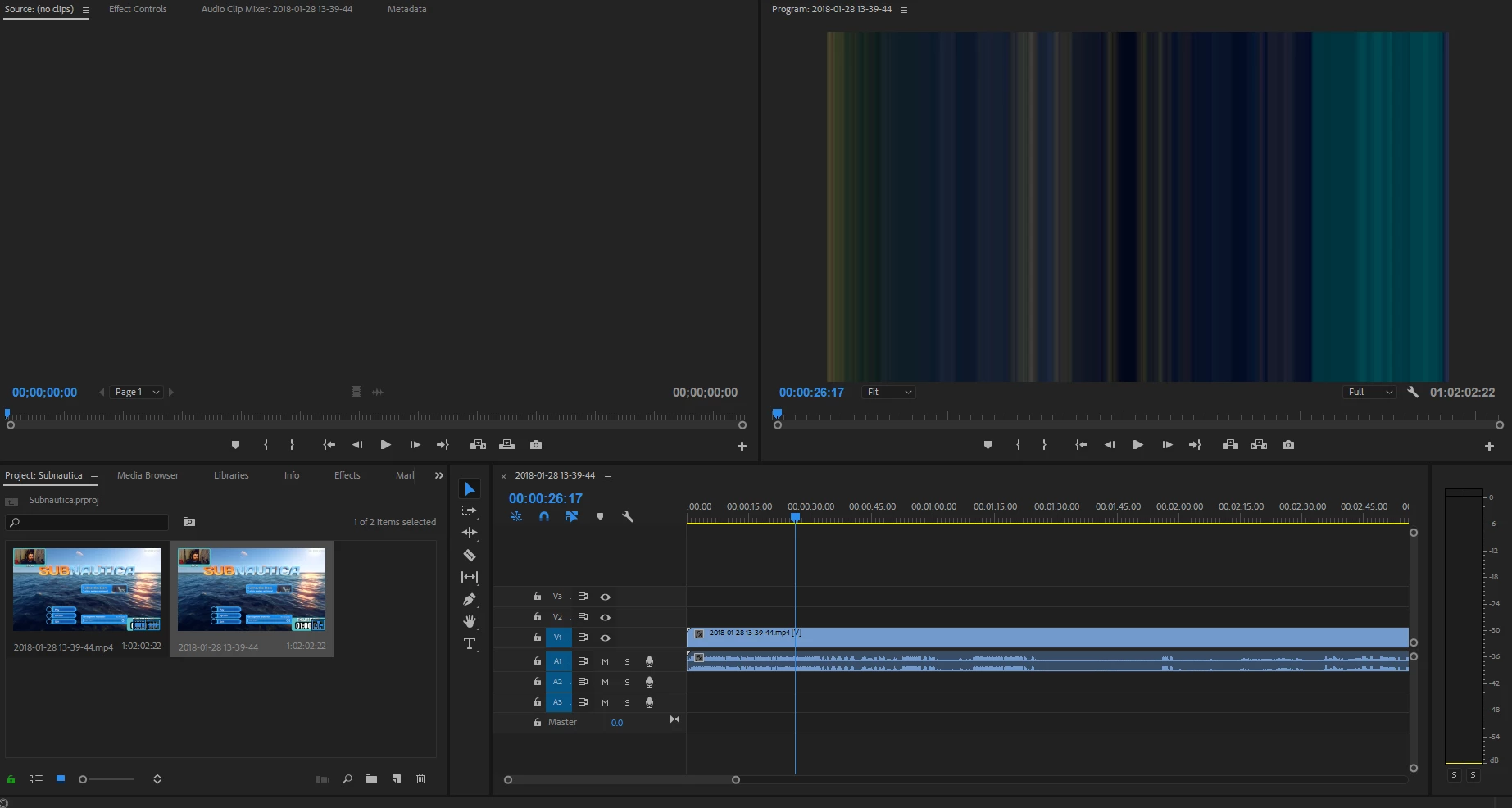
Premiere Pro CC 2018 All Video Importing as Lines

  • January 28, 2018
  • 2 replies
  • 1561 views

I've not been able to find any answers for this in my searches. Whenever I import any video file and drag to my timeline the audio comes over just fine, but the video is just distorted vertical lines. As you can see in the screenshot below, the thumbnail shows up correctly. The video file plays perfectly fine in VLC. I can open and edit no problem in HitFilm. I've tried exporting my recording as .mp4 and .mov with the same result. Could this be some weird codec issue? This occurs with every video I try to import.

Windows 7
This topic has been closed for replies.

2 replies

Participant
January 28, 2018

Update: Under Project Settings -> Video Rendering and Playback, I changed the Renderer from Mercury Playback Engine GPU Acceleration (OpenCL) to Mercury Playback Engine Software Only, and that fixed it. I'm still confused on why that caused this, though.

Peru Bob
Community Expert
Community Expert
January 28, 2018

cspangler  wrote

I'm still confused on why that caused this, though.

Do as Ann suggested.

Update your video driver directly from the card manufacturer's site.

Ann Bens
Community Expert
Community Expert
January 28, 2018

Might want to update your video driver.