
Premiere Pro CC 2018 Clips Multiplying and Then Overlapping When They're Not Supposed to
Hi Guys
I really hope someone can help me with this!
I am busy creating a video using a combination of images (slides) I created in Photoshop - PNG format - as well as a video clip. However, in a certain section of my video where there are the following layers: white background > video clip > PNG slide > PNG slide, image slides which I've placed elsewhere in the video are popping up. I've checked my sequence 100 times and I've definitely placed the slides etc. in the right spot. This has happened before when I preview the video, but usually when I export it it sorts itself out. However, my video is now exporting with these overlapping slides being where they are not supposed to be!
Here is a screenshot:
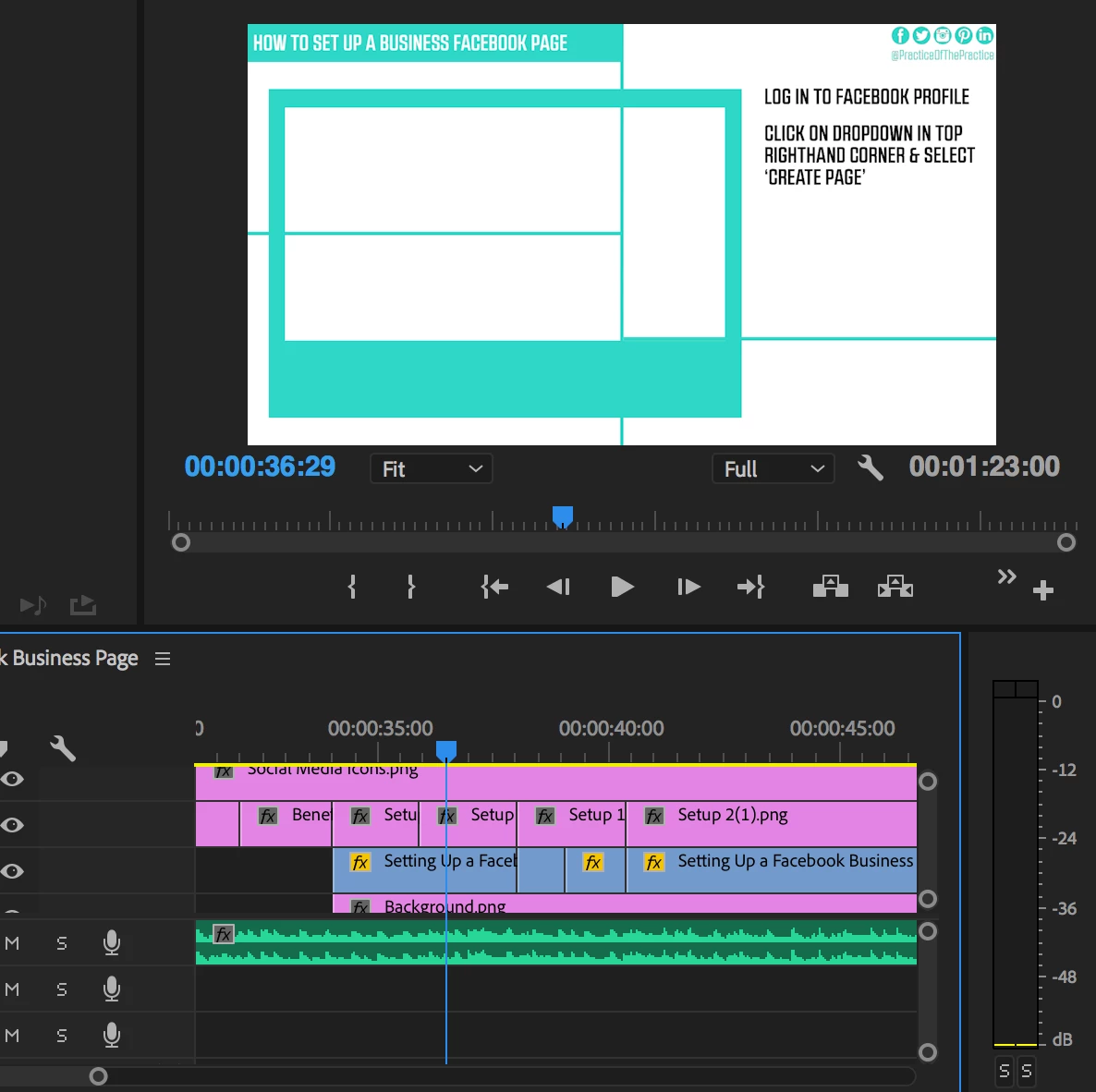
The lines are not supposed to be there (and aren't in that portion of the video) and there is supposed to be a video clip showing in the 'polaroid frame'. It's like the video clip has been replaced with the image of lines which is found elsewhere in the sequence.
Please help??
Thanks in advance!
Sam
 AdChoices