NoLens
Known Participant
October 21, 2017
Answered

Premiere Pro CC 2018 Doesn't seem to be able to search the Project Panel

  • October 21, 2017
  • 11 replies
  • 13521 views

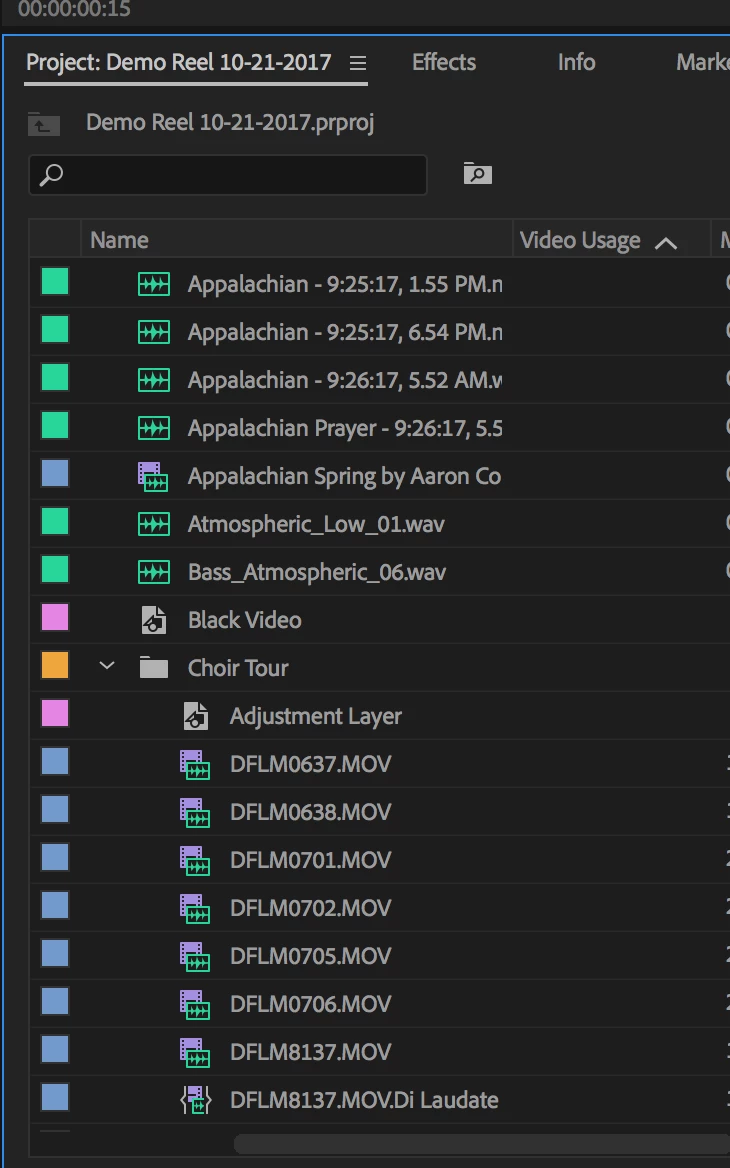
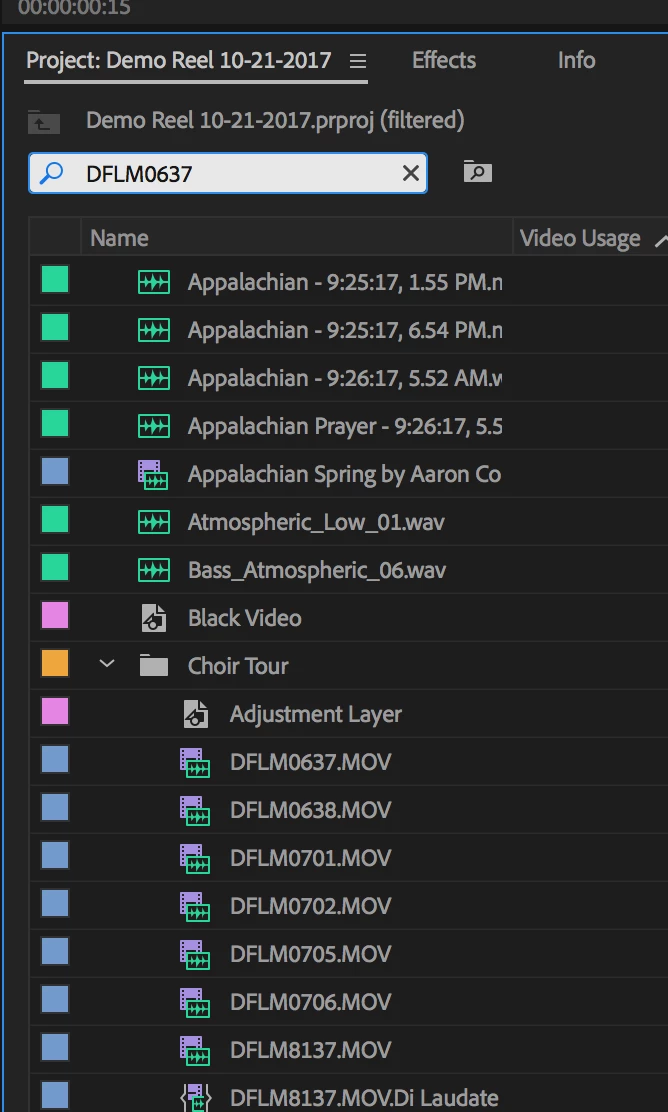
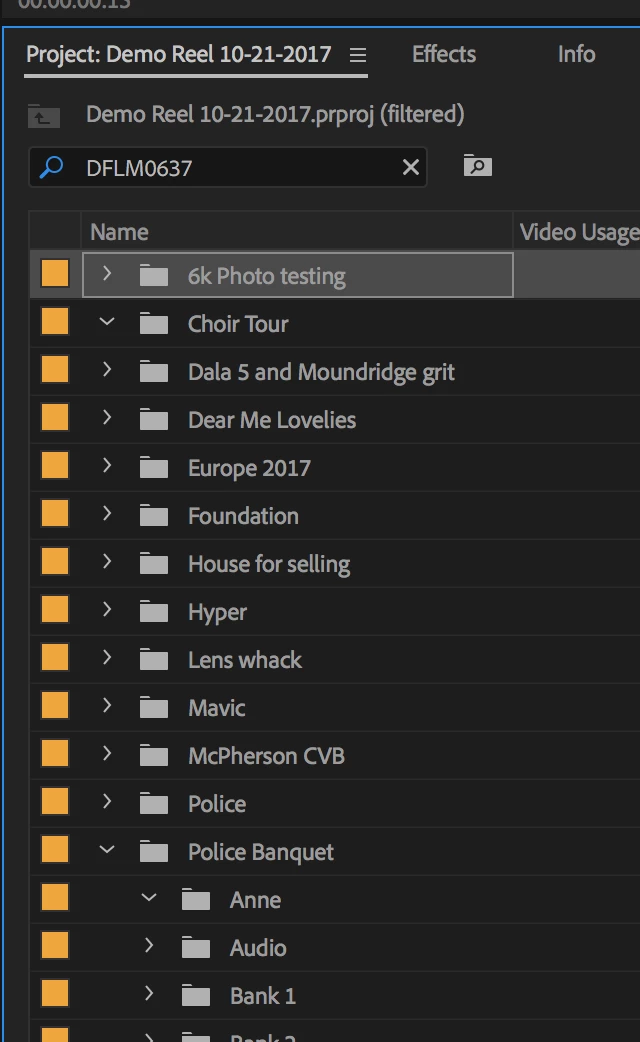
When typing a file name in the search field and hitting enter, I get a resulting Project Panel with no media, as in no results.  I intentionally searched a file I know is there.  Anyone else getting this?  I'm getting it no matter what I search for.  In this example I search for DFLM0637 which is in the Choir Tour bin as seen in the pics.  Pic 1 is showing that the file IS indeed there - DFLM0637.MOV  Pic 2 is me having typed that file in the search field, before hitting enter.  Pic 3 is my result.

Thanks for any advice.

And the result:

    This topic has been closed for replies.
    Correct answer Kevin J. Monahan Jr.

    No Lens,

    Are you still there? I have not seen a response in some time. If you are still around, let us know how things are going now with this issue.

    Unfortunately, your post has turned into a dumping ground for everyone that has problems with Search. I strongly suspect that customers experiencing this issue have corrupt projects, which can occur by simply updating a complex project file from one version to the next. For that, I'm sorry if this happened to you.

    For all experiencing this issue, please test with a brand new project and report back with the results. If the results are that search works with a new project but has problems on a project you updated, your project is likely corrupt.

    The iron clad way to avoid corrupt projects is by remaining on the same version of Premiere Pro throughout the life of your project.

    If you are experiencing this issue with a brand new project, look at the media you are using. If it comes from a camcorder that stores files in folders a compact flash disk, you need to copy all those folders, the entire contents of that CF card, to your hard drive. Then, import the footage via the Media Browser and not File > Import. If you ingested the media without any metadata, Premiere Pro might have a hard time finding specific clips based on that metadata - so that can also cause your search field to not function correctly. Please check that, as well.

    Thanks,
    Kevin

    11 replies

    Inspiring
    October 21, 2017

    With the Project Panel selected, type Command (Control) + F to bring up the find command.

    With Column set to Name, Operator to Contains enter the truncated file name, make sure match is set to Any:

    Then click Find.

    Does this find it?

    MtD

    NoLens
    NoLensAuthor
    Known Participant
    October 21, 2017

    On the FIND window I did as you suggested and it did indeed find it., so thanks!  I've never used that FIND feature before - I've just typed my search in that field at the top of the Project Panel.  If that's not what that field is for, then what is it for?

    Thanks,

    -h

    Inspiring
    October 21, 2017

    The Find field in the Project Panel is working correctly on my system, I wanted you to try the Find Command to see if that was not working on your system in addition to the Find Field in the Project Panel.

    No idea why the Find field in the Project Panel is not working for you, but this is should let you keep working until someone posts a solution.

    Have you tried searching for something other than that file?

    When Premiere Pro acts strangely, generally the first solution is to trash your preferences:

    FAQ: How to reset preferences in Premiere Pro?

    But you might want to hold off on that until some else responds.

    MtD