Premiere Pro CC 2018 - Missing ProRes Sequence Setting
Hi there,
Now it has happened to me. Updated Premiere to CC2018 and missing something crucial for me.
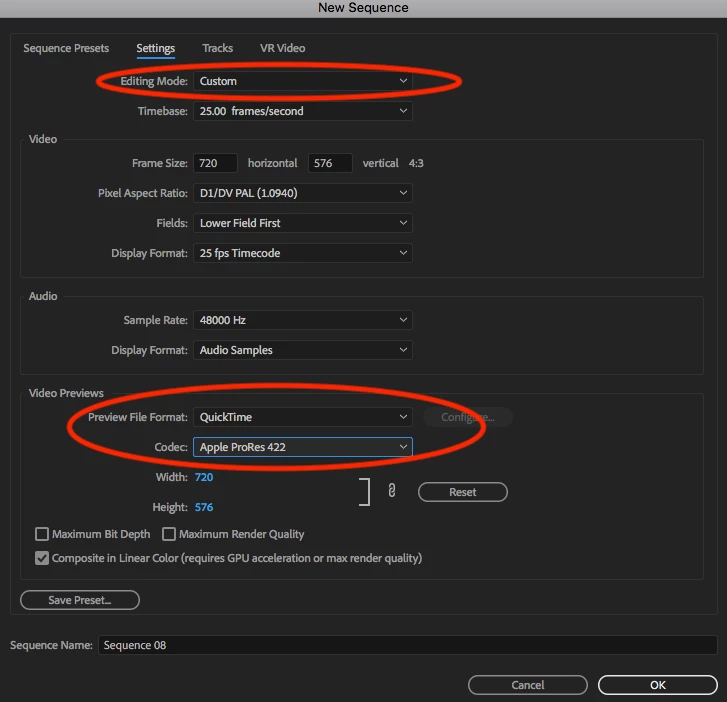
I don't see the option for selecting different "ProRes" Codecs in my Sequence Settings anymore.
They are still available in Media encoder, but my workflow mostly has me rendering in ProRes 422 (HQ) within Premiere and then using the Previews to export.
Which is something i cannot do right now.
Upon first opening my Project that was started in CC2017 it said, that there was third-party (not plugin, but i dont have the word for it right now) missing, first thought it was some effect or something, but it refers to the ProRes Settings for the sequence.
Where is the setting gone? Will that be fixed, or is it supposed to be that way (please, hell no)?
I'm of course on a mac, so this option should be there, as it always has been.
Thanks for your help in advance.
Ruben
 AdChoices