
Premiere Pro CC 2018 not even giving me the option to export video
Hello,
Thank you in advance for your help. I've worked with Premiere for a while now and have never encountered this problem which makes me think I just accidentally messed with my settings and there is a simple fix to this problem... hopefully.
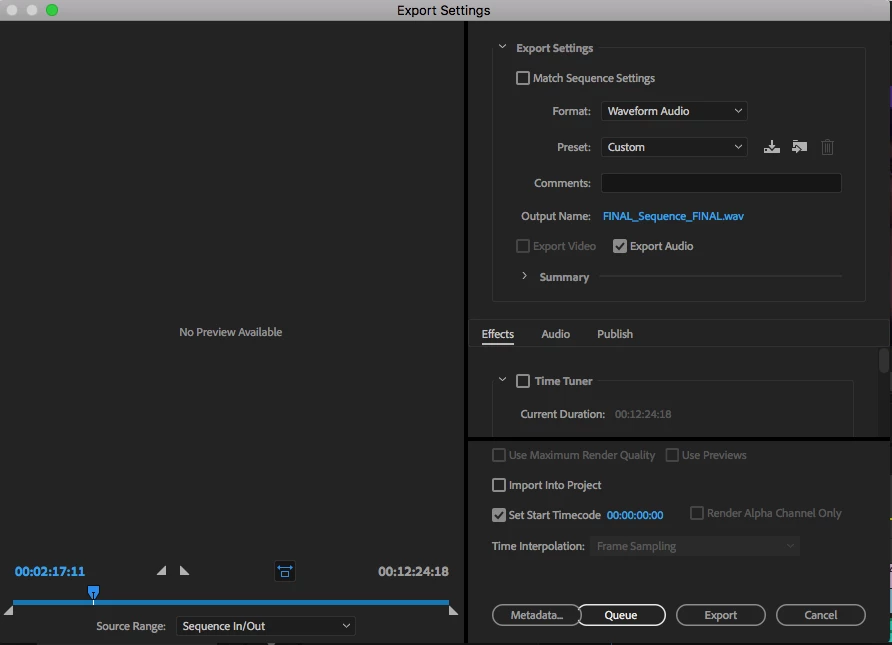
When I go to export my sequence (marked in to out), I do not have access to the video export settings, only effects and audio. Here is a screenshot:
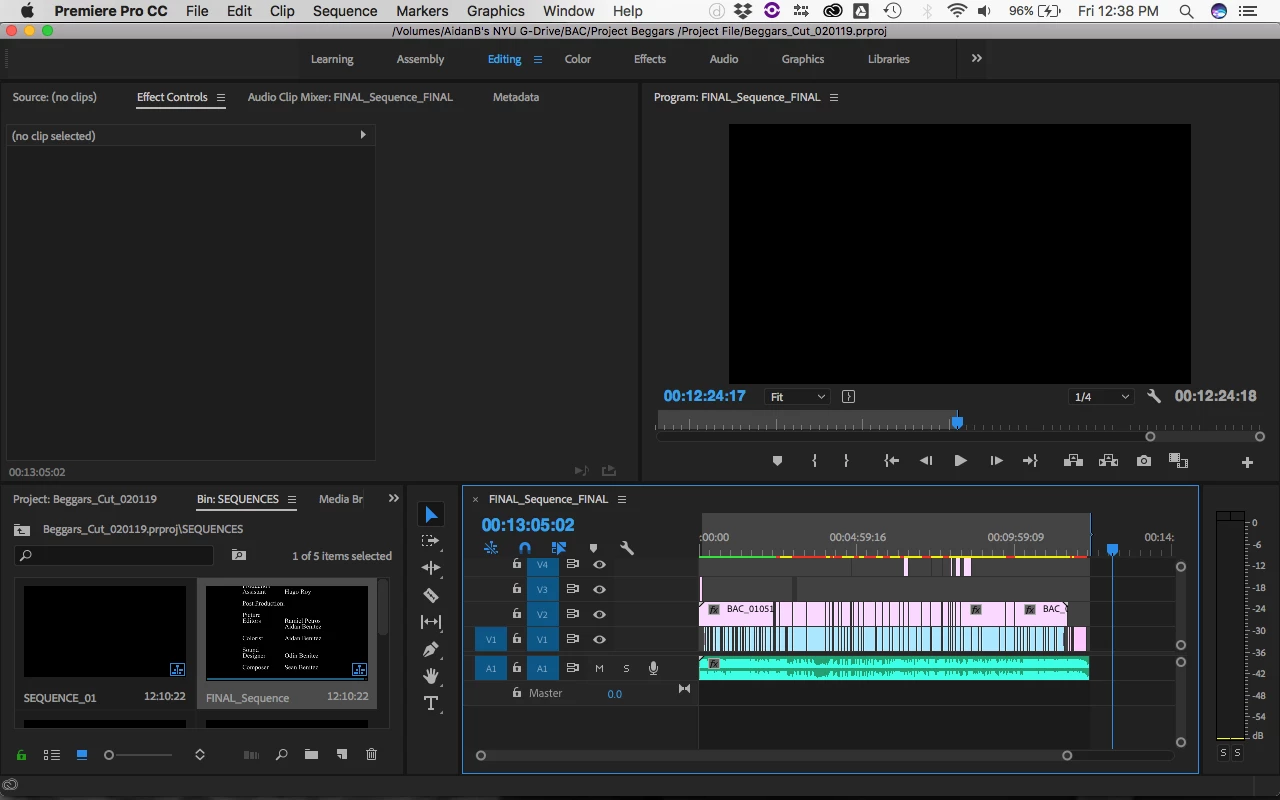
Here is also a screenshot of my project/timeline, which certainly might prove more helpful:
I have tried restarting the application, but to no avail.
Please let me know what the problem might be, or if any of you have run into this problem before. I can provide the specs of my system if needed, but I'm pretty sure the problem exists within the app because I have never had this issue before.
Thanks so much,
Aidan Benitez
 AdChoices