Premiere Pro CC 2019 playback stop working after a while
Actually I am working on a big project in Premiere Pro CC 2019, and I'm facing a very annoying bug.
Checking this forum I've seen other users are having the same or similar problem.
Problem Description:
After a while using Premiere and randomly when editing a project and I click play on Program/Source monitor the play icon become the usual stop button and it stays like that. I can't revert it to play button.
Timeline doesn't play at all, it shows the last video frame. The software is working correctly, I can move the play head, select clips, but Source and Program monitor looks like frozen.
When this problem shows I can't close Premiere as usual. I've to close the program by force.
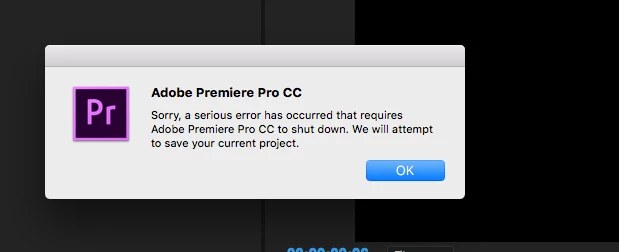
After i close my program i am getting this dialog from premiere
System info :
Mac os sierra 10.12.6
mac pro(late 2013)
processor 2.7 GHz 12-Core Intel Xeon E5
Memory 64 GB 1866 MHz DDR3
Graphics AMD FirePro D700 6144 MB
premiere version 13.1.5
Thanks in advance.
 AdChoices