
Participating Frequently
October 23, 2018
Answered

Premiere Pro CC 2019 stuck and crashes at initializing

  • October 23, 2018
  • 15 replies
  • 45857 views

So I'm having this now. When I first updated to the new CC 2019 version everything worked fine. Then I got a Bad_Pool_Caller crash (I'm on Windows 10) and since then PP won't fully start anymore (it was on on the moment of the crash).

During initialization it get's stuck everytime on a certain plugin . I erased all plugins and now it get's stuck when initializing "Importerquicktime.prm".
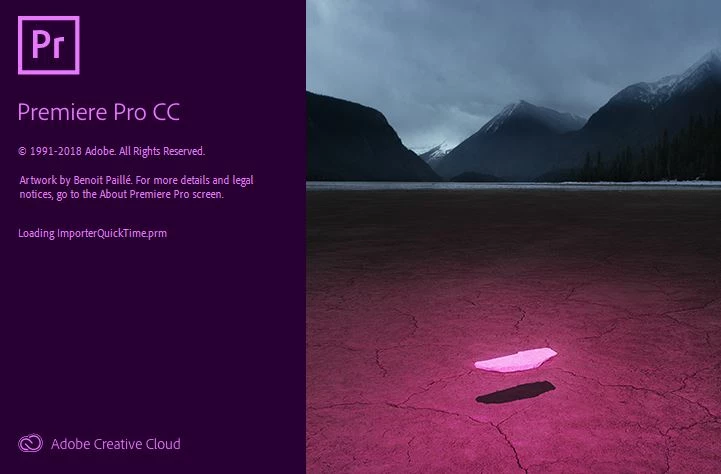
I tried reinstalling, but nothing seems to work. When I use the previous version (12.1.2) of PP everything works fine. Problem is I have already upgraded some projects to CC 2019 and cannot open them in an older version.

My computer specs:

processor: Intel Core I7-6700 CPU 3.40 GHZ

RAM: 16 GB

Graphical card: Geforce GTX 1060 3GB

Does it have something to do with the Windows crash? I have a feeling it is, but don't know what to do? I looked for updating my network driver, but it was already the latest version as well.

Any help is much appreciated!

This topic has been closed for replies.
Correct answer Alberto_B

PROBLEM SOLVED

Hi there,

I had the same issue and tried many possible solutions from use the administrator rights, renaming the Plug-ins Folder to eliminate some plugins passing by clean up the TEMP folder... the result = problem not solved.

Before the tedious and dangerous reinstall everything advice I searched a little bit more.

Then following a Adobe support info I tried to delete a file named SharedTags.json and voila it worked.

The file can be found in the path - users\name\APPDATA\ROAMING\ADOBE\Common\Essential Sound\SharedTags.json

After delete just restart Premiere and it works.

I don`t know yet if the absence of this file causes some other trouble, but in the last hours so far so good.

Hope it helps

ALBERTO

DELL XPS  i7 32GB RAM - WINDOWS 10 - VIDEO BOARD AMD RADEON  R9 370

15 replies

WeAreMoose
Inspiring
October 25, 2018

Sounds a bit dramatic

Can you delete the files without killing it?

Participating Frequently
October 25, 2018

I don't know if killing that process will let me delete the files, but don't see any other option though

Community Expert
October 25, 2018

01. C:\Users\'your user name'\AppData\Local\Temp

Delete what's in there

02. Update your Graphics Card driver directly from the vendor's website (don't run a traditional windows update)

03. If you are on Macs, update to latest OSx

Participating Frequently
October 25, 2018

Deleted the temp folder and installed this driver for my graphics card GTX 1060:

https://www.geforce.com/drivers/results/138697

Then I reinstalled premiere pro, without any result.

I did however noticed there were a couple of adobe files in the temp folder that could not be deleted

In the creative cloud folder:

WeAreMoose
Inspiring
October 25, 2018

What's the error message when attempting to delete?

I'd fire up the Task Manager and kill all Adobe related processes and then try to delete the mentioned files.

Thanks

Jannick

Participant
October 23, 2018

I had a similar problem ....

Did you update media encoder as well ?

I simply choose to unistall ans re install.  That solved all the problems.

Participant
October 24, 2018

Hi SHOOTINGBLIND - I had this issue today as well. Uninstalling and reinstalling didn't work for me. Funny thing is that 2019 had been running stable for over a week now. I'm trying running as an administrator now. Thanks much.

Averdahl
Community Expert
Community Expert
October 23, 2018

I had a similar issue but it stopped at Initializing Application and i solved it by launching Premiere Pro as an Administrator.

Find Premiere Pro CC 2019 in the Start menu and right click on it and choose Run as administrator and report back.

Participant
October 24, 2018

I have the same issue as of today; tried running as administrator from the start menu, and that did not solve the problem. This isn't looking good at all.

WeAreMoose
Inspiring
October 23, 2018

Hey,

Does this help?

ImporterQuickTime.prm

Thanks