
Participant
October 31, 2018
Question

Premiere Pro CC lost link with psd files, unsuccessful re-linking due to "Generic Error"

  • October 31, 2018
  • 3 replies
  • 2746 views

Hi everyone

I've been working on my premier pro file for the past 3 days, using imported psd files and there's been no problem.

This morning however the link between photoshop files and premiere pro stopped, so I tried to relink the media. This is what popped up:
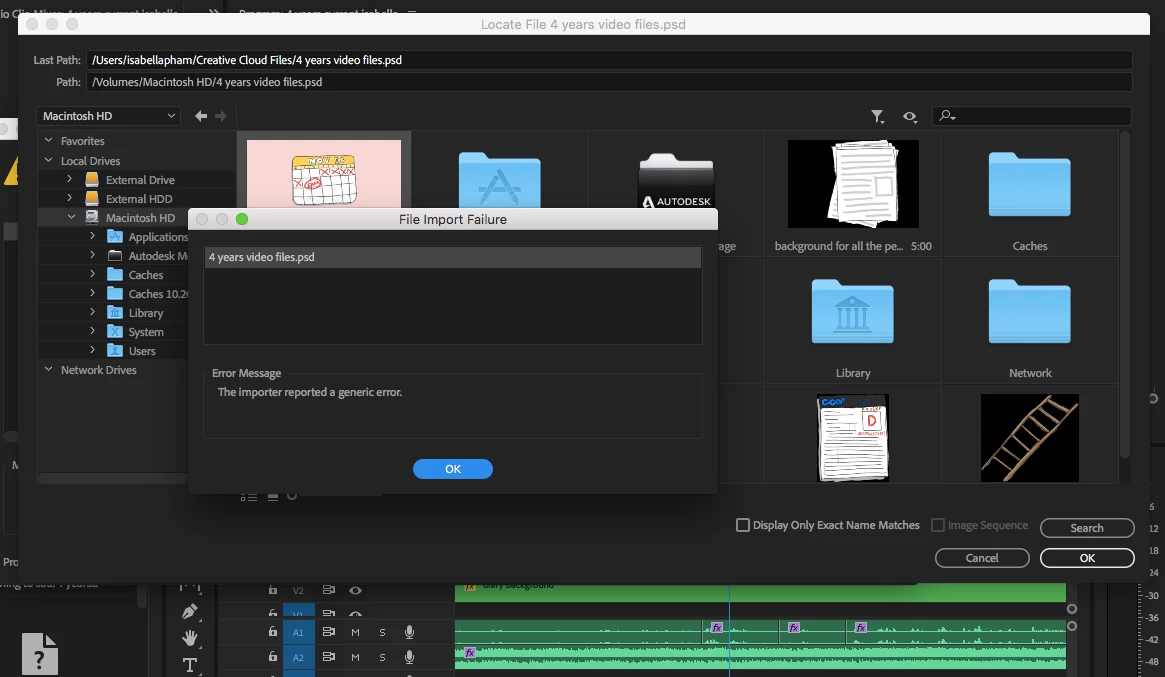
I've tried the following:

- moving the photoshop files to another folder and relinking there

- changing the name of the photoshop file

- ensuring the photoshop layers are in RGB format

Another thing to note, is that when trying to re-link my psd files in premiere pro, I'm unable to click on the sub-folders within 'Macintosh HD'. I think this is an important issue because my psd files are inside my 'library' sub-folder within Macintosh HD. 

I'm able to enter the sub-folders for everything else, i.e. my external hard drives.

Urgent help would be extremely appreciated, thank you!!

3 replies

Participant
November 5, 2019

I have the same exact issue. Were you able to solve this?

Participant
March 25, 2021

Same problem here. 


Reproduce:

File > New > Photoshop file.

I draw a single shape in the PSD. Save and close.

Returning to Premiere I get a missign media dialogue, ending in an import error. Noen of the above workarounds has worked.


I am uisng the laest versions or Premiere and Photoshop supplied via CC on MacOS Big Sur 11.2.3.

Richard van den Boogaard
Community Expert
Community Expert
March 25, 2021

Have you deleted the old versions of both Premiere & Photoshop? Like some others suggested, opening the PSD file in the latest version and then save it again may work. Alternatively, you can try opening a new PPro project and then import the old project into the new one.


Let us know if this helps.

Vidya Sagar
Adobe Employee
Adobe Employee
October 31, 2018

Hi michaell25188327,

Sorry for the trouble. In which version of Photoshop the .psd files are created?

Open the files in Photoshop, save again and try linking the files in Premiere Pro.

If the issue persists, create a new project in Premiere Pro and try importing the same old .psd files.

Please let us know the status.

Thanks,

Vidya

Participant
January 3, 2021

I'm facing the same problem. 

So, what can i do now.

Participant
October 31, 2018

attempt #2 resulted in premiere pro shutting down:

[/PPro12.1.2/releases/shared/adobe/MediaCore/Backend/Src/Media/Media.cpp-1700]