Question
Premiere Pro could not find any capable video play modules. Please update your video display drivers
I know this has been talked about. But its not been solved I dont believe. I am running Mac Pro 2019. I have Imac pro 2019 and all runs great.
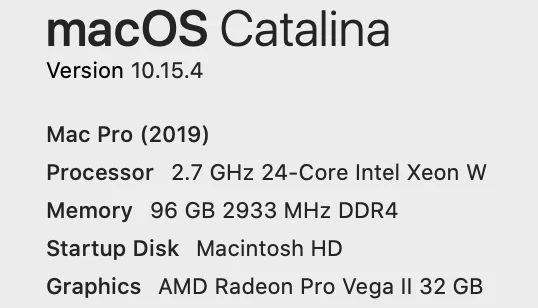
This is machine specs. If I reboot PP starts fine. Just once. After shuttring down and trying to start up again it displays mentioned error...
Premiere Pro could not find any capable video play modules.
Please update your video display drivers and start again.
 AdChoices