

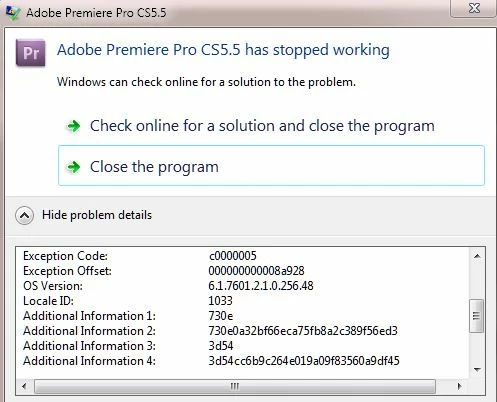
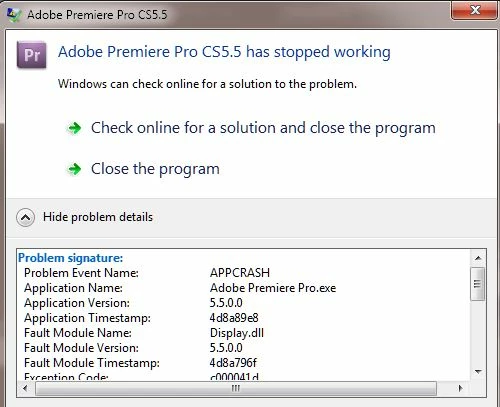
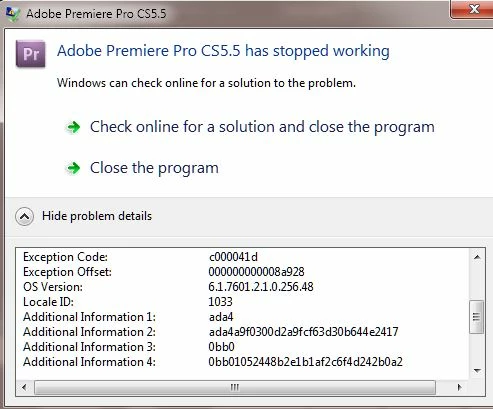
Premiere Pro Crashes with a Display.dll Exception code c000041d and c0000005 when opening saved project
CS5.5 no problems and no updates. Working on a project for 2 weeks with no problem saving and reopening project. Then all of the sudden I go to open the project and it won't open. APPCRASH with two Display.dll exception codes. Tried rebooting after deleting caches, deleting preferences, starting a new user ID. The only thing that saved me last time was all of the data and files saved to an external and it opened up on another Desktop just fine. Saved it with a different name and then it reopened on my desktop with no problems. I don't have access to another desktop at this time. I tried doing it on My macbook but it didn't work.
Frustrating part is I don't have auto updates on anything and I watch what is on my computer like a hawk and don't install potentially damaging software. All of it is from reputable vendors.
Any help would be appreciated. I even uninstalled and reinstalled.
I am running Win 7 Service pack 1 on a HP Z420 workstation with Intel Xeon CPU E5-1620 @3.60 ghz with 16 gb of Ram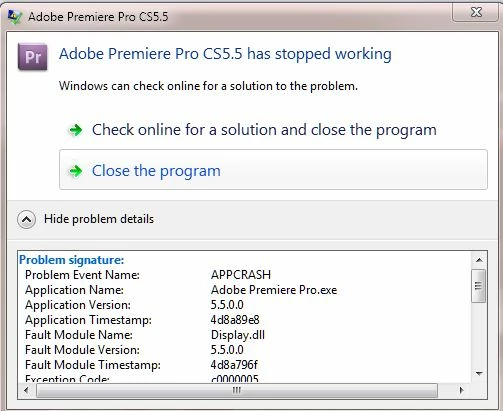
 AdChoices