
mattdinata
Participant
April 3, 2019
Question

Premiere Pro: Creative tab fade bug.

  • April 3, 2019
  • 2 replies
  • 753 views

Hey,

I've been editing some footage recently and discovered a bug which fades and desaturates my footage whenever I change something in the creative tab.

Does anyone know how to fix this bug?

Thanks in advance!

Matt

(A simple change in saturation or vibrance, e.g. saturation changes from 100.0 to 100.1, will toggle the bug)
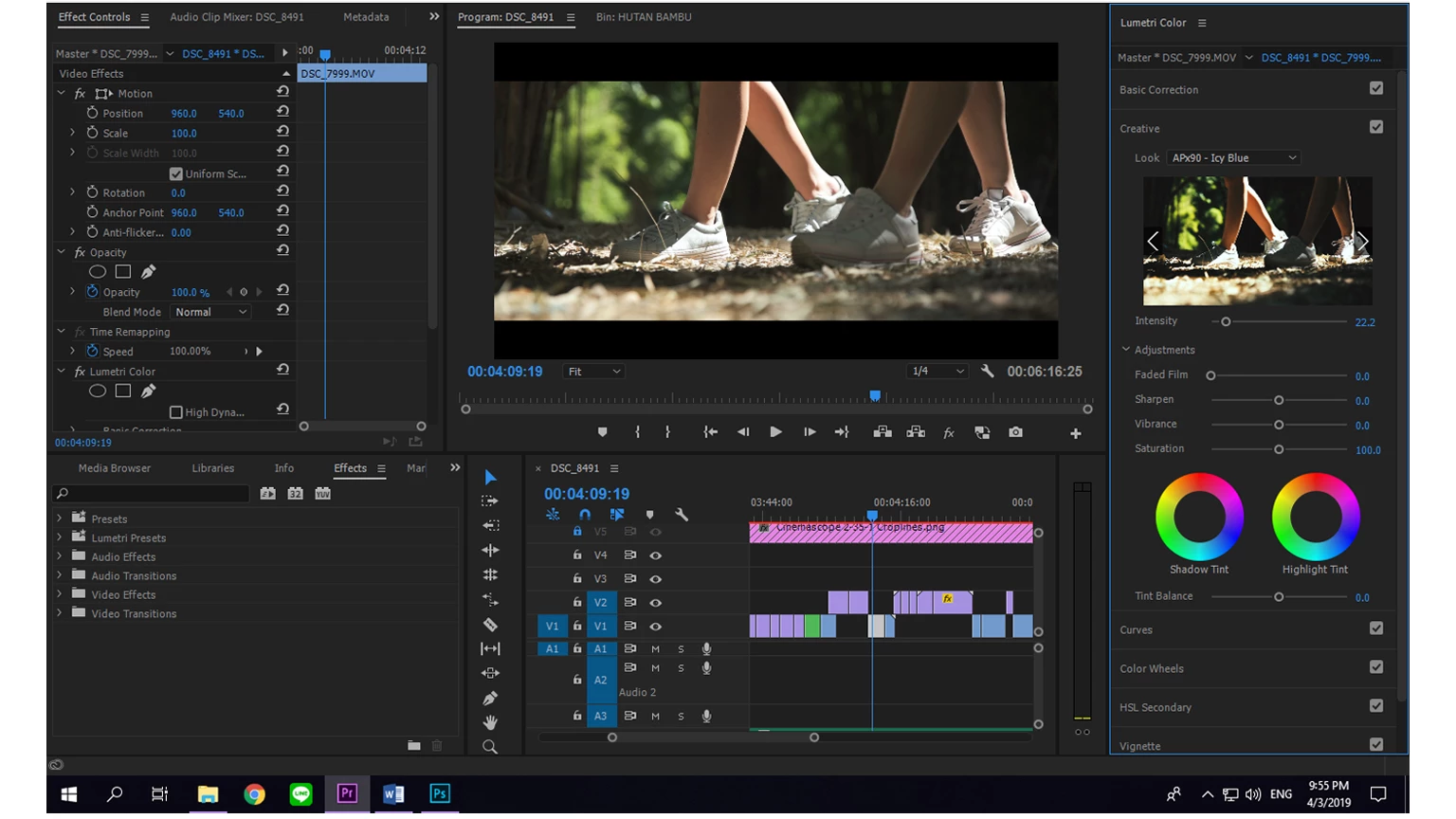
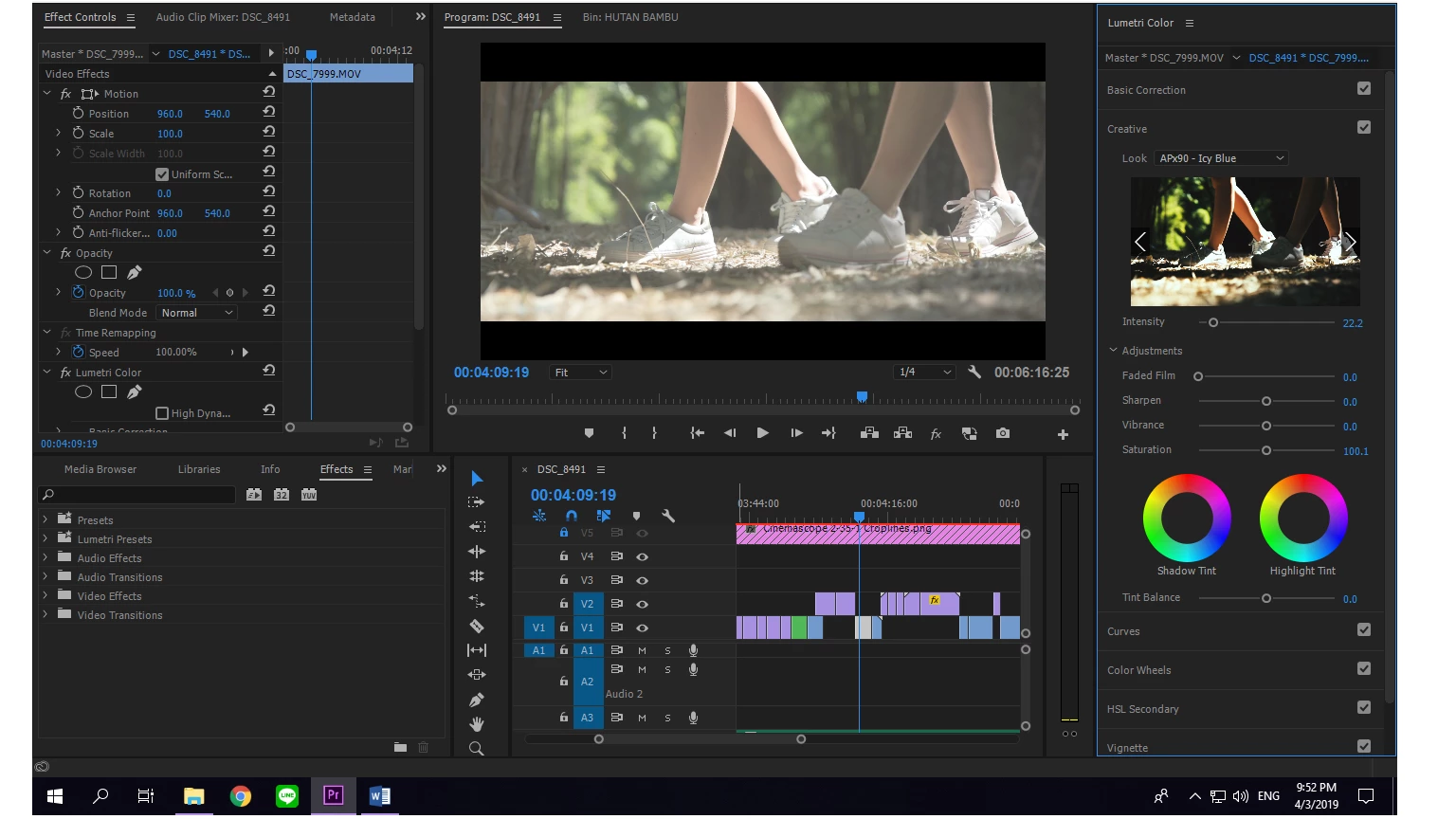
This topic has been closed for replies.

2 replies

Community Manager
April 5, 2019

Hi mattdinata,

Please try to switch the Renderer to Mercury Playback Engine Software Only and check if you are getting the correct preview.

FAQ: How to change the Video Renderer in Premiere Pro?

Let us know if it helps.

Thanks,

Sumeet

R Neil Haugen
Legend
April 3, 2019

Does this happen without that LUT involved?

Neil

Everyone's mileage always varies ...
mattdinata
Participant
April 4, 2019

Yes, it does. It only does this to some clips, though.

I tried to create a new project with the same clips and the bug was gone. When I went back to the old project, the bug was still there.

Matt

R Neil Haugen
Legend
April 5, 2019

Sorry, by what I meant was that the fade bug only happens on some clips.

And it didn't have the problem in the new project (with the same clips being edited).

Matt


If you don't have the problem in the new project, my guess is the old project file is corrupt. Copy the assets into the new project.

Neil

Everyone's mileage always varies ...