
Participant
June 7, 2018
Question

(Premiere Pro CS5) Can't see video thumbnails in sequence

  • June 7, 2018
  • 1 reply
  • 1372 views

Hello!

I just opened Premiere Pro CS5 again after a while of not video editing, and now my thumbnails no longer show in the sequence or in the bin. Any idea why this is happening? I'm on macOS High Sierra, 10.13.4, recently updated, so that could be it?
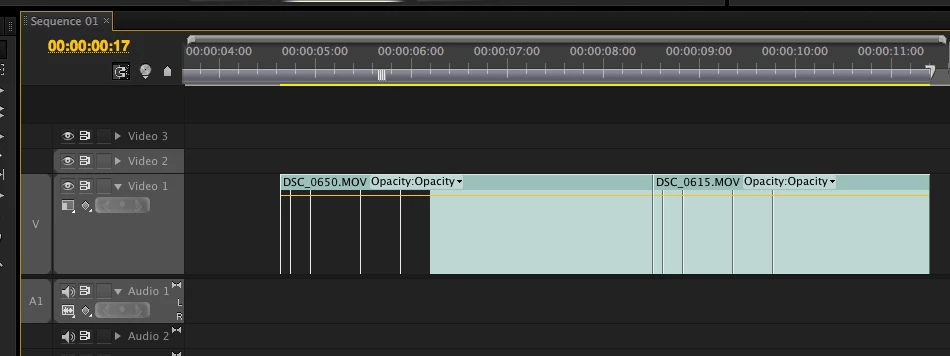
Thanks,

Lauren

This topic has been closed for replies.

1 reply

MyerPj
Community Expert
Community Expert
June 7, 2018

You might have clicked them off...use the wrench item on the timeline:

Participant
June 8, 2018

That's the answer I saw when I looked up this problem on Google before posting, but I work in CS5 and there is no wrench icon. This is what it looks like for me:

MyerPj
Community Expert
Community Expert
June 8, 2018

Yes, sorry, I saw you had no wrench after I posted. Did you try right-clicking various places in the timeline header near and about where the track names are. I don't have cs5 installed, so you'll have to snoop around for it. Shouldn't be that hard to find using a right-click.