kolinyk
Participant
March 24, 2017
Question

Premiere Pro CS6 export footage does not match timeline footage

  • March 24, 2017
  • 1 reply
  • 1728 views

Hi there,

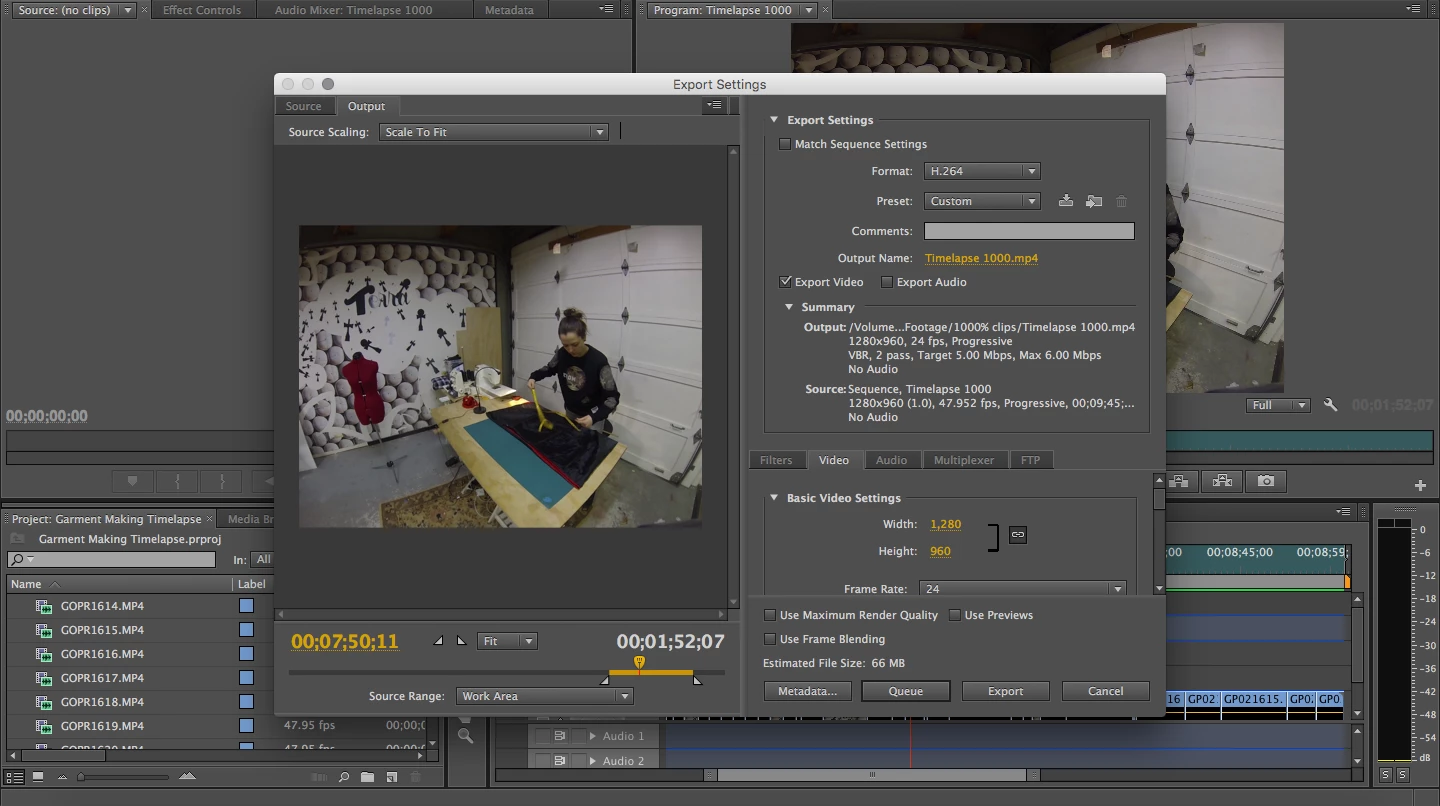
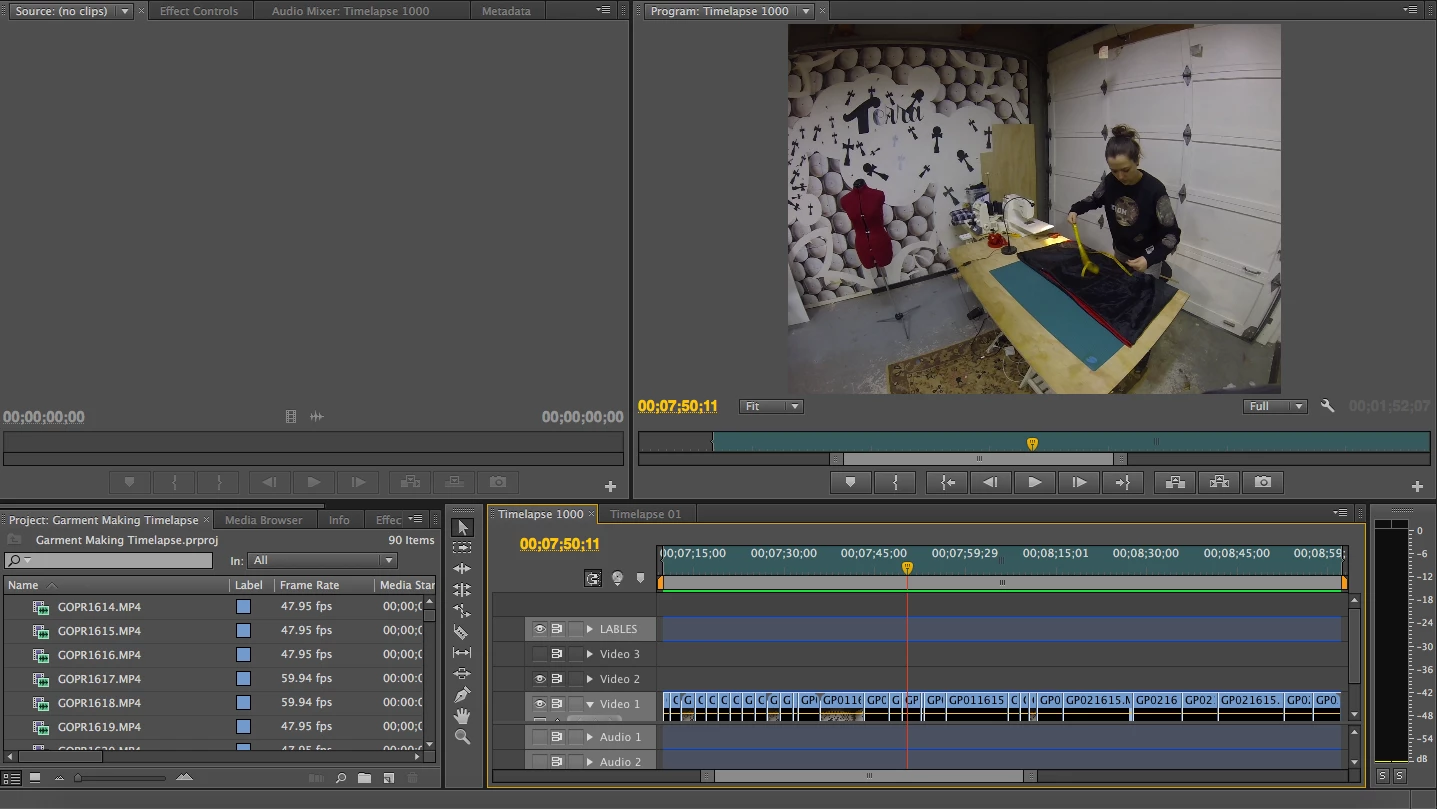
I'm operating Premiere Pro CS6 on a Mac, and am trying to compile sped up footage (Go Pro Hero 3 1280 x 960 @ 1000%) and then export it. I've cut extraneous footage from the clips, but when I export it to .mp4, the file has some footage that I've cut from the clips and is missing some footage that I've left in the timeline. I have made sure that the work area is in the right place, and it is set to export only the work area. The overall length of the exported file matches the length of the work area and clips, but the footage doesn't match (It almost looks like the clips have slipped in the export, even though they look and play fine on the timeline). Any suggestions for a fix to this problem?

Thanks!
This topic has been closed for replies.

1 reply

Participating Frequently
March 24, 2017

I'm going to guess that you may get better results if you edit the footage in a 23.976 (24p) Sequence, then also export as 23.976

Right now, you are editing at 48p (47.952 frames per second) then exporting at exactly 24 fps, rather than the cleanly-dividing 23.976 rate which is correct for 24p.

Probably the frame rate discrepencies between source and export, combined with speed change, are working against you.

Try going to Sequence > Sequence Settings and changing the frame rate to 23.976, and also make sure export is exactly 23.976 also.

In the future, I might recommend shooting in a 16:9 wide-screen mode, as 4:3 is no longer popular and you may have black side bars on YouTube for instance.

Actually, you could put this footage into a 720p24 Sequence, as there is a lot of empty space at the top of the frame, then use Adobe Motion to re-position the frame upward to center the activity within the 16:9 frame. That's what I would do, then the export will be a more standard 720p size as 16:9.

The Sequence Setting I used is AVCHD > 720p > 720p24 then the export is H.264 > YouTube 720p HD.

Thanks

Jeff

Participating Frequently
March 24, 2017

Just noticed in your Project Bin you also have some 60p clips (59.94) mixed in with the 48p clips. Are you using both in the same timeline together?

Thanks

Jeff

kolinyk
kolinykAuthor
Participant
March 24, 2017

Thanks! I will try the 23.976 sequence. Yes, I have both 48p and 60p clips. I do not have them in the same timeline at the moment (haven't started on the 60p clips yet, just 48p so far) but will need to compile them together eventually. I am admittedly ignorant on how best to deal with multiple frame rates/conversion so any advice on that is much appreciated.