


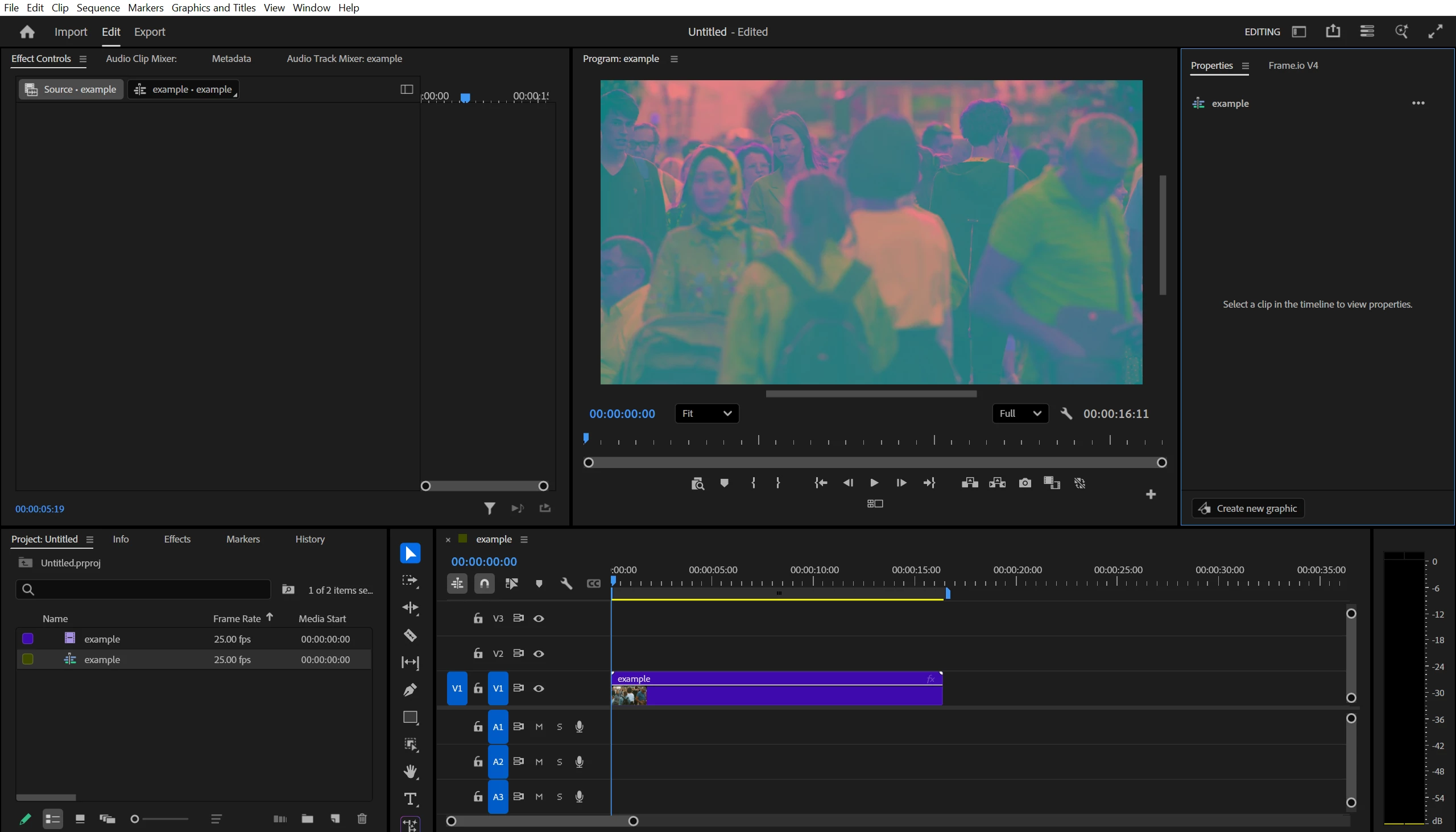
Premiere Pro Distorts the Color of Every Video Regardless of Format
I tried uninstalling and reinstalling Premiere Pro.
I have the most up to date Premiere software.
I restarted my computer.
I tried freeing up space on my laptop.
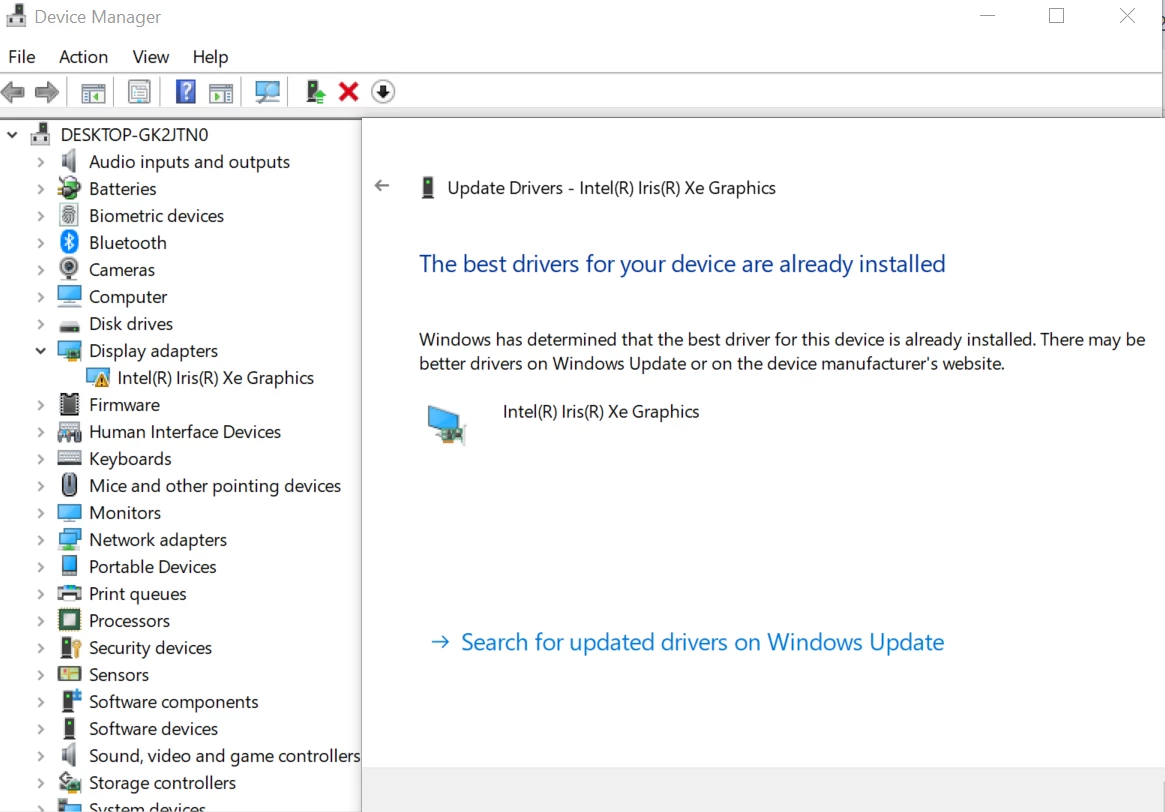
I tried updating my graphic driver and my computer said it was up to date.
But every time I import a video it has this weird color distortion.
This isn’t happening in After Effects. The issue is just with Premiere Pro.
This all starting happening this week out of nowhere.
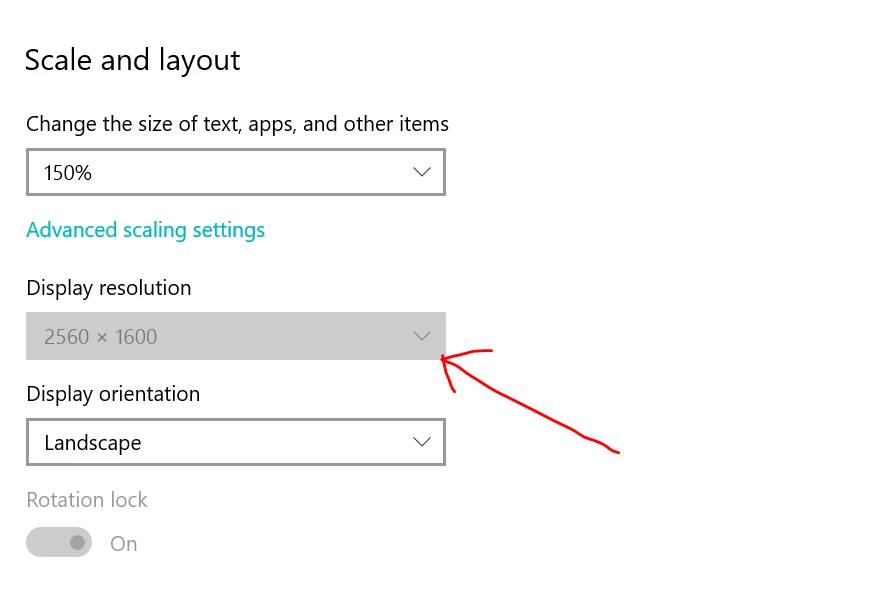
BUT the one weird thing that did happen to my laptop is the display resolution is GREYED OUT in the settings window and all of my icons are way smaller. I had to scale up the image on my computer to 150%.
MY COMPUTER SPECS:
System:
Gram laptop running on Windows 10
Processor:
11th Gen Intel(R) Core(TM) i7-1165G7 @ 2.80GHz 2.80 GHz
Installed RAM:
16.0 GB (15.8 GB usable)
System Type:
64-bit operating system, x64-based processor
Pen and touch:
Pen and touch support with 10 touch points
 AdChoices