
Known Participant
November 10, 2016
Question

Premiere Pro doesn't open up files via dynamic link

  • November 10, 2016
  • 2 replies
  • 742 views

Apparently I still haven't learned my lesson about upgrading because every time I upgrade to a newer version of premiere or after effects, it's broke and full of bugs.

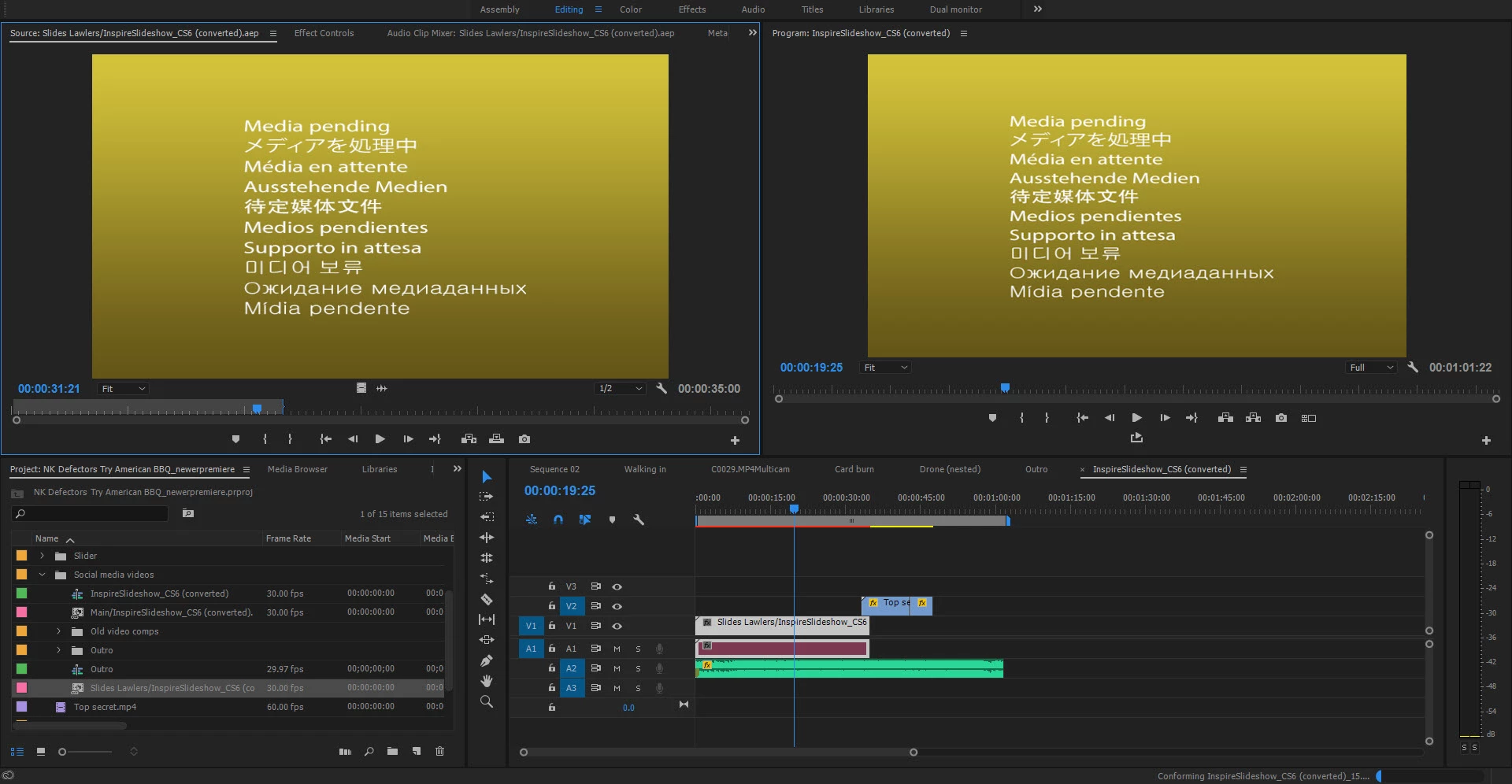
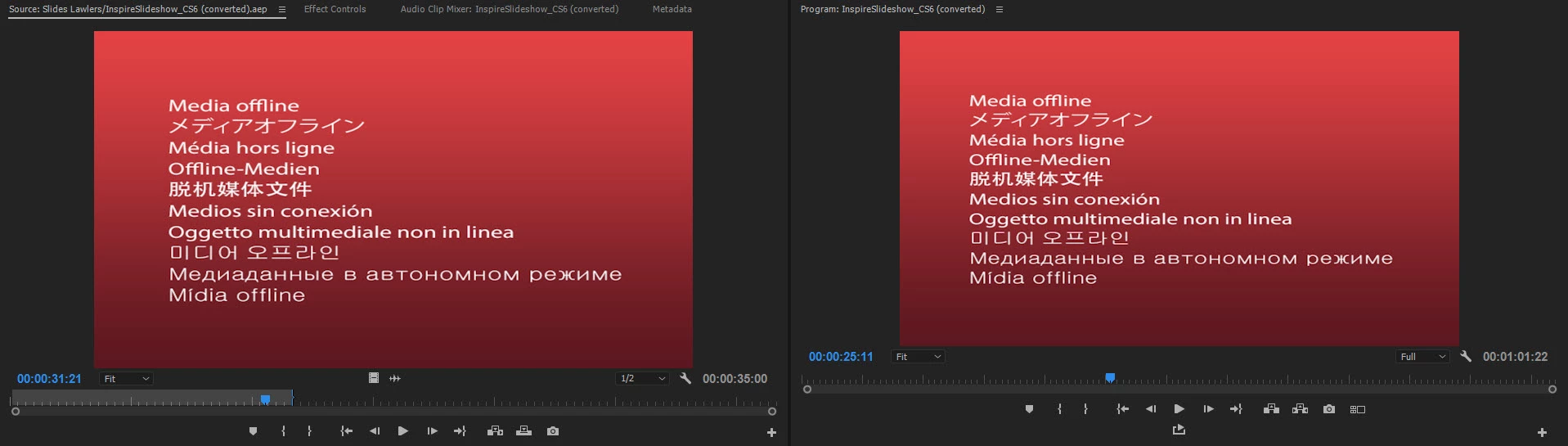
The latest Premiere doesn't properly open up files in After Effects through dynamic linking. It keeps saying the media is offline, then I link the file again and it works for a few seconds, then goes back to being offline. I learned this a few minutes into opening up the latest version of premiere -- is this some scenario adobe didn't even bother testing for? It's almost like they're releasing betas as the full version when they're not even thoroughly tested or ready.

Now I'm trying to figure out how to roll back to the previous version so I can actually get work done but they changed the method again! I don't see a way to roll back to an older version anymore. Come on Adobe! 😕😕
Title edited by Kevin Monahan for search.

This topic has been closed for replies.

2 replies

Participant
November 10, 2016

A lot of those Problems here too, in no particular order:

After Effects compositions in Premiere Pro have the resolution you chose for the After Effects PREVIEW!

So if you have your resolution in After Effects on "Auto" and it scales to 50% you get a 960 x 540 Comp in Premiere.

The Encoder too takes the Value from the AE PREVIEW. So for example I want to export a AE Comp via the Encoder

and choose a Full-HD template, I get a 1080p file with BLURRY CONTENT.

When you work in Premiere and the encoder renders the encoder pauses if you hit space in Premiere.

Footage in Premiere will randomly refuse to load and shows media pending forever.

I contacted the adobe chat support about this and the answer was:

"We don't recommend starting a project in CC 2015 and finishing it in CC 2017

WHAT. THE. HELL! Then stop advertising your software to us!

kulpreet singh
Inspiring
November 10, 2016

Hi DigitalSoju,

Sorry about your issues. Which Operating system and what kind of media files are used in this project?

Are you keeping your media files on an external drive or the internal?

Is this a fresh new CC2017 project?

Now I'm trying to figure out how to roll back to the previous version so I can actually get work done but they changed the method again! I don't see a way to roll back to an older version anymore. Come on Adobe! :/

Please find the instructions here: FAQ: How do I reinstall a previous version of Premiere Pro

Thanks,

Kulpreet Singh

Richard van den Boogaard
Community Expert
Community Expert
November 10, 2016

Hi Kulpreet,

On behalf of those who need to get work done, perhaps it's best if the next version of Adobe CC, by default, you'll leave the existing apps installed, UNTIL we have all confirmed with a test project that the update works without any noticeable glitches.

By now, I've learned this the hard way, but, if you're not paying attention with any update, you may end up burning yourself badly.

Leaving the previous installments on the machine by default will save us all so much time. Precious time which we cannot reasonably bill to our clients.

Thanks.