

premiere pro export in and out doesnt match sequence in and out
Super annoying problem that I've only encountered recently.
Typically, I will select my in and out point, and then hit 'export', and the export window would appear, and wouldn't you know it, the export window's in and out points match what I selected in the timeline. Great.
Since the update, however, this only works the first time I try to export something from my sequence/timeline. If I try to export a different part of the timeline, setting NEW in and out points before hitting export, for some infernal reason Premiere Pro's new export window refuses to update the export in and out points, and only remembers the first in and out points, forcing me to manually adjust them to work.
Is there some new workflow change I should be aware of? Am I 'doing it wrong'? What's going on? Any advice would be greatly appreciated.
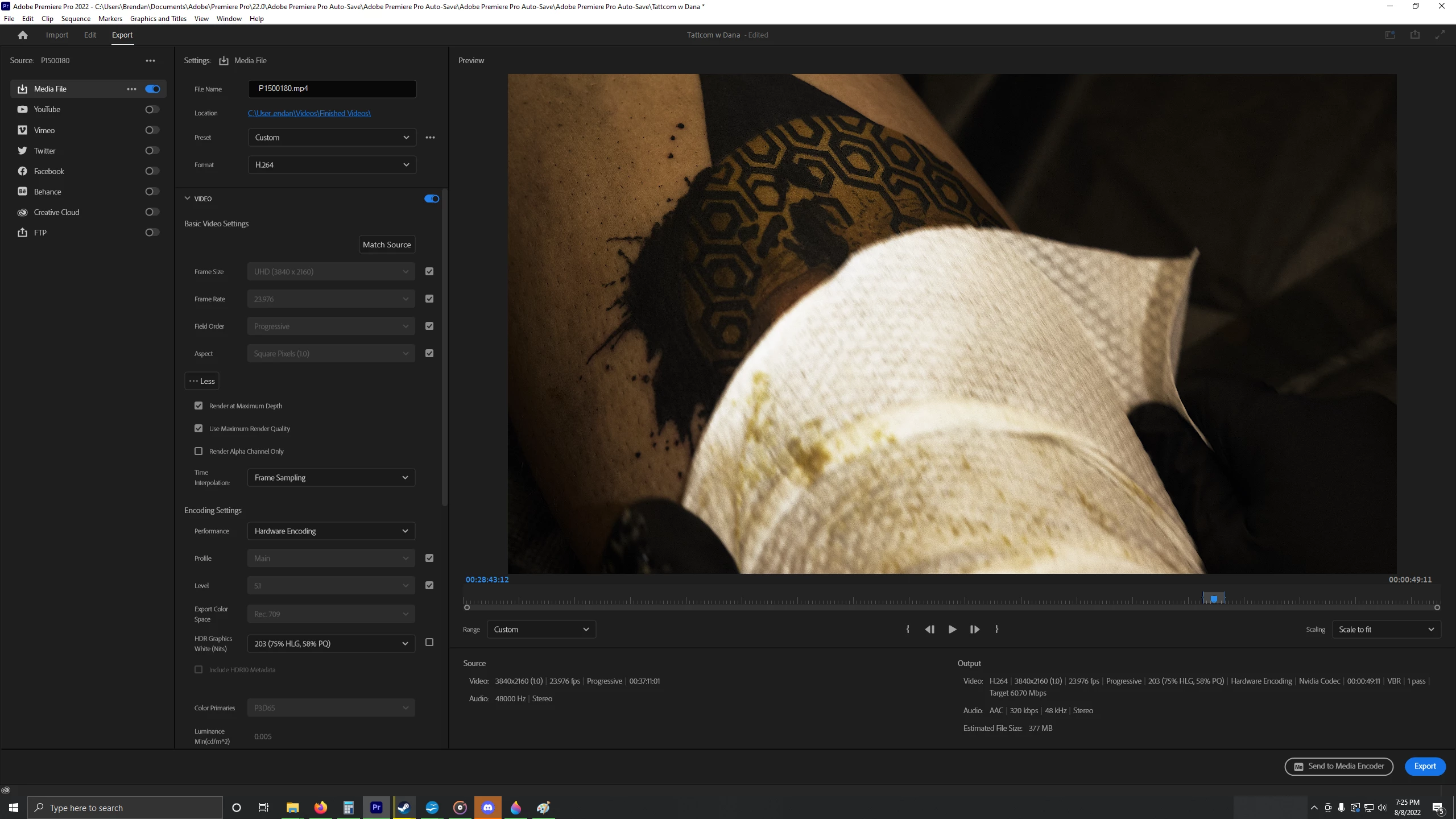
Here, the export window in and out points (not where I set them in the edit window)
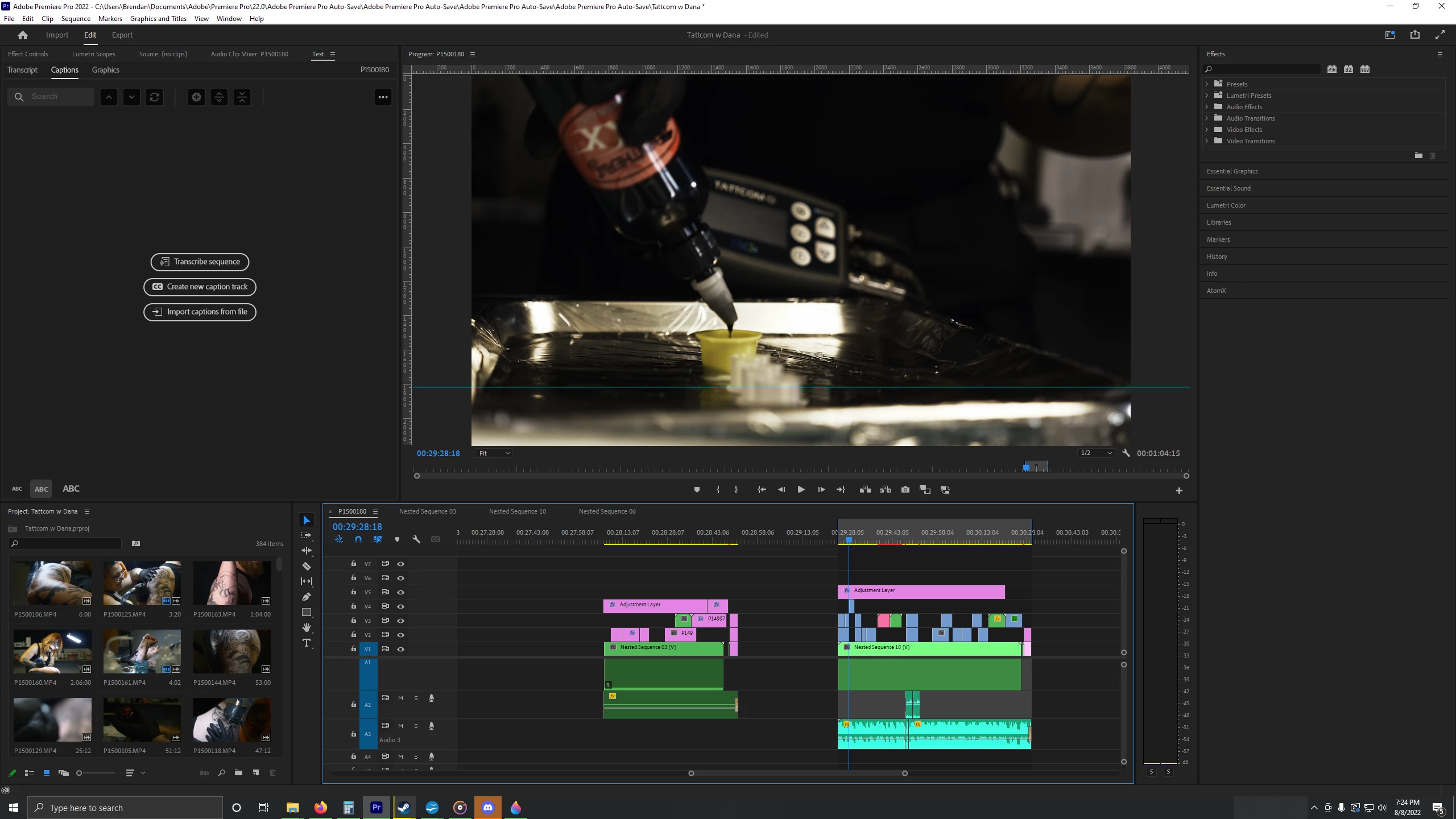
Here, the in and out points that I set, that I want to export.


 AdChoices