Participant
January 26, 2022
Question

Premiere Pro - Export - NO AAF

  • January 26, 2022
  • 1 reply
  • 368 views

Hello,


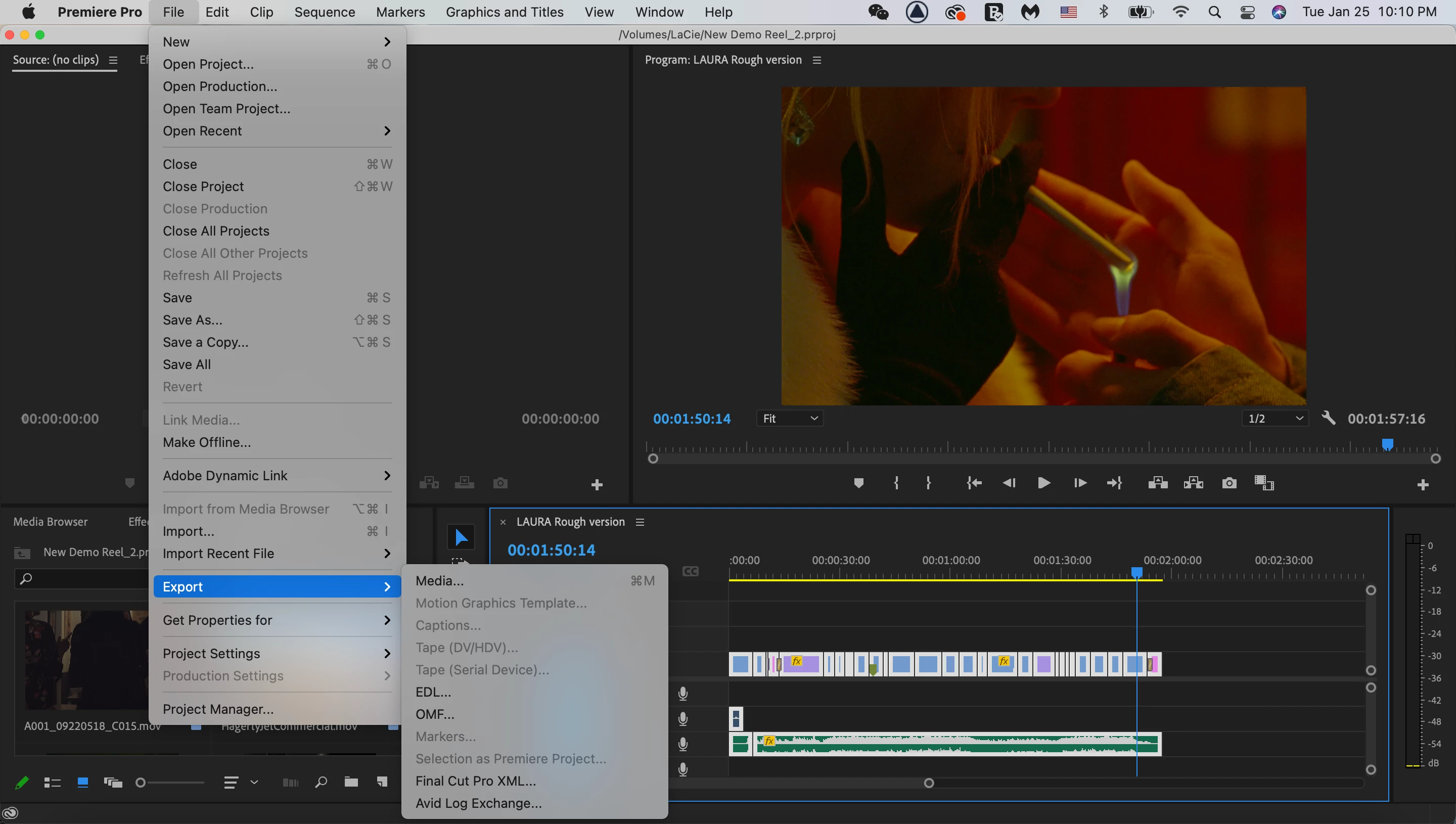
In the File drop-down menu, Export session, there is no AAF option after I re-open my project. 


Can someone please help me get it back? My version is the latest one. I re-started my laptop and re-download the application that doesn't work. 
This topic has been closed for replies.

1 reply

Kevin J. Monahan Jr.
Community Manager
Community Manager
January 26, 2022

Hi,

On Apple Silicon? You need to boot into Rosetta and use the Intel version for AAF export, I believe. It's a known issue. Sorry about that!


Thanks,

Kevin

Kevin Monahan - Sr. Community and Engagement Strategist – Adobe Pro Video and Audio
Participant
January 26, 2022
Hello,

Thank you for replying.
My laptop is with macOS Big Sur version 11.1.

I could export AAF till this afternoon. I was on pr and exported an AAF file successfully and I closed my project. When I opened it again, I couldn't find AAF on pr at all...
Kevin J. Monahan Jr.
Community Manager
Community Manager
January 26, 2022

Hey Yinwen,

Sorry about that. Does your Mac laptop run on Apple Silicon (M1 chip)? If so, that is the reason why. Perhaps earlier you were booted into the Rosetta > Intel version. That might explain it. Can you try that?


Thanks,
Kevin

Kevin Monahan - Sr. Community and Engagement Strategist – Adobe Pro Video and Audio