
Premiere Pro Exported Color Grading Is Wrong
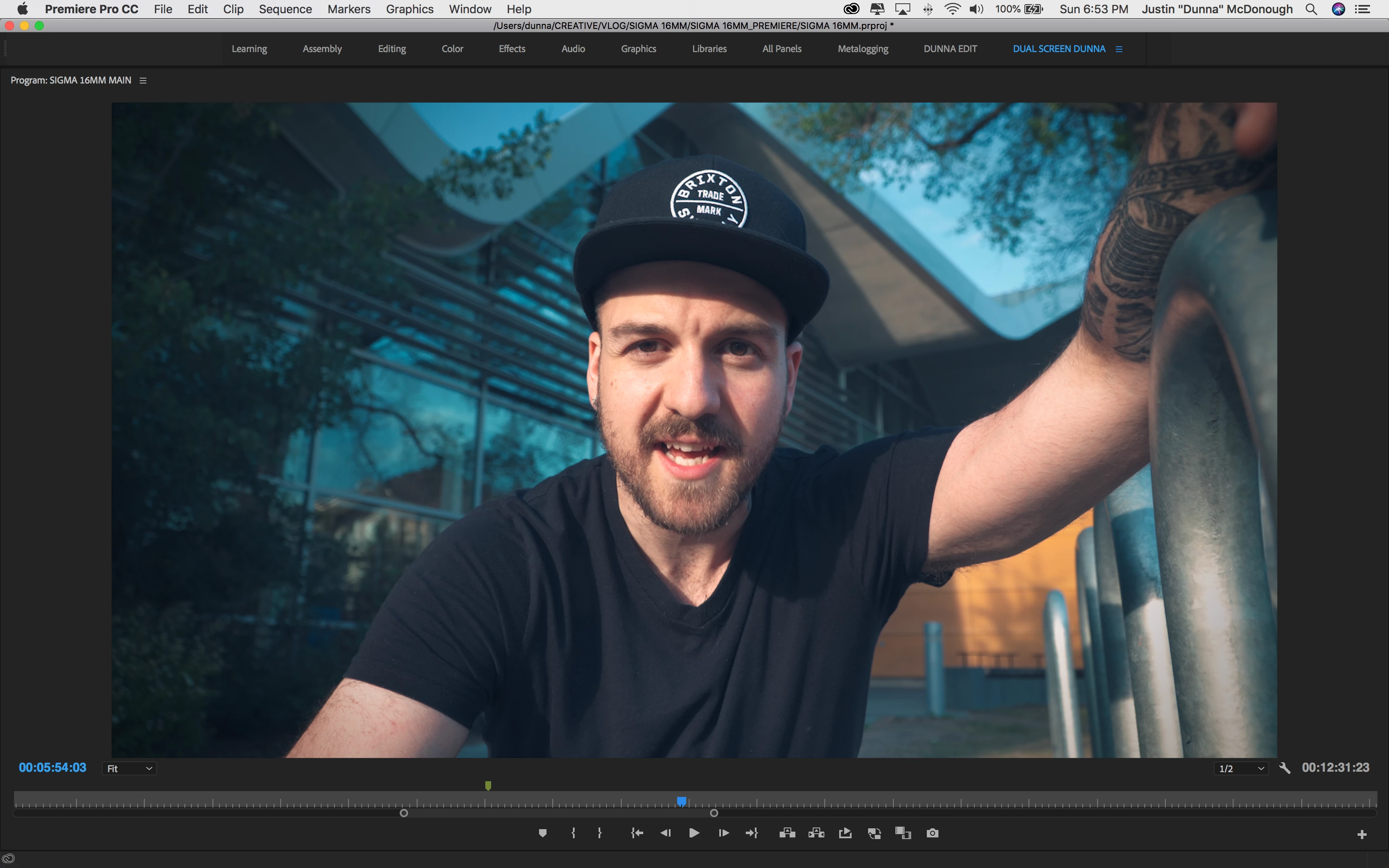
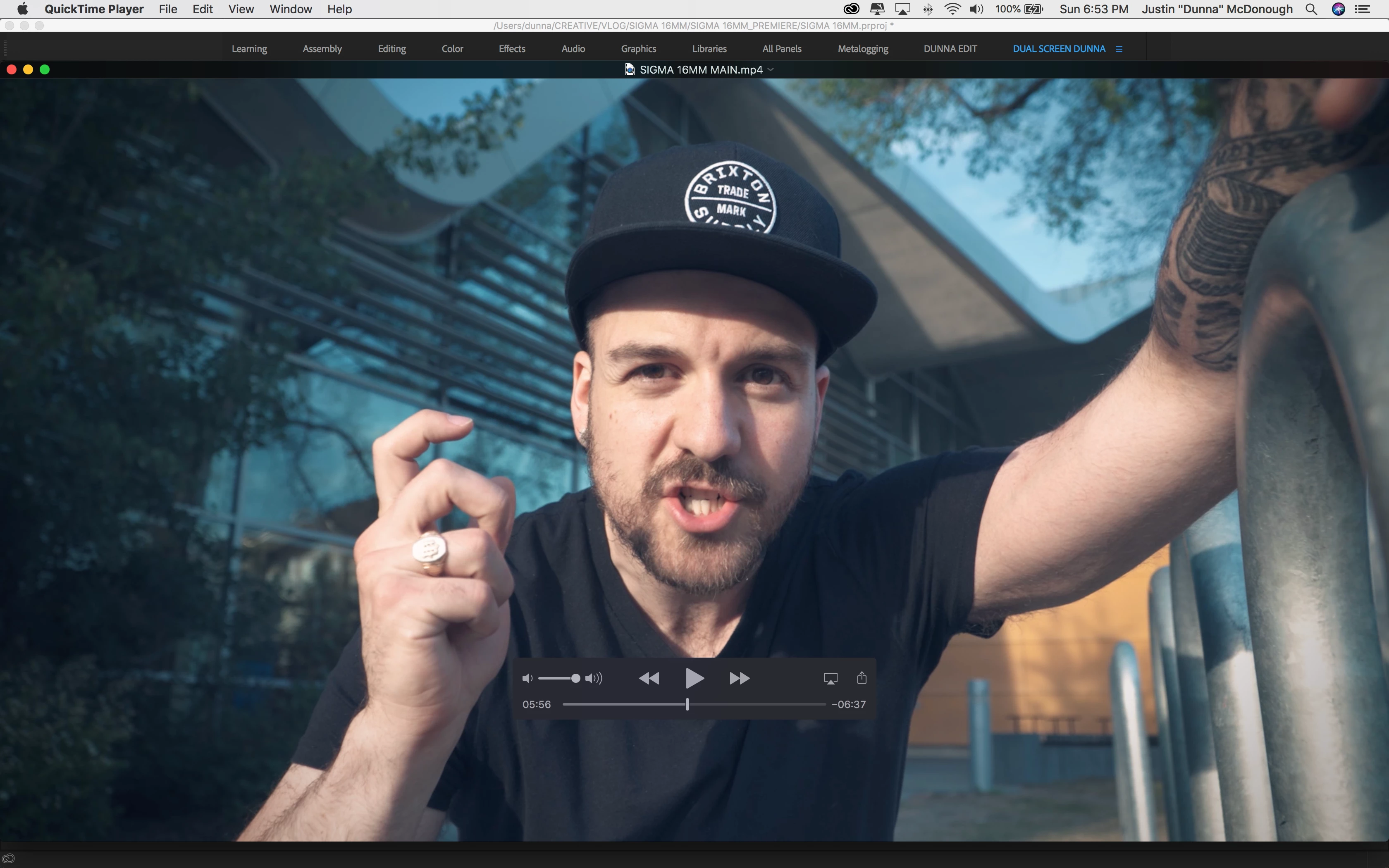
I'm trying to export a sequence with some color grading going on within a few adjustment layers. However, when I export, the color looks desaturated and very different from what it looks like in premiere pro on the parts where I have graded it. I tried exporting with Media Encoder as well as straight through premiere and have had the same result(except media encoder failed the first time). As I mentioned, there are a few layers of coloring going on, I'm not sure if this would have something to do with it, but it just seems wrong. The output file looks washed out.
Rendered with: PP & ME
Playing back on: Quicktime
My setup:
2017 macbook pro w/ touchbar
2.9 GHz Intel Core i7
16gb ram
Radeon Pro 560 4096 MB
Intel HD Graphics 630 1536 MB
Adobe Premiere Pro CC 2018 (no updates available as of Jun 10, 2018)
Here is a screenshot from premiere
And a scren shot playing out of quicktime, within a few seconds on the timeline. notice the orange, blue and reds are all washed out.
 AdChoices