
Participant
March 20, 2022
Question

Premiere pro fails to load motion graphics templates even when after effects is installed

  • March 20, 2022
  • 3 replies
  • 2462 views

I am editing a video in Premiere Pro CC 2021 on mac OS Mojave.  I'm trying to use a motion graphics template that requires After Effects.  I also have After Effects CC 2021 installed but when I drop the graphic into the timeline it loads for a very long time then returns an error telling me that I need to install After Effects.
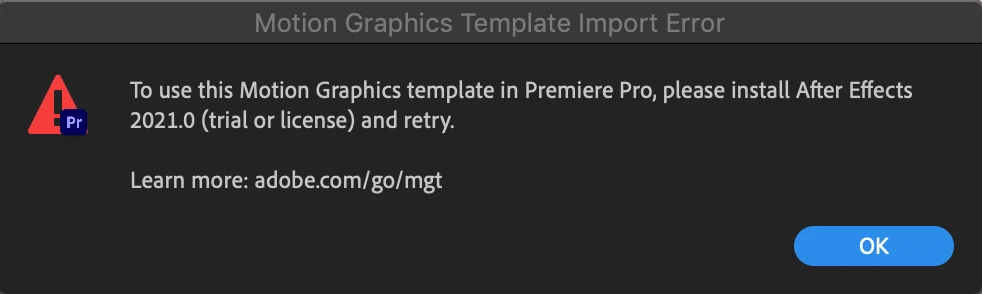
Just a week ago I used the same graphic without any issue. So I think it is odd that it is not working now. To try and fix the issue I have restarted my computer and updated After Effects, uninstalled and reinstalled  After Effects. I am currently waiting for Premiere Pro to update but I don't know if that will work. If this fails I am gonna try to update my OS. I would really appreciate any advice on the issue and to hear about solutions other people have used.  

This topic has been closed for replies.

3 replies

Participant
July 7, 2024

reinstall your windows with keeping your files there is no way except this

Participant
November 20, 2022

Hi, I have been filming videos since my early childhood. I was always recording everything and making family memories. It was so much fun. The most interesting part of it was editing them. Growing up, I used to turn on my imagination and let it guide me to the most unusual and cool videos. I grew up and changed a lot of editing apps. If there are other filmmakers here, I am sure they can understand me. Not every app has so many packs with transitions and effects. For now, I am using an ideal app that can be found here, videohive.net, and I am making progress everyday. Looking back, my family is so happy I recorded everything these years.

Kevin J. Monahan Jr.
Community Manager
Community Manager
March 21, 2022

Hey there, Jodi.

Sorry this is happening. I have seen a case like this in the past. Our staff asked to check the media cache locations for After Effects and Premiere Pro. See that they are set to the default locations in Preferences. If they are set to custom locations, they may not function correctly since they share some of the cache.


Here is the thread: https://community.adobe.com/t5/premiere-pro-discussions/unable-to-use-essential-graphics-templates-created-in-ae/m-p/9046106/page/4#M79373


Please return after troubleshooting the locations of your media cache. Let us know what happens.


Thanks,
Kevin


Kevin Monahan - Sr. Community and Engagement Strategist – Adobe Pro Video and Audio
Participant
March 22, 2022

This thread does not help. We need a clear answer.

Peru Bob
Community Expert
Community Expert
March 22, 2022

What version numbers and builds of Premiere Pro and After Effects?

They must match for Dynamic Link to work properly.