
Premiere pro flips video automatically upside down, how to fix
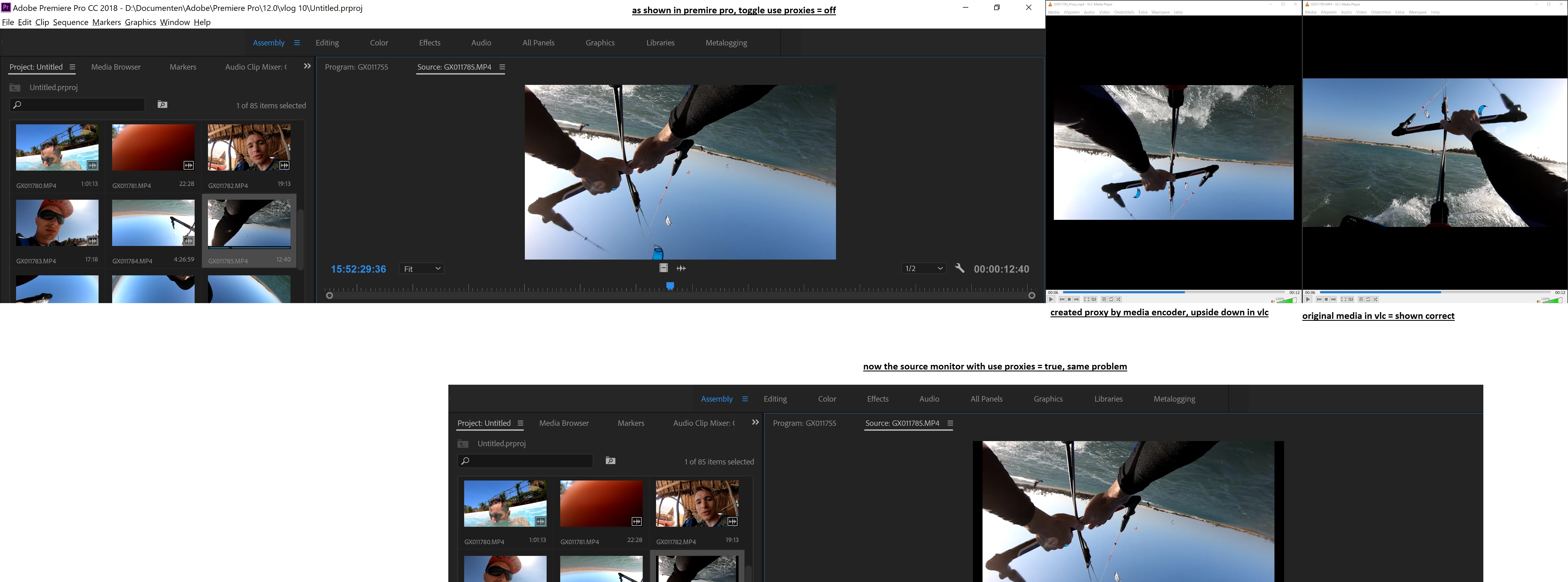
I have a very annoying problem which occurs from time to time to me. I've imported media from the go-pro. When viewing them in the source monitor they appear upside down. It only happens to video's taken on the water. It look likes adobe applies some 'intelligence' when importing and decides to rotate the video, probably some wrong horizon detection?
I'm absolutely 100% sure that this particular vids are not actually recorded upside down. When playing back in on windows media player, vlc media player, and even after I uploaded it to youtube (for testing): they all show the video the right way.
When using ingest settings the proxies are also created upside down, and the proxies also appear upside down in vlc media player. See screenshot of the original media and the proxy created by adobe.
Dragging the into the timeline and than rotate by effect isn't an option. See the image for all the situations.


 AdChoices