yash-lucid
Inspiring
May 11, 2026
Question

Premiere Pro freezes and crashes lots daily

  • May 11, 2026
  • 2 replies
  • 39 views

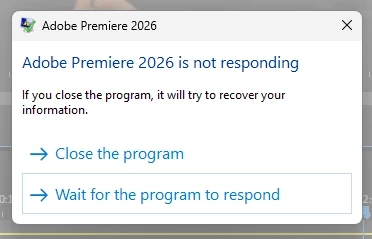
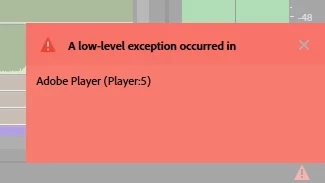
I find Premiere freezing very often, sometimes it unfreezes and works, other times it crashes completely. I get a bunch of recurring errors, below.


I am currently editing large 4K files natively, some up to 26gb in file size, in a 1080p 3 cam multicam timeline at ¼ res playback and paused, via A7S3. Often happens if I right click in the Program Window.
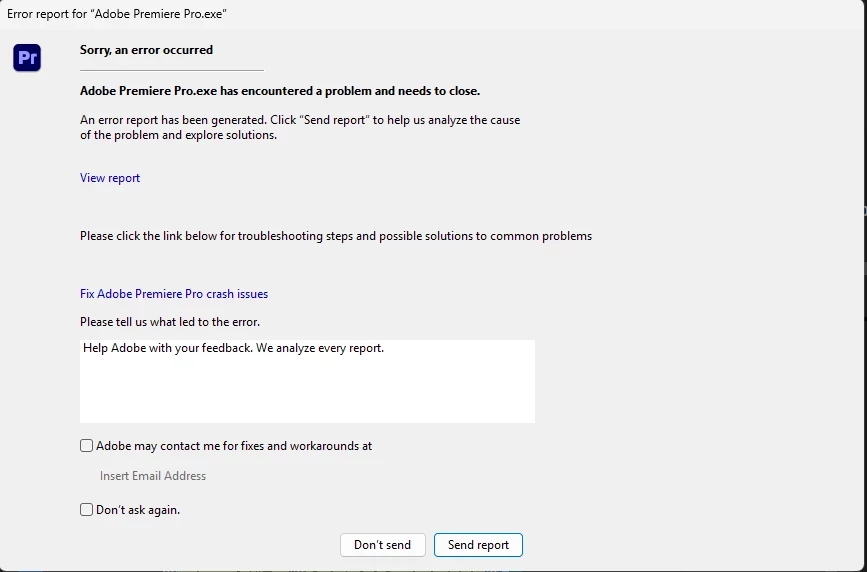
 

Once off error


SPECS
Intel Core i9-14900HX
NVIDIA GeForce RTX 4060
64GB DDR5 RAM

1TB M2 SSD [OS, ADOBE, PPRO PROJECT FILE, AE FULL PROJECT]

2TB M2 SSD [PPRO FOOTAGE, CACHE]
(Up to 7,100MB/s read, 6,000MB/s write)

All latest Adobe 2026/Win11Pro/and Nvidia Studio Driver

Alienware AW2725DM 27"
DELL SE2419HR 24"


I have clicked SEND REPORT every time.

    2 replies

    Community Manager
    May 12, 2026

    Hey Yash,

    Sorry you’re running into this. On paper, your system specs actually look pretty solid for this kind of workflow, so I’d be curious what codec those A7S3 files are and whether Premiere is trying to decode three 4K streams simultaneously in the multicam.

    A few things I’d try first:

    • Turn off Hardware Accelerated Decoding in Preferences > Media, restart Premiere, and test again.

    • Fully clear the media cache using the Shift-reset launch option when starting Premiere, since that clears both the current and older media cache files.

    • Test the project with proxies, especially if these are long GOP HEVC files from the A7S3. I’d probably try ProRes Proxy at Half resolution first.

    • Try disabling the second monitor temporarily just as a test, since you mentioned right-click/program monitor interactions.

    The fact that it sometimes freezes and then recovers makes me wonder whether this is decode/GPU related rather than raw disk throughput.

    Also, if you can post one of the actual error messages/screenshots, that would help narrow it down a lot.

    Cheers,
    Kevin

    Community Manager
    May 12, 2026

    Hi Yash,

    Thanks for the question. Have you updated to 26.2.2 yet? Let us know. Sorry for the hassle.


    Thanks,
    Kevin

    yash-lucid
    Inspiring
    May 12, 2026

    Hi Kevin. I am using the same latest version.

    I also just realized that all my footage was on my 1TB OS Drive (~3000–3500 MB/s R/W) so I’m (almost) certain that was the bottleneck causing issues. I’ve just moved it over to my fast 2TB drive and will report back if issues persist or if all is solved.