JoshTierney
Participating Frequently
August 5, 2020
Question

Premiere Pro Freezing on import
  • August 5, 2020
  • 2 replies
  • 2362 views

Hey all,


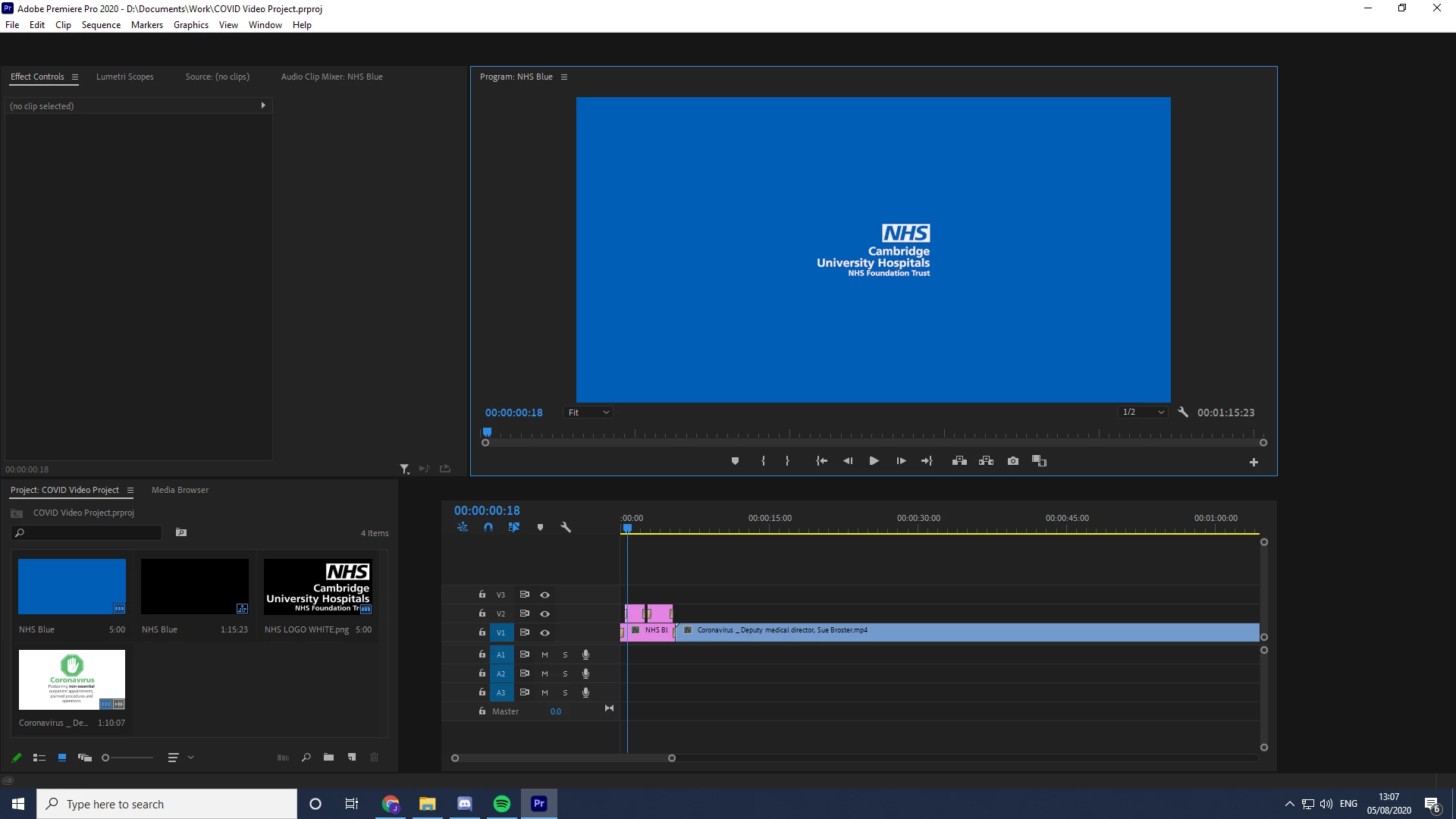
Been having some issues over the past week as my Premiere Pro 2020 keeps completely freezing up when I import files. By freezing up I mean that the program is sort of 'working', I can preview my video, but the actual HUD is frozen which makes it impossible to import files, use the timeline, add effects, etc.

I had this problem with one of my projects about a week ago and I updated to the new version of Premiere which was overdue for a while, even with the update and resetting my preferences today I'm having these problems. 

If anyone can help it'd be much appreciated as it's really hindering my ability to complete apprenticeship criteria. Attached is a screenshot of what happens when I reopen Premiere after my project freezes. 

This topic has been closed for replies.

2 replies

Legend
August 6, 2020

I'm confused.  I look at the screenshot and don't know what the issue is.  And what does HUD stand for

https://en.wikipedia.org/wiki/Hud..  Nothing obvious on wikipedia...

Tell us what your source properties are and your sequence settings...  

JoshTierney
Participating Frequently
August 6, 2020

Hey there, I used the phrase HUD to describe the interface that you use to work premiere pro. The problem is that the interactivity of the buttons you need to use to add effects, move the timeline, crop clips, etc. don't work, it's completely frozen as it looks in the screenshot.

Sequence was standard 1920x1080, don't know what you mean by source properties but its not an issue specific to this one project. 

Ann Bens
Community Expert
Community Expert
August 6, 2020

Interface looks odd: FAQ: How to reset (trash) preferences.


And please fix the screenshot as requested. (we help you, you help us).

Ann Bens
Community Expert
Community Expert
August 5, 2020

Please do NOT add images via the "attach files" box, as you are then forcing everyone to DOWNLOAD the file to view it outside their browser. Drag/drop the image files directly ONTO your reply box so other users can see them without needing to download unknown strange files.
Video's can be posted on e.g. Youtube.
Thank you!