
Participant
March 12, 2022
Question

Premiere Pro keeps crashing: "serious error has occured that requires Premiere to shut down"

  • March 12, 2022
  • 3 replies
  • 939 views

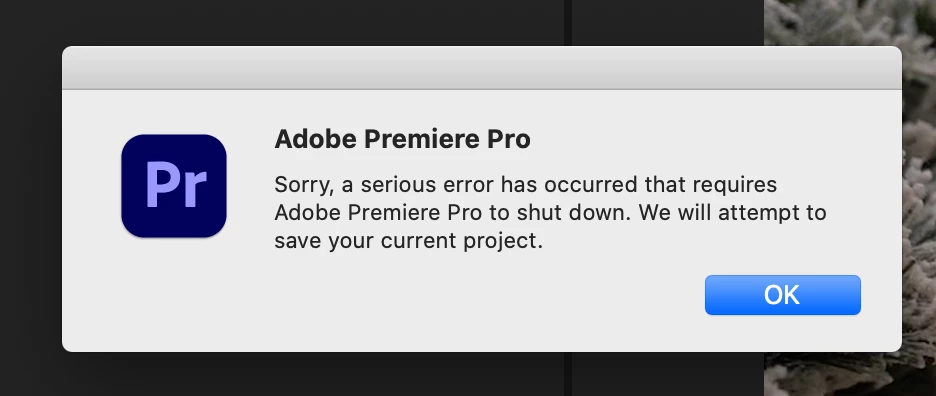
This is extremely frustrating and not sure how to solve this. Every time I open this project I'm currently working on, before I could even click anything, I get the message "Sorry, a serious error has occurred that requires Adobe Premiere Pro to shut down. We will attempt to save your current project" then just crashed on me. Tried reboot the computer, restart Premiere, and even create a new project then import the legacy project into it, nothing seems to be working and I have days of work in this project now I really don't wanna start over.


Tried to edit other projects and they seem just fine, so the issue is just this one project. Thanks in advance for any help!
 

This topic has been closed for replies.

3 replies

R Neil Haugen
Legend
March 12, 2022

For the process ... before opening any project file, go to the menu system, Preferences/Cache files, and delete ALL cache files.


Then create a new project file. In the Window menu option, make sure import workspaces is not checked.


Then in MediaBrowser, navigate to the old project file and click the old file, then right-click/Import ... and import one sequence at at time, testing it to see if it works.


That's the best process in detail in how to try and get access to at least some of a corrupted project.


Neil

Everyone's mileage always varies ...
Peru Bob
Community Expert
Community Expert
March 12, 2022
Community Manager
March 12, 2022

Hi AllenSun24,


We're sorry to hear about this. Before importing the original project in a new project, did you uncheck the option for Import Workspace from Projects (under Window > Workspaces)? Also, have you tried checking any of the recent autosaves for that project to check if it's working properly?


Thanks,

Sumeet