
ninose11
Inspiring
September 11, 2023
Question

Premiere Pro Markers in Source Window - no way to change dark blue background behind black text?

  • September 11, 2023
  • 1 reply
  • 357 views

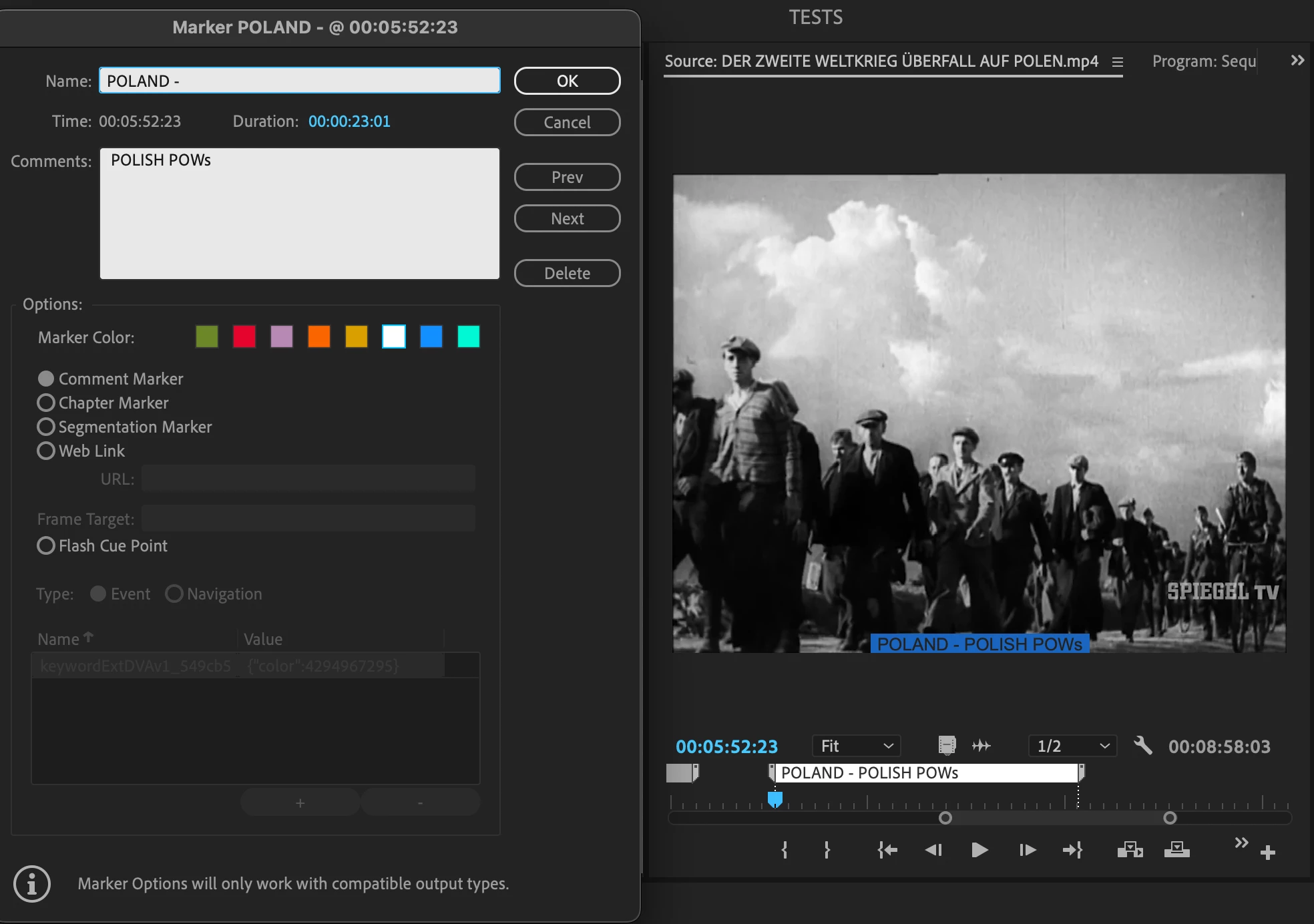
Is it possible to change the color of the small rectangle surrounding the marker text in Premiere Pro's Source Window? What I don't understand is that Adobe chose the marker text to display as black text against a dark blue background which is not easy to see.

I like to choose white as my marker color because that makes the black text really stand out well, In this pic I uploaded, you can see how much easier it is to see black text on white instead of black text on dark blue. 

For some reason, you can choose from 8 different marker colors, but the marker text in the source window remains as black text on dark blue background. Is there some setting I'm missing or might not be aware of, that prevents the rectangular background around the marker text in the Source Window from matching the chosen color you set for the marker? Thank you in advance.     
 

This topic has been closed for replies.

1 reply

Kevin J. Monahan Jr.
Legend
September 11, 2023

Hi @ninose11,

Thanks for the feature request. I will move this to the Ideas forum. I hope others will upvote the request.


Cheers,
Kevin

Kevin Monahan - Sr. Community and Engagement Strategist – Adobe Pro Video and Audio
ninose11
ninose11Author
Inspiring
September 11, 2023

Hi Kevin. Thanks so much. Just curious about whether Adobe will ever make Markers searchable across an entire Premiere Pro project, not just within a particular video file. It would be a fantastic upgrade to Premiere Pro - the power to find any instance of any clip across an entire project. Right now, that's not possible in Premiere Pro, unless you pay $99 for "PowerSearch" - a Premiere Pro extension by Digital Anarchy. It works perfectly, but it would be even better if this feature were native to Premiere Pro the way transcription is now.  This should definitely be added as a top feature in the next Premiere Pro release.