



Kensmindxl
Participant
May 12, 2026
Question

Premiere pro multicam issue

  • May 12, 2026
  • 5 replies
  • 23 views

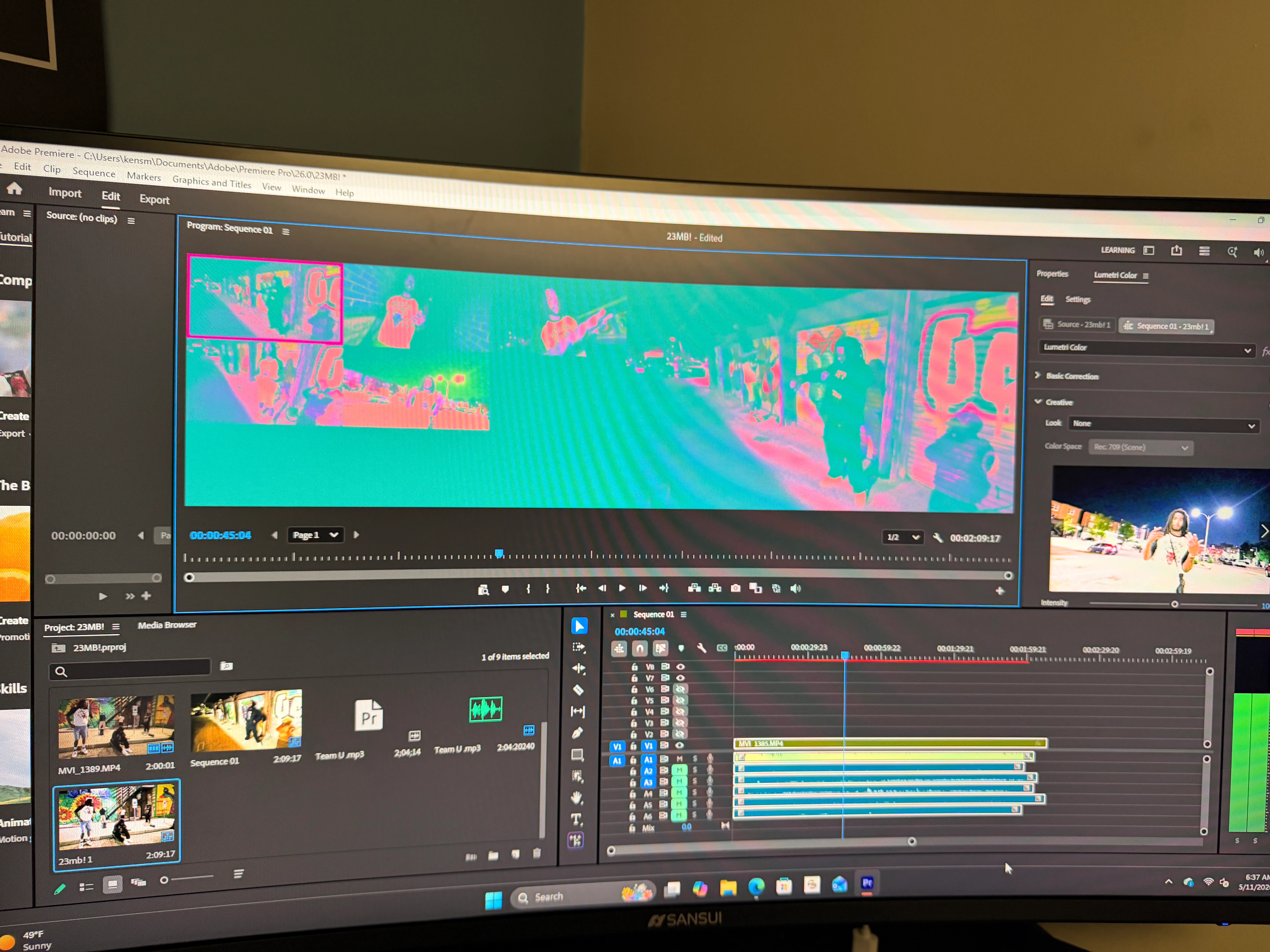
So I’m having an issue with my adobe premiere pro and when I go to multi cam it gives me this invert false color on my screen I just got a POWERSPEC G731 with 32gb ram ttb ssd and my graphics card is NVIDIA GEFORCE RTX 5060 Ti. I’m not sure if it is my computer that’s not responding to the color or if it’s my premiere pro that’s making it do this.PLEASE HELP IF YOU CAN ! 
 

This is showing up on my windows pc but on my MacBook I don’t have this issue.
 

    5 replies

    MyerPj
    Community Expert
    Community Expert
    May 13, 2026

    Which version are you on? 26.0? Can you try an updated version, were on 26.2.2 I believe.

    Kensmindxl
    Participant
    May 13, 2026

    This is the version I just installed 

    MyerPj
    Community Expert
    Community Expert
    May 13, 2026

    I was speaking of Premiere. FWIW: That’s the same NVidia driver I’m currently using.

    Kensmindxl
    Participant
    May 12, 2026

    Ok I just installed it is there anything else I need to do? 

    Kensmindxl
    Participant
    May 12, 2026

    I just called a friend and he had me download the GeForce game driver but not the studio driver. Should I download the studio driver ? 

    Peru Bob
    Community Expert
    Community Expert
    May 12, 2026

    @Kensmindxl 

    Absolutely.

    Choose Custom and do a Clean installation.

    Peru Bob
    Community Expert
    Community Expert
    May 12, 2026

    Try updating or rolling back your graphics driver directly from the video card manufacturer’s site. Do a clean installation of a Studio Driver (NOT the Game Driver).

    R Neil Haugen
    Legend
    May 12, 2026

    Are you on the latest Studio driver from Nvidia? Check.

    Everyone's mileage always varies ...