This issue (Tracks muting apparently automatically) was kicking me around for hours and hours until I was about to go "postal" about all of the cash I was losing wasting time with this... Then I looked into Richard Knight's post a little closer. I haven't used it before so I didn't even know where to look. This fixed this issue for me very quickly and easily. This is how I did it:
1) Right click on the grey track toolbar on the left side of the audio track and select "Customize",
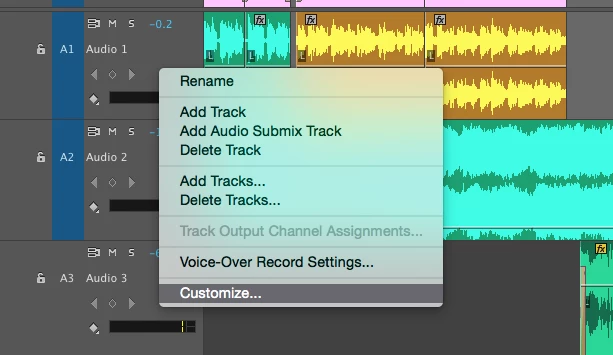
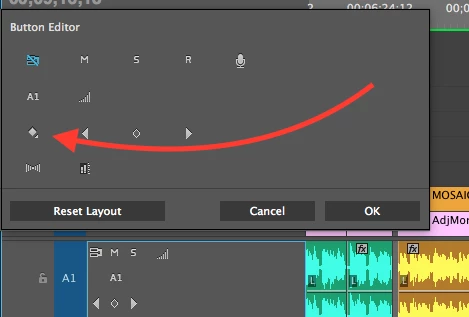
2) Add the "Show Keyframes" by dragging it to the toolbar,
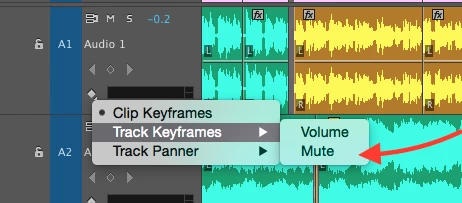
3) Left click on the "Show Keyframes" symbol and select "Track Keyframes > Mute". This will show you all of the Mute keyframes on the audio track. I deleted them all and never had a problem with this again. I'm not sure how I'll silence the audio on a track in the future if "Solo and Mute" no longer work the way I have grown accustomed to using them, but at least I should be able to deliver my 12 minute project to my client.
Hope this is helpful to others in the same bind! Thanks Richard!!! 

 AdChoices