
Premiere Pro not Linking/Syncing Footage Cuts
Hello All, First off thank you for the time you have taken to read this.
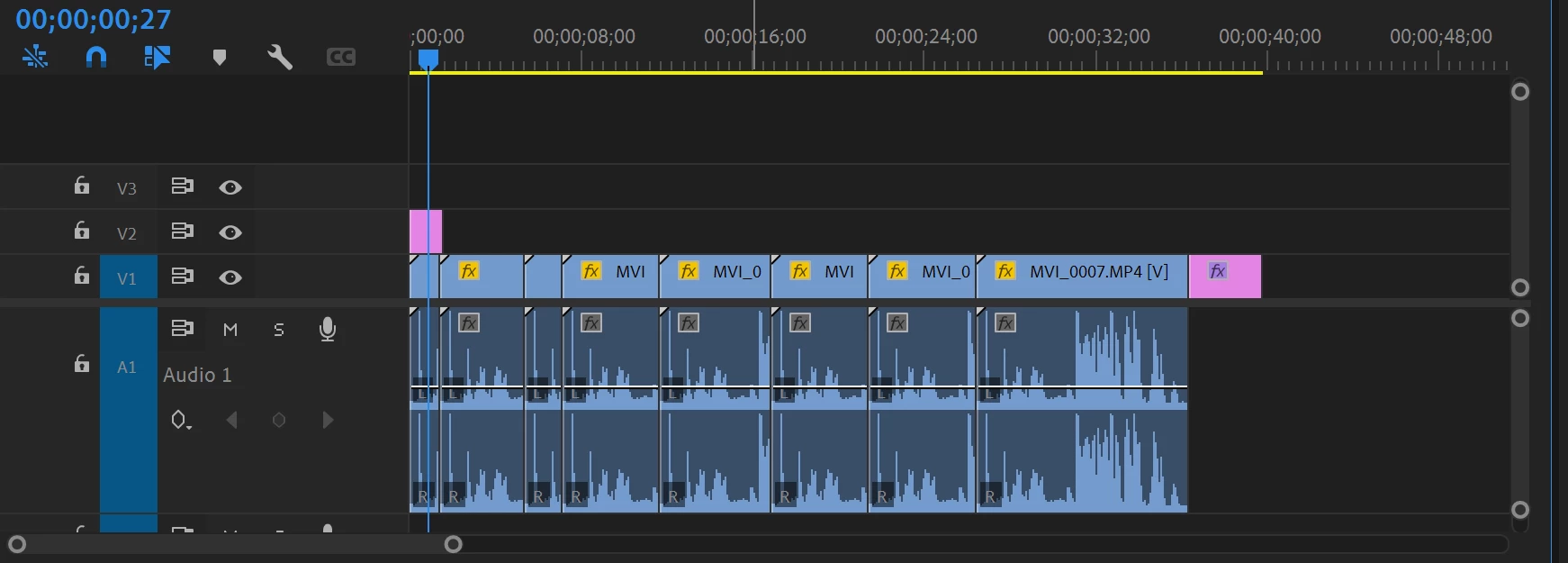
I use a Windows 10 PC for most of my editing, but on the go I use my Microsoft Surfacebook running Windows 11. I edit off of an SSD, I started and got a few hours into a project on my PC but then had to travel so I brought my Surfacebook and my SSD. When I opened the project on my Surfacebook it made me relink the files which was odd because the project file has been untouched on the same SSD that I edit off of on my PC. Then I realized all of my sequence's footage had the correct footage in them, but at each edit point/cut that I had made on my PC, the Surfacebook had restarted the respective footage, this is pictured below. As you can see the audio waveforms are a repeat in each clip, because each edit point or cut in footage restarts the respective footage it is linked to. It is supposed to be a continuous edit of the linked footage, not repeating.
 AdChoices