
Participating Frequently
March 23, 2023
Answered

Premiere Pro not rendering selected area

  • March 23, 2023
  • 2 replies
  • 8099 views

I have a project in Premiere Pro that I am trying to render, but no matter how I go about it, the selected part of the project is not what gets rendered - a completely different part of the project does. I have re-booted, checked for updates etc, but nothing. Has anyone else come across this and found a fix??
This topic has been closed for replies.
Correct answer Suraj5EBF

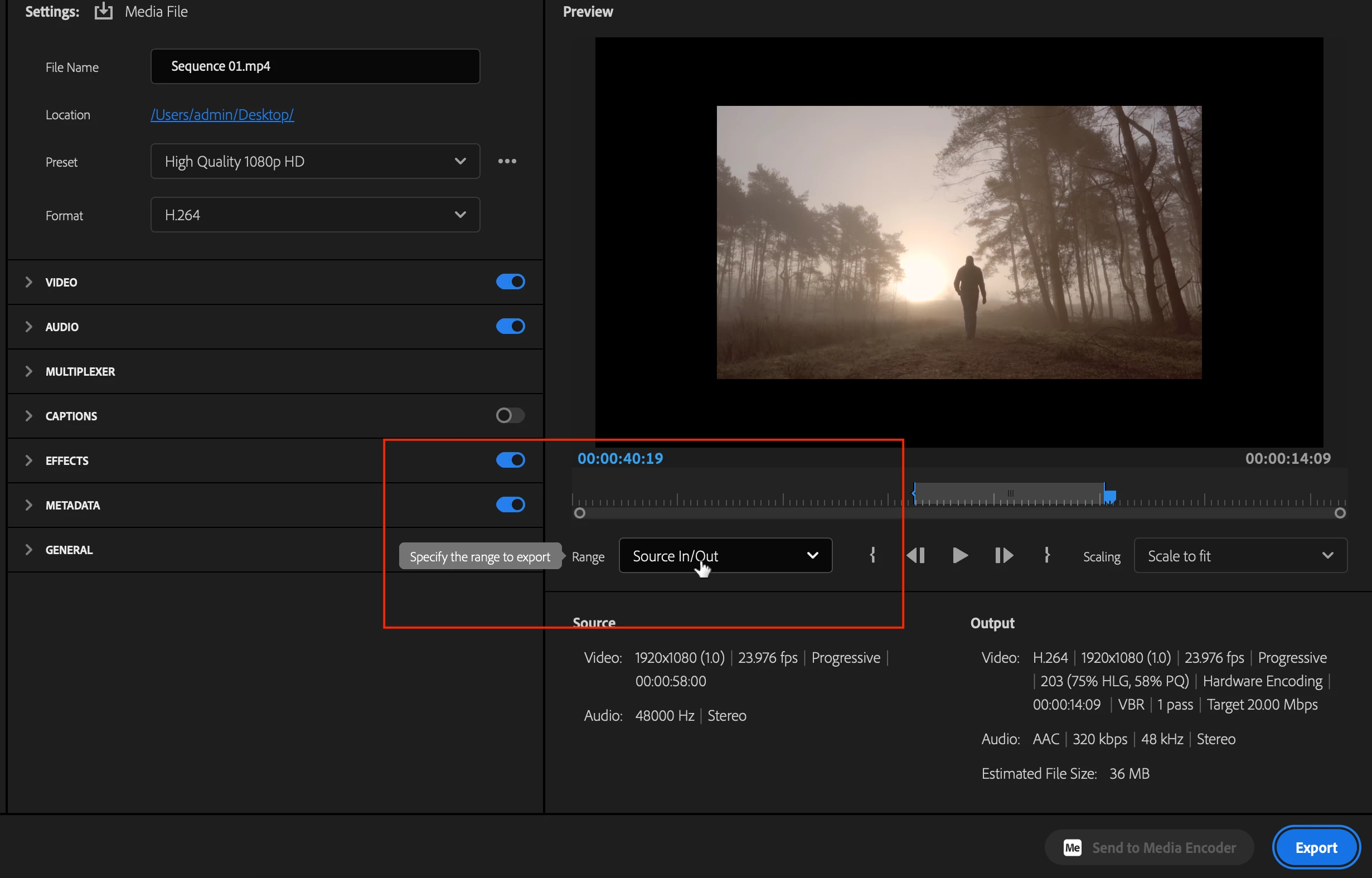
Yes right if you want to export the selected Render part of the clip then move focus on the timeline and go to export mode. From Source select the option  "Source In/Out" here you can name your clip to choose a location in export mode and export only In Out range will be Exported. Also, your render files are saved separately on the Project location. Do reveal in finder or explorer and go to "Adobe Premiere Pro Video preview" folder. let us know if its works!

Thanks,

Suraj Shinde.

2 replies

Community Expert
March 23, 2023

Could you just clarify, are you trying to render the timeline or export the video, they are two different things.

TezManiaAuthor
Participating Frequently
March 23, 2023

Oh, sorry. I thought that was pretty much the same thing. I want to export the selected part of the project.

Ann Bens
Community Expert
Community Expert
March 23, 2023

Render means making preview files.


For export Check the in and outpoint in the export settings.


Participating Frequently
March 23, 2023

Hey TezMania,

If you want to render the specific part of your Timeline clip, mark In and Out points and then go to the Sequence menu and select "render In to Out" then only the selected part from your project should get rendered.

thanks,

Suraj Shinde

TezManiaAuthor
Participating Frequently
March 23, 2023

Hi,


The In and Outs are marked, yes. But I have always rendered by selecting the desired area of the project and then just gone to File, Export Media and it has worked perfectly fine.


If I do what you suggest, I am not able to choose any rendering settings, or a name or location for the file. A rendering process just automatically starts and then I have no idea where it ends up. Never heard of doing it that way before.

Attached here is a screenshot of the project with the desired area selected. And yet, what comes out is ten seconds that consists of two seconds from the unmarked area to the right and then just eight seconds of black.

.