
Participant
May 5, 2021
Answered

Premiere Pro not working correctly

  • May 5, 2021
  • 3 replies
  • 2022 views

Hi! I use adobe premiere pro for work and I'm haveing issues to eddit my last project. As shown in the image above, the program won't open correctly.
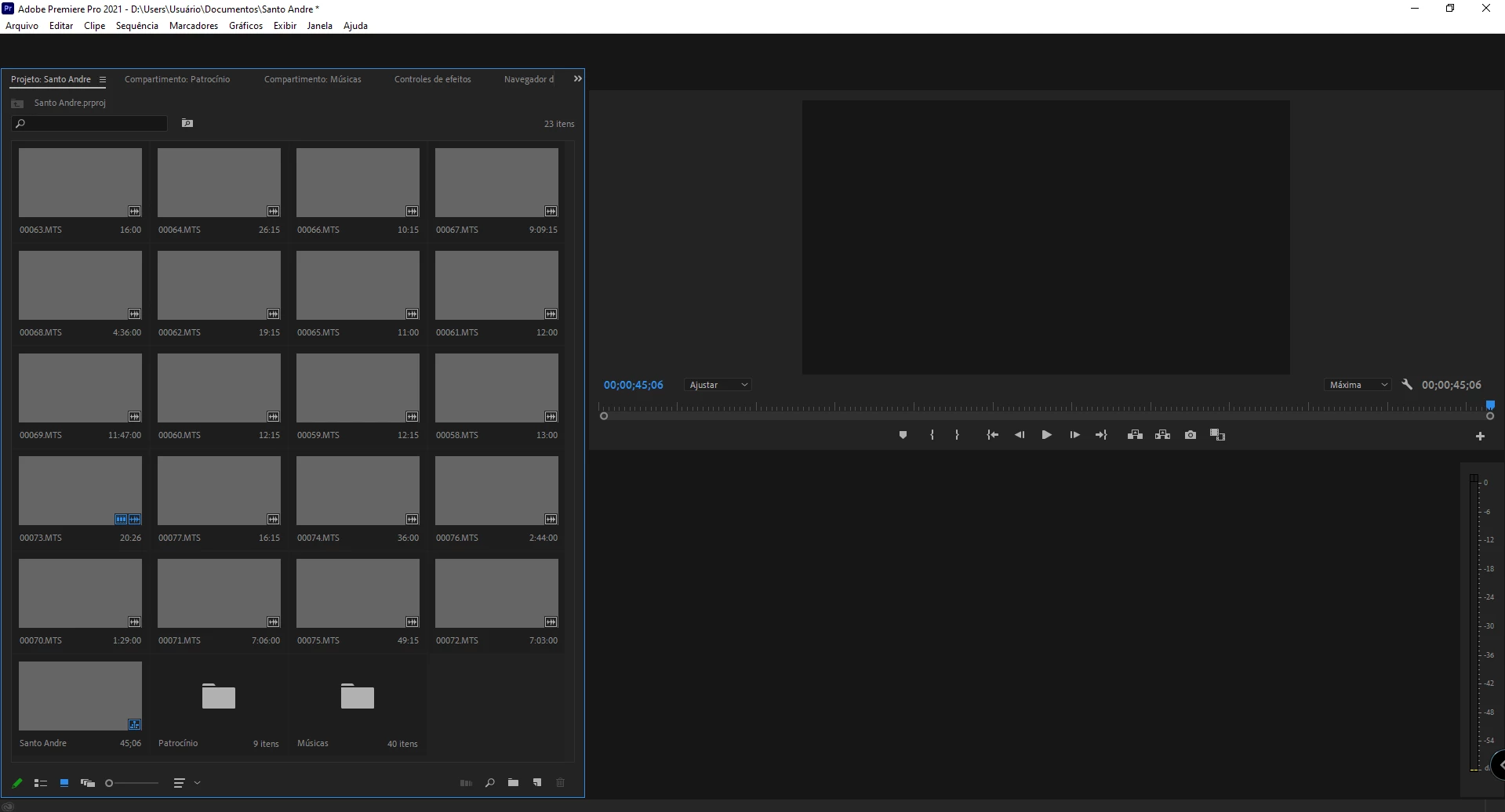


I do have a sequence with clips on it, but I can't see them. What should I do?


P.S.: I have all programs and drivers updated and to this point, I have never dealted eith this problem.

This topic has been closed for replies.
Correct answer Phillip Harvey

Does going to Window > Workspace > Reset to Saved Layout help?

3 replies

oggymoggy
Participant
June 2, 2021

Hi All.

I just had a similar problem when Premier Pro 2020 and 2021 would not not open any project on my Mac. It would let you select any project and then start to open then just freezed followed by the Beach Ball of Death, had to force quit. 

The solution I stumbled on in a blind panic was to create a brand new project, then opened up previous projects and thankfully all now open up.

Keep safe all.

Phillip HarveyCommunity ExpertCorrect answer
Community Expert
May 5, 2021

Does going to Window > Workspace > Reset to Saved Layout help?

Participant
May 5, 2021

YES! Thank you!

Community Expert
May 5, 2021

That can "wake it up" if you're experience some visual UI glitches like that.

Shivangi_Gupta
Community Manager
Community Manager
May 5, 2021

Hi there,

Thanks for writing in. I understand there is no preview on opening the Premiere Pro projects on the latest version of the application.

Let us know the outcome.

Regards,

Shivangi

Participant
May 5, 2021

Just cheked it and still not working. It actually got even worse as seen in the image above. 

Participant
May 5, 2021

I noteced now that the problem occurs when a sequence is created. Any form of sequence creation makes the software stop working correctly.