
premiere pro out of sync
So now i have done all, that i know,
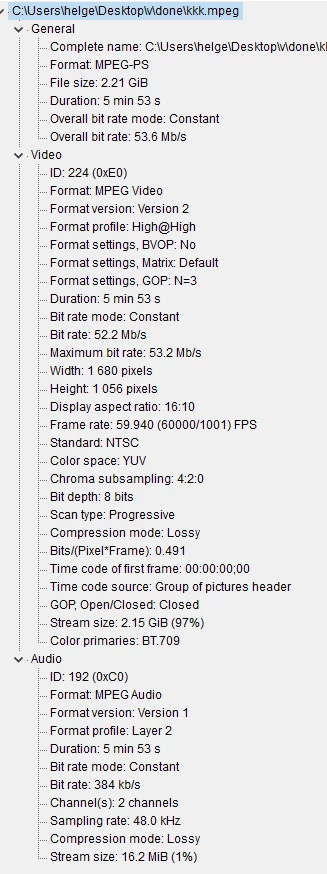
first, after i recorded the video, i played it in bs player and windows player (win 10) and all works fine, video looks very good, sound also at right place but when i import it to premiere pro, sound goes off. so i googled the problem, i changed the file from mp4 to mov and dif and this made the playback laggy and i don't know, if it fixed it, so i googled more. I installed Handbrake and chose the Constant framerate and after long wait, i was back to mp4 and hoping, that when importing, problem would be gone, but no, still there. Even when i played in windows player, it laggs there now, but not in bs player ( what??)
So, what else could i try? im not good at this program or editing but i remember, back like 2 years ago, when i used 2015 cc, i had low quality video, used fraps i think, then everything worked, synced. Now i used nvidia shadowplay, i have crystal clear quality, watching it in BS player. But after import, messed up, 2017 CC, 2015 had audio hardware I/O overload at (time-code) in "adobe player" error
 AdChoices