

Gabby16bit
Known Participant
September 11, 2023
Question

Premiere Pro PlayBack Lag With High Bitrate videos (FullHD)

  • September 11, 2023
  • 4 replies
  • 1293 views

I'm using a Mac Studio M2 Ultra (But i noticed this happens on PC aswell), and I've observed significant performance lag in Premiere Pro when working with footage that has a bitrate exceeding 25,000. Playback becomes noticeably stuttery. However, when I use a bitrate of around 15,000, the performance seems stable.

It's challenging for me to compromise on bitrate for my editing tasks. What's puzzling is that other software, like Final Cut and DaVinci Resolve, handle the same videos without any issue. It's evident that Premiere Pro is underperforming in this regard.

One specific pattern I've noticed is that Premiere Pro operates smoothly for approximately the first 5 minutes, but thereafter, it starts to stutter. The temporary fix I've found is to restart the application. However, the stuttering returns after another 5 minutes. This recurring issue hinders my workflow and is extremely frustrating.

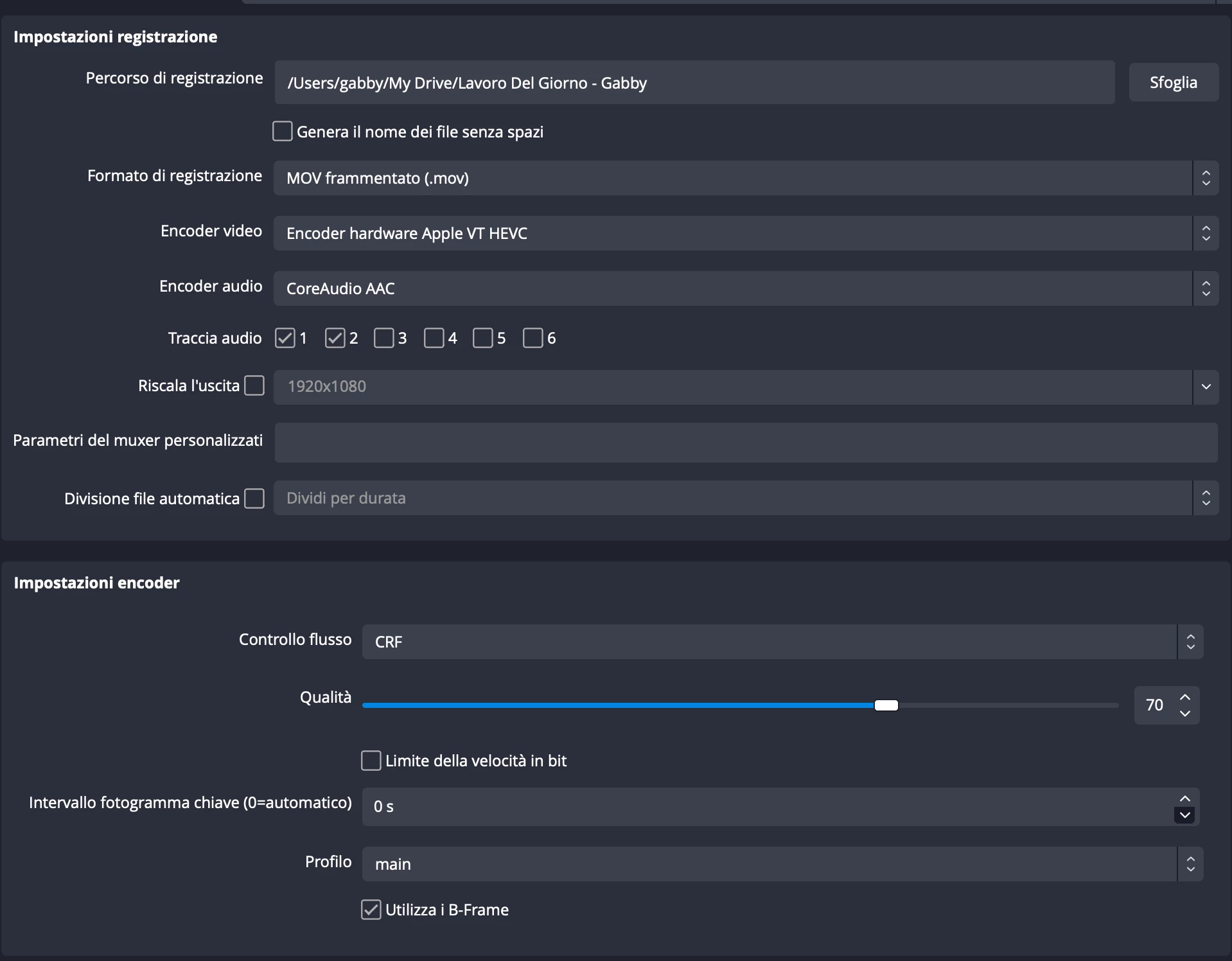
Attached is an image of the settings I currently employ, which seem to exacerbate the freezing in Premiere Pro. I hope this can be looked into promptly.
 

This topic has been closed for replies.

4 replies

Participating Frequently
September 18, 2023

Is OBS-studio not well supported with premiere? Because if you have high bitrate on OBS it will make the program lag

Participating Frequently
September 14, 2023

I can confirm that with similar settings Premiere Pro becomes slower with time. Why is that happening?

Participating Frequently
September 11, 2023

I am also fighting with Prem Pro (23.6).

I am making faily simple videos - in HD - with highlight boxes, images and text - some of these have opacity fades and basic position shifts. The Windows machine I'm using (Win10) Intel i9-12900 -2.4Ghz and 64GB of RAM with a NVIDA GeForce RTX 3070 is incredibly laggy.
For example. If I want to change the bulleted text, I cannot see if it's highlight and when I finally get the text cursor/text line, when I try to edit the text or add text, it takes about 5-10 seconds to appear. The same applies for any changes I want to make. It's painful, and I have to explain why it has taken me half a day to make feedback changes, that should only take 30 minutes. I'm also working at 1/4 resolution and previewing the timline is also very, very slow. 

GOD HELP ME!

Gabby16bit
Known Participant
September 11, 2023

I have also noticed that the video lenght makes the playback lag more. If is more than 1 hour, it will freeze more than a video that is 30 min long.