
Premiere Pro playback stopped working when I disabled iGPU
So i was having trouble with Premiere (13.1.2 version build 9) performance and I decided to disable iGPU to see if that was the problem. After disabling it, playback is just playing sound and image is stuck on one frame. It feels like the image is taking a lot to charge and that it only charges sound (after long periods of time, the frame changes depending where the playhead bar is).
I've tried reinstalling nvidia drivers and still not working...
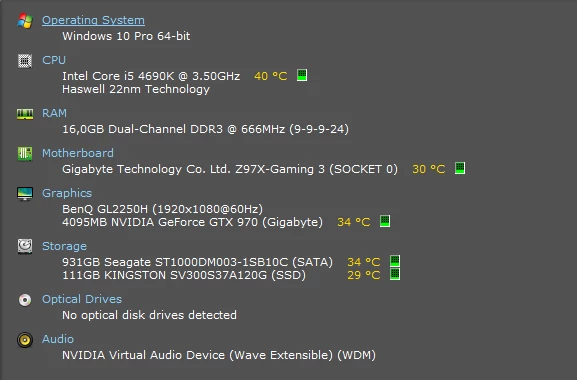
These are my computer parts.
And this is what my performance looks like when I try to playback anything.
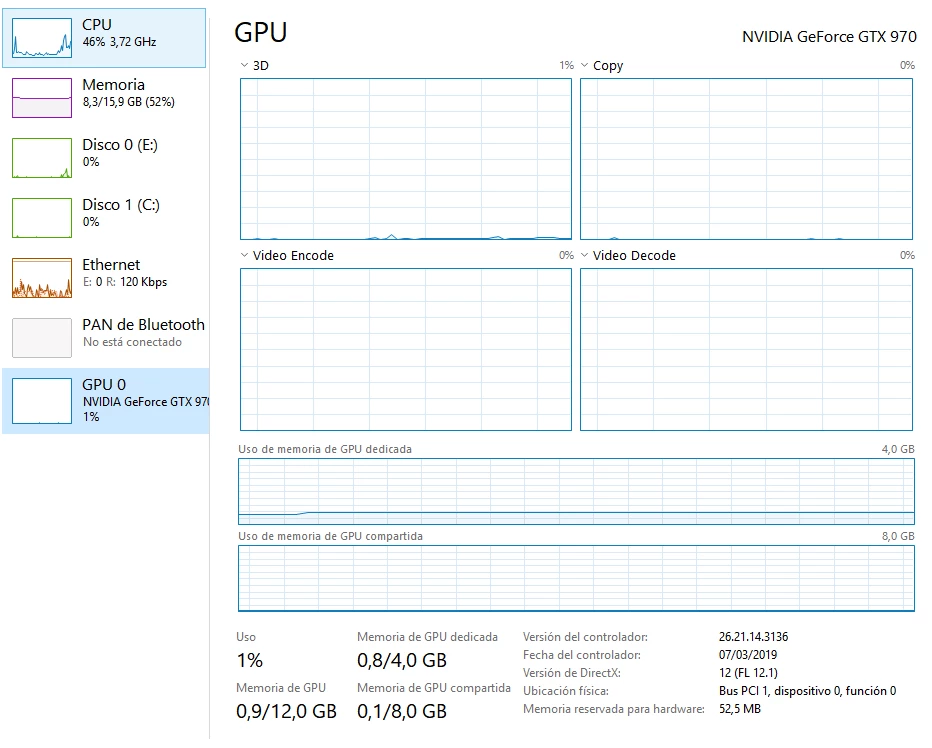
What I've observed is that Video Decode on the igpu when I had it activated, I could see the video decoding doing its work. Now, the nvidia gpu it looks it is not doing anything.
If someone knows what is going on I would appreciate some help!
Thanks.
(for more information ask me and I'll response as quick I can)
 AdChoices