Participant
September 23, 2022
Answered

Premiere Pro Productions, Projects wont open anymore

  • September 23, 2022
  • 5 replies
  • 2451 views

Hey everyone.


Working on an Premiere pro Production Workflow, and just recently my windows PC won't open projects anymore.


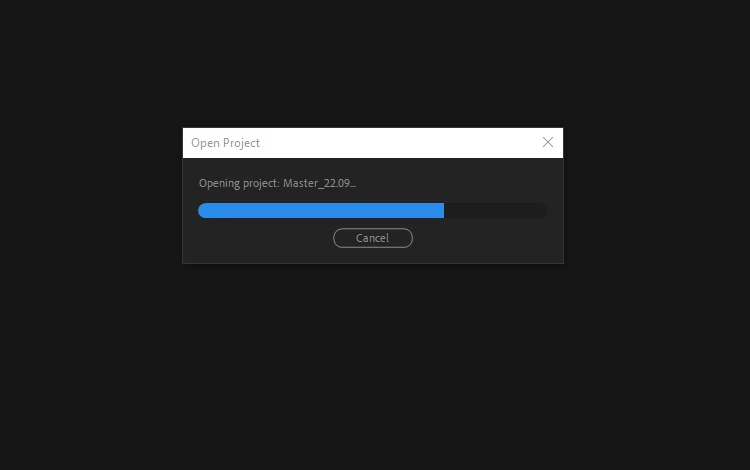
When I try to open one Project it will get stuck half way (see the image bellow). When I open any project file though file explorer it works just fine, this only happens if I try to open it with the production panel. Any solutions? 
 

This topic has been closed for replies.
Correct answer Lucas243969692q5m

I've resolved my issue. My projects are saved to a NAS server. Every so often I'd shut down my server and each time that I turned it back on it would give me a new IP address for it. The premiere projects would still try to look for the media at the old IP address.  The solution was to shut down the server, and unplug the ethernet cord from my computer so the project couldn't even look through that port. The project opened fine. Offlined the media. Dettached all proxy files and saved the project. Re-attched my server [another note, i changed my server settings to always have the same IP address] and the project opened right away. 

5 replies

Participant
September 28, 2022

I have no ideia of what can be the culprit of this situation...


I was working on the production just fine, left at the end of the day, came back next morning and it stopped working. No updates, no file structure difference, nothing.


Since then I have indeed updated windows and premiere pro, in hopes of solving the issue. I also tried to connect different computers, but at this moment no Windows PCs can open the production files, only Macs. Never had this happen to me before. 

Kevin J. Monahan Jr.
Community Manager
Community Manager
September 28, 2022

That's disturbing, Andrew. I'll ask the team if they might know more about this now that they have returned from IBC.


Thanks,
Kevin

Kevin Monahan - Sr. Community and Engagement Strategist – Adobe Pro Video and Audio
Bruce Bullis
Community Manager
Community Manager
September 26, 2022

Hello Andrew,


The words that caught my eye, in your initial post, were 'just recently'...

What has changed about your system configuration(s), since you were able to open a Production, and its constituent projects?

Participant
September 23, 2022

Here at work we have 3 Windows machines and 3 Macs. All of the Windows machines are updated with the latest version of windows 10. 

One of the Windows machines never worked with this production, but the other two just started having this behavior today. 

Kevin J. Monahan Jr.
Community Manager
Community Manager
September 26, 2022

Sorry about that, Andrew. I will ask the product team if they can respond. I hope we can help you solve this case.


Thanks,
Kevin

Kevin Monahan - Sr. Community and Engagement Strategist – Adobe Pro Video and Audio
Participant
September 23, 2022

This happened when I had version 22.6.1 installed. So far I have reset my preferences, unistalled premiere and instal the version 22.0. I also tried to update to 22.6.2 and nothing.


We have two more Mac computers working from the same shared storage and they work just fine. 

Kevin J. Monahan Jr.
Community Manager
Community Manager
September 23, 2022

Have you updated Windows recently, Andrew? You may want to try that.


Thanks,
Kevin

Kevin Monahan - Sr. Community and Engagement Strategist – Adobe Pro Video and Audio
Adobe Employee
September 23, 2022

Can you please mention which build is facing

this issue