
Premiere Pro render and replace replacing with empty audio
I have a problem with the render and replace function on audio tracks (including when it does this when selecting edit in Audition)
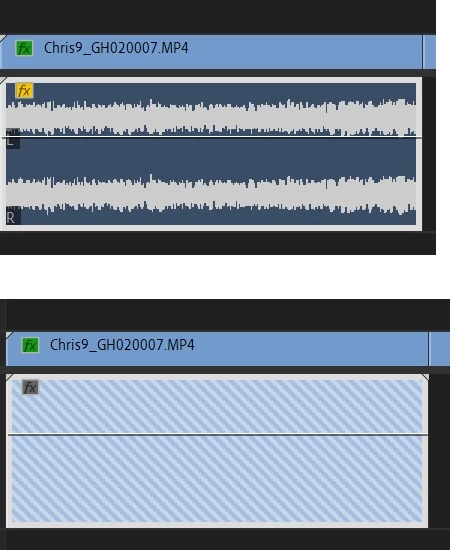
If I render and replace an audio part it replaces it with empty/silent audio (same happens if I try and open in audition). I have tried clearing all cache files, restarting, moving to different track, duplicating timeline etc. Its the same for all audio parts in the whole project and it even does the same now if I create a new project and import any audio file.
It was working fine, and stopped working after I had done a track select forward (A) and moved all parts in the whole timeline forward a bit so I could enlarge the first audio part. After that, it completely stopped working for any project in PP.
Screenshot below - top is original part, bottom is after render and replace audio.
Any ideas?
 AdChoices