Premiere Pro rendering green lines over all footage
Hello,
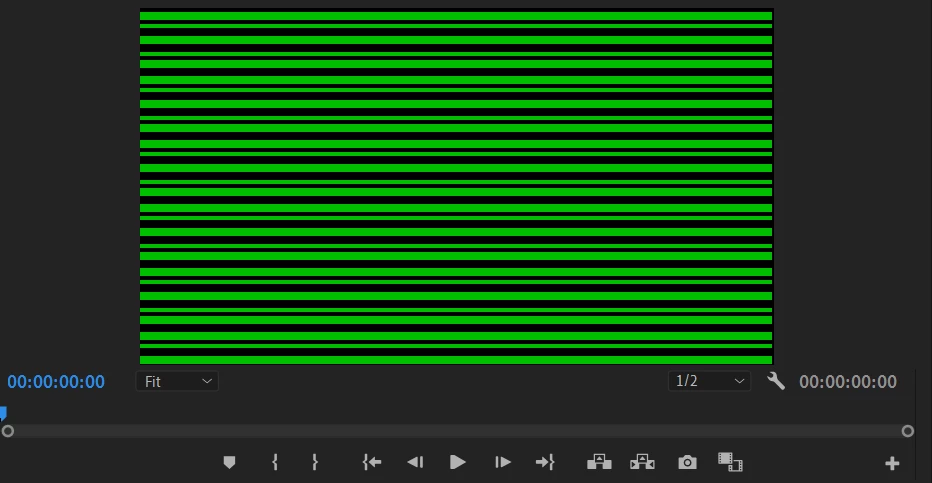
I recently encounted a video playback error in my version of premiere pro. I am using the most recent version of Premiere Pro 2020, and while it has worked perfectly in the past, it recently stopped previewing my videos without rendering distracting green lines over the footage. I have done so much to stop this, such include:
1. changing the renderer
2. Uninstalling and reinstalling the program
3. Installing Premiere Rush
4. Downgrading my graphics driver (which caused Premiere Pro to not render anything at all)
5. Updating my graphics driver to the most recent version
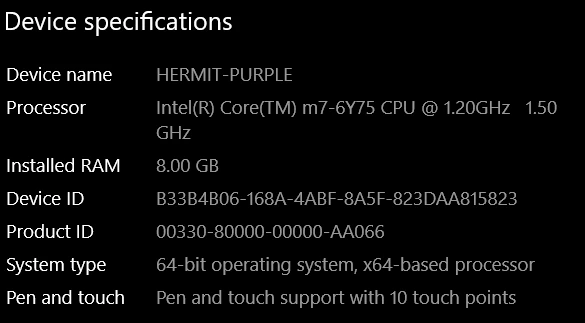
None of this as worked, and I have yet to find anyone who has had the same issue as me. If it is a problem with my hardware, then it's completely understandable considering this is a poorly made Toshiba Z20T laptop that can't run adobe after effects, however, premiere working on this device in the past has convinced me something else may be going on.
Premiere pro is the only program that is doing this. (
 AdChoices