
Premiere Pro renders wrong the color for vector graphics from creative cloud libraries
I've always had this problem and had to find a workaround but it's becoming more of a pain. When I drag vector graphics from CC libraries into a Premiere Pro timeline, the color is never accurate and I don't know why. Sometimes it isn't always obvious but it's almost always incorrect.
In Illustrator, I have a red hexagon filled with the color #e30513.
The document color mode is RGB.
In Edit > Color Settings I have tried different RGB color spaces:
- Rec.709 Gamma 2.4
- sRGB IEC61966
- Adobe RGB
- Rec.709 PQ
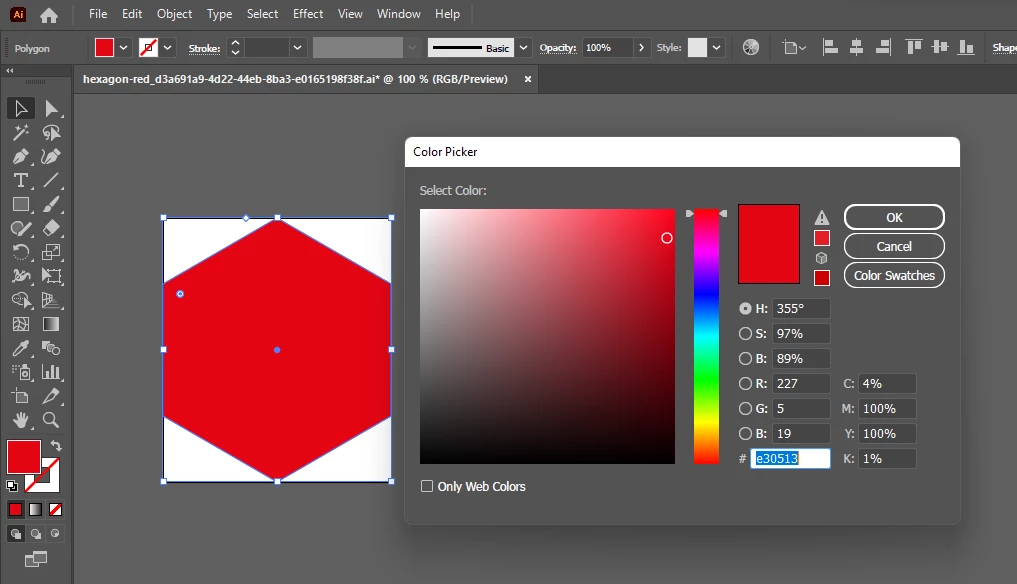
I then add this to CC Libraries, go to Premiere Pro and drag it into a timeline.
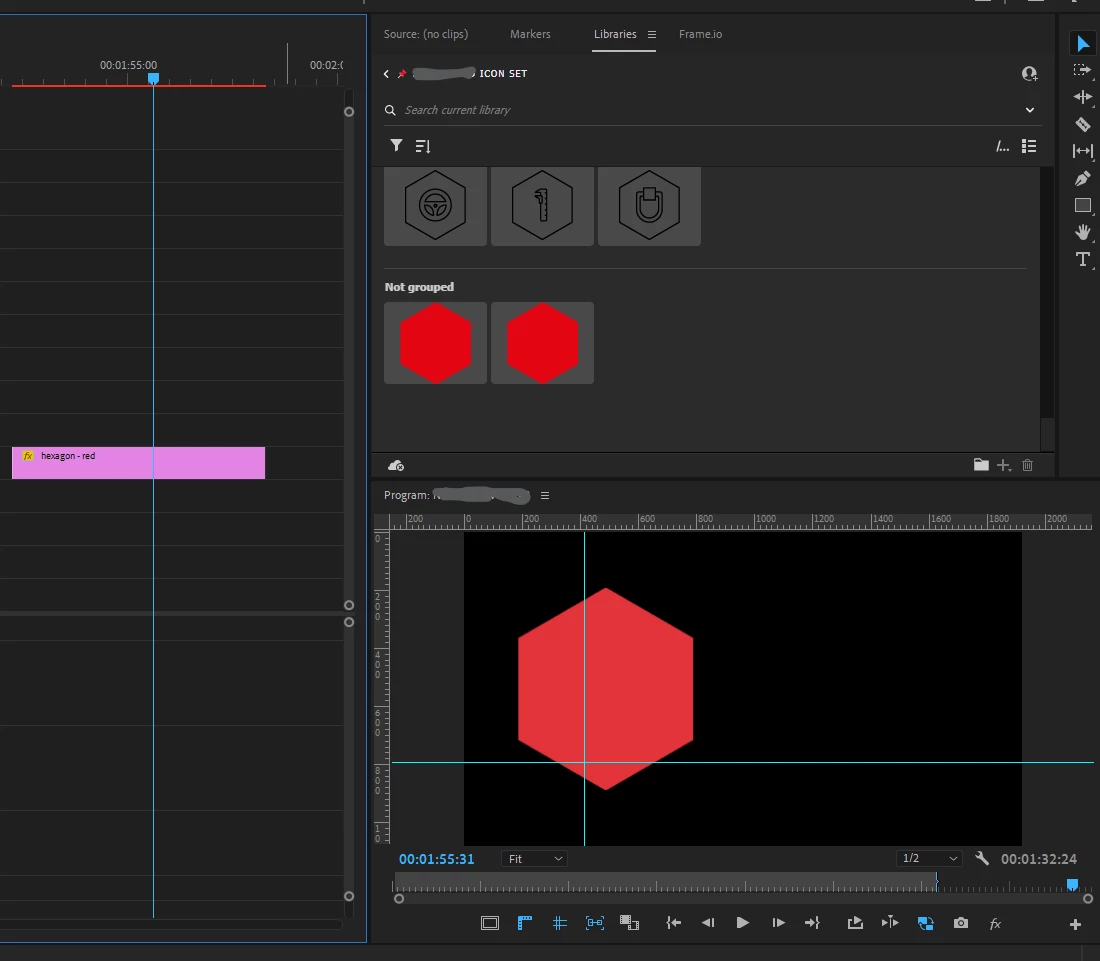
In Premiere Pro, the hexagon is the right color in the Libraries panel but in the timeline it looks more pink then red. I can't get the file to be the right color on the timeline!
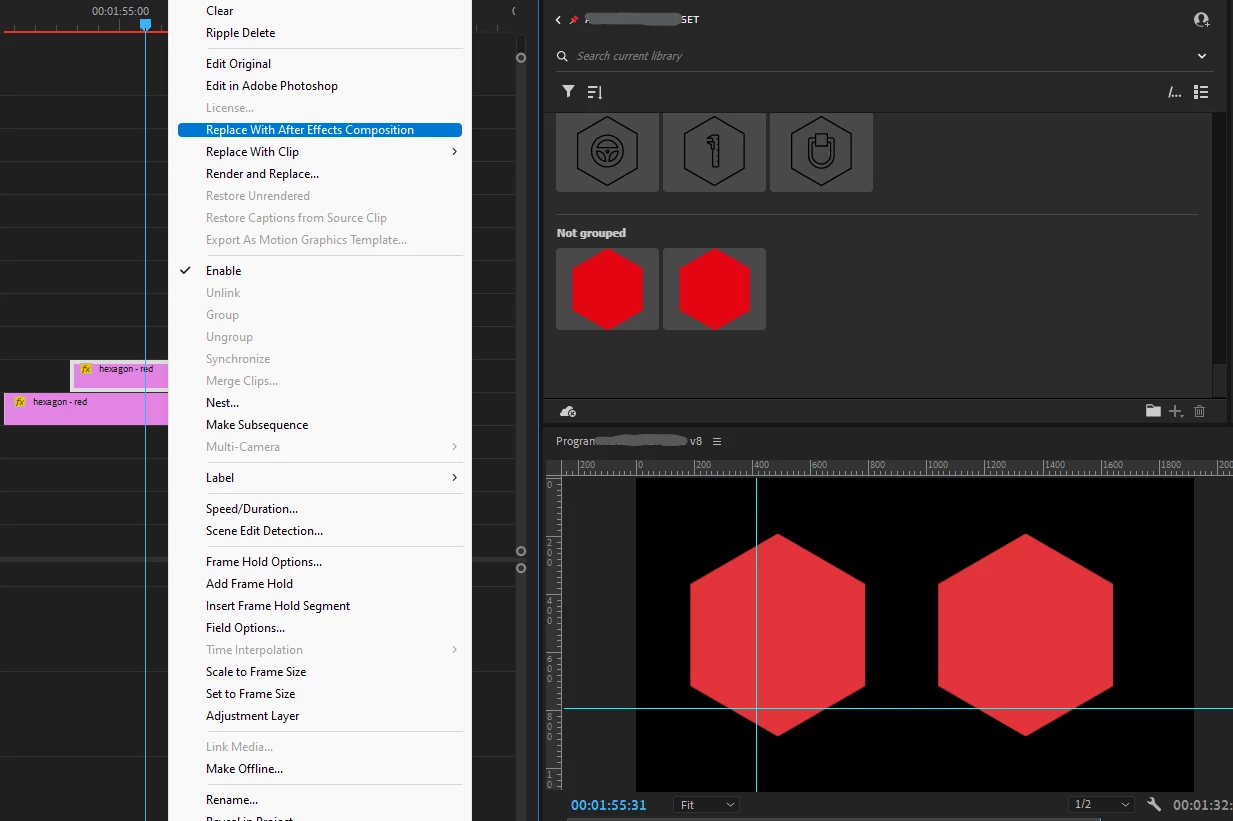
Something else very confusing about this is that After Effects interprets the color correctly. If I simply duplicate the graphic, right click, and "replace with After Effects composition", the color of the AE comp updates to the correct color as soon as it's saved in AE. See the comparison difference in the second screenshot below. Left side is Illustrator file, right side is Illustrator file converted to AE composition.
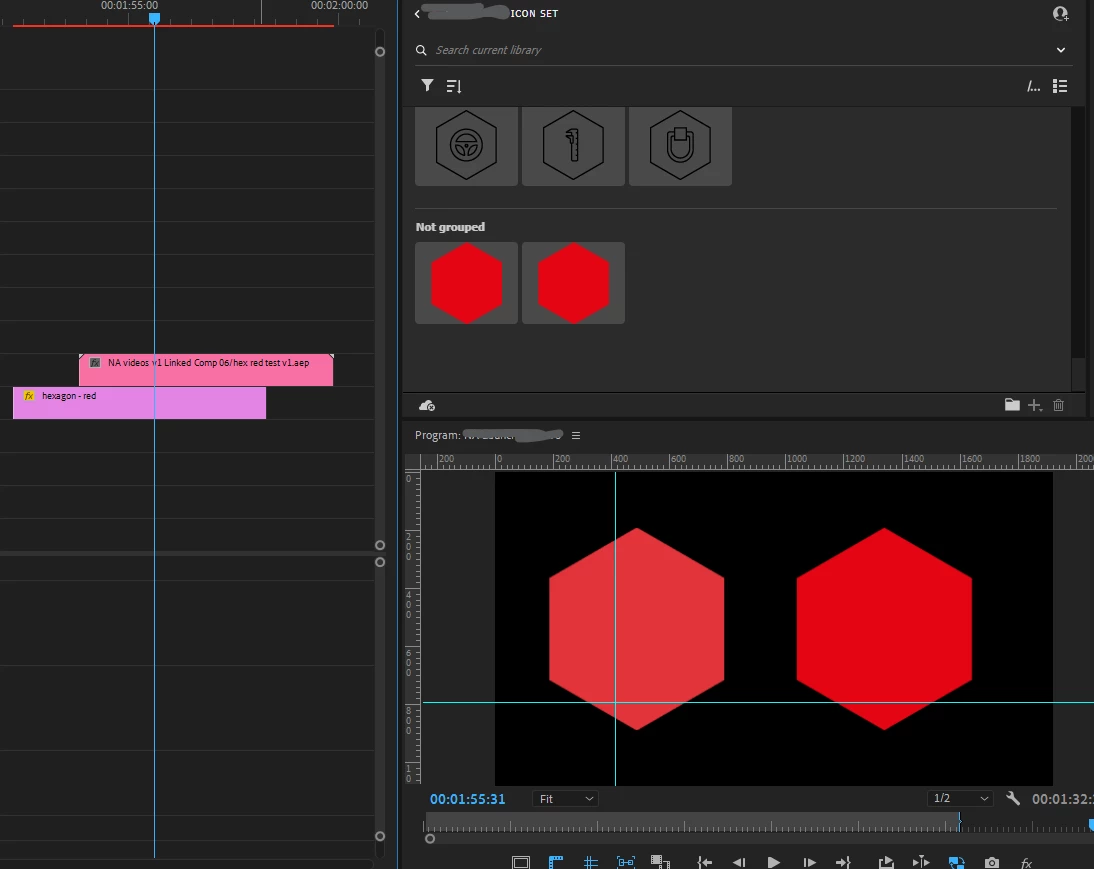
Please can anyone help me fix this? Really annoying, I either have to convert all graphics to AE compositions or render them to a raster file - either way it limits editing the file at a future date.
EDIT: a small update for the sake of clarity. I've detailed above that using the file from Creative Cloud causes this effect. I've imported a Illustrator file manually, not through CC libraries and it has the same effect so the problem clearly lies with the AI file and not the CC libraries.


 AdChoices