
Question
Premiere Pro replaces audio track 1 with audio track 2
On a couple of clips I have a problem where Premiere Pro replaces the audio in audio track 1 to the audio in audio track 2, which means that the audio from audio track 2 is duplicated and the audio in audio track 1 is completely gone. The different wave forms from the two tracks are still there, and yet Premiere does not play audio track 1 (The clip with the problem is shown in the picture) as you can see, the audio waves look totally fine. There is nothing wrong with my recording software settings, because I checked other clips and they seem to be fine. I have looked everywhere, but cannot find a fix.
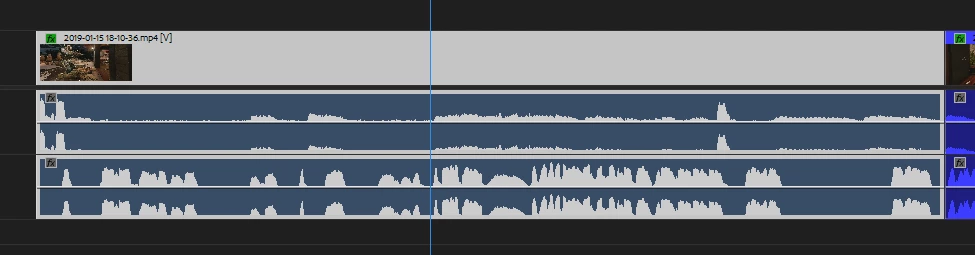
A solution would be highly appreciated!
 AdChoices